
Entertainment · iOS
Cast Web Videos to TV - iWebTV
by Swishly inc

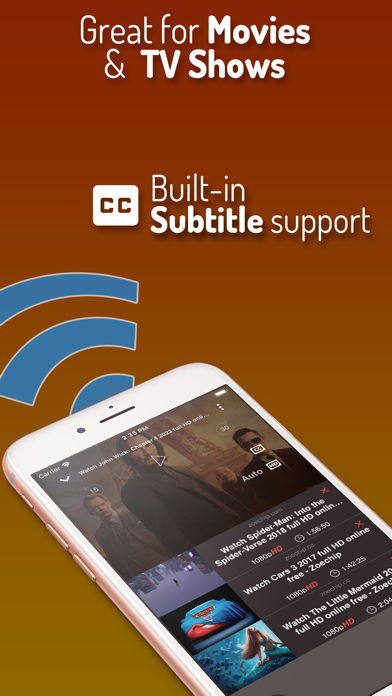
Released in 2015 and still actively updated, iWebTV has accumulated over 167,000 App Store ratings averaging 4.76 stars, a volume that signals genuine, sustained satisfaction rather than a short-lived spike. The app bridges your iPhone to five major TV ecosystems by handing off the real video stream rather than duplicating your display. At 55 MB it installs quickly, and the feature set has grown steadily to include a multi-tab browser, subtitle support, and a playback queue.
Stream casting preserves video quality and battery
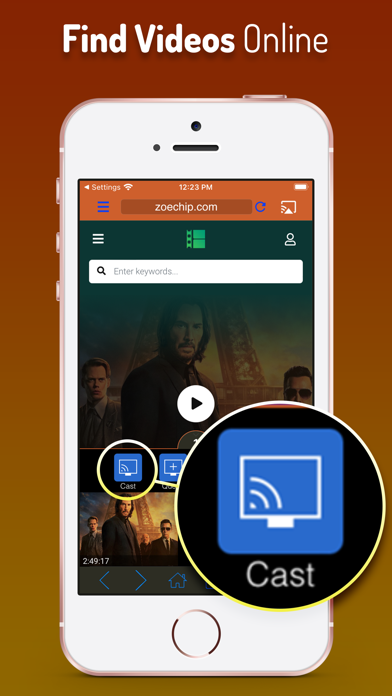
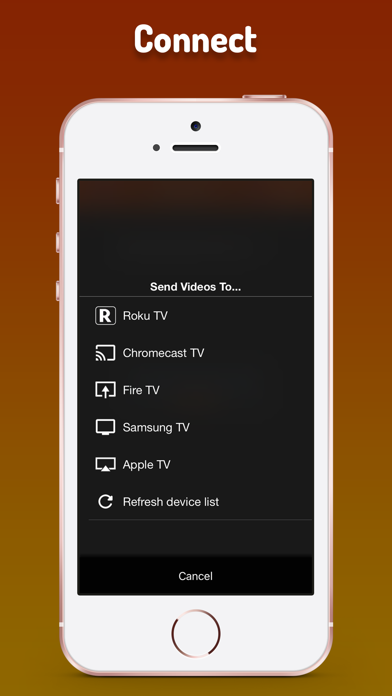
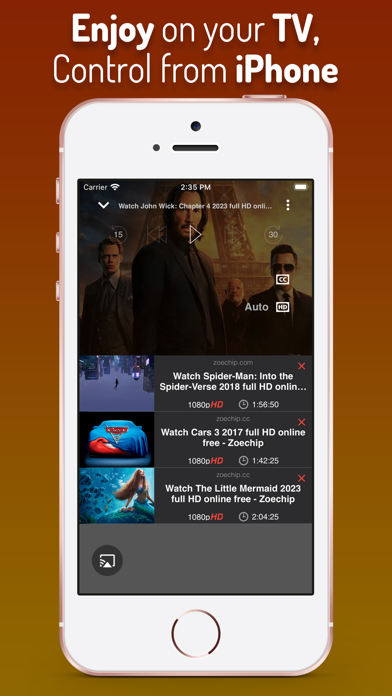
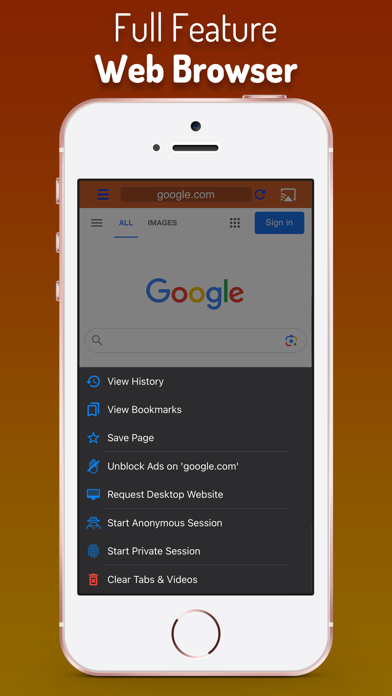
The central proposition is stream casting rather than screen mirroring, and the practical difference is real. Mirroring duplicates your display frame by frame, introducing compression, stutter, and battery drain. iWebTV instead identifies the video stream on a given page and hands it directly to the receiving device, so your phone essentially becomes a remote control once playback begins. HD up to 1080p and 4K output where hardware supports it means picture quality is not a casualty of the casting method. Compatibility spans Chromecast, Roku, Amazon Fire TV, Apple TV (4th generation and later), and Samsung smart TVs from 2018 onward, which is a genuinely broad net for a single app. The built-in browser adds popup blocking and ad suppression, keeping the path from URL to TV cleaner than a raw browser hand-off would manage.
High ratings reflect consistent real-world reliability
With 167,000 ratings and a 4.76 average, the crowd verdict on day-to-day reliability is hard to argue with. The 55 MB install size is lean for the feature set, and the app has received consistent updates, most recently in July 2026, suggesting the developer actively addresses compatibility as TV firmware and streaming sites evolve. Casting success does vary by source website since some platforms use proprietary players that resist stream extraction, so new users should expect a short discovery period learning which sites cooperate. Once a reliable source is found, the experience is smooth: lock-screen playback controls remain active after leaving the app, and the multi-tab browser lets you hunt across several sites without losing your place. Live stream support extends the use case beyond on-demand clips.
Free app with unclear paid feature pricing
The base app is free, which removes any barrier to trying it. The complication is that in-app purchases are listed in the App Store without clear disclosure of what they unlock or what they cost, making it genuinely difficult to budget before committing. That opacity is the main reason to pause. For users whose needs are met by the free tier, the value proposition is strong: a capable casting app with a built-in browser, subtitle support, and a playback queue at no upfront cost. Anyone who finds the free experience limited should explore the purchase options inside the app before assuming the full feature set is free, because the store listing does not make that clear.
Built-in browser requires careful permission review
The app carries a 17-plus content rating, which reflects the open-web browsing capability rather than any content the app itself produces. Because iWebTV includes a built-in browser that can navigate to arbitrary sites, it necessarily handles browsing data, and the permissions it requests, likely including local network access to discover casting devices, are worth reviewing before granting. The App Store privacy label for this app is the authoritative source for what data is collected and whether it is linked to your identity; we recommend reading it directly in the App Store listing before installing. The store entry mentions a privacy mode feature, but provides no detail on what it actually restricts, so users with stronger privacy requirements should investigate further inside the app.
Functional design lacks detailed accessibility features
The interface follows familiar iOS conventions, with a browser-forward layout that puts the URL bar and tab management front and center. Navigation is straightforward enough that most users will find their way to casting within a few minutes of installing. The multi-tab browser and playback queue are well integrated rather than feeling bolted on. On accessibility, the app does not appear to advertise specific VoiceOver or Dynamic Type optimizations, and the 17-plus content rating suggests Apple reviewed it for mature web content rather than accessibility gaps. Users who rely on assistive technologies should test the casting controls and browser navigation personally, as the store listing does not detail accessibility accommodations. The overall visual design is functional and uncluttered, which tends to benefit users across a range of needs.
Ten year update history shows active maintenance
By any reasonable measure, yes. The app launched in July 2015, making it over a decade old, and version 2.0.113 carries an update date of July 2026, indicating the developer has sustained meaningful development across that entire span. Reaching version 2.0.113 implies a high cadence of incremental releases rather than occasional large drops, which typically reflects active bug fixing and compatibility maintenance. The rating count of 167,000 grows only when users engage with the app, so that figure also suggests an active, returning user base rather than a legacy install base that has moved on. The breadth of supported platforms, five TV ecosystems, each with their own firmware update cycles, demands ongoing maintenance, and the update history suggests Swishly inc is keeping pace.
Pros
- Genuine stream casting rather than screen mirroring preserves HD and 4K video quality on supported hardware
- Covers five major TV platforms in a single app, Chromecast, Roku, Fire TV, Apple TV, and Samsung smart TVs
- Built-in browser includes ad blocking and popup suppression for a cleaner path from web page to TV
- Subtitle library with auto-detect and lock-screen playback controls add practical everyday value
Cons
- In-app purchase scope and pricing are not disclosed in the store listing, making upfront cost assessment difficult
- Platform support has hardware minimums, Samsung sets must be 2018 or newer and Apple TV must be 4th generation or later, which can catch buyers off guard
- Casting reliability varies by source website since some proprietary video players resist stream extraction
Related guides
Similar Entertainment apps


apptidal is independent and ad-supported. We earn no commission on installs and no company can pay for a better score. How we stay independent.