
Security · iOS
IPVanish VPN: Fast & Secure
by IPVanish, Inc.
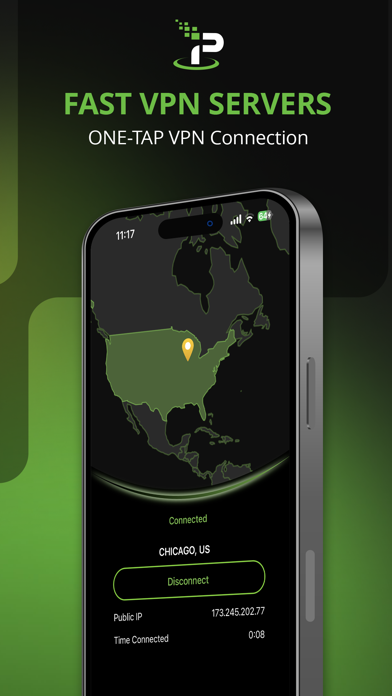
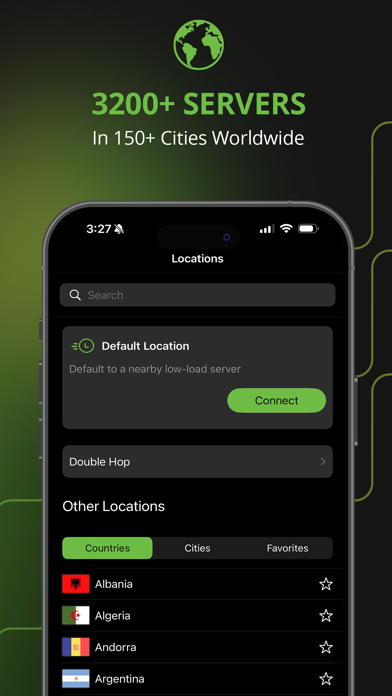
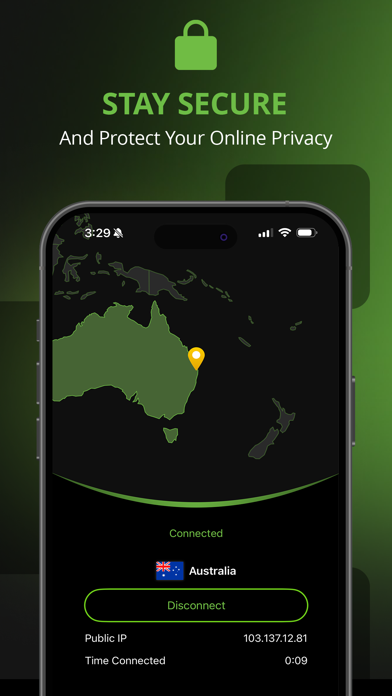
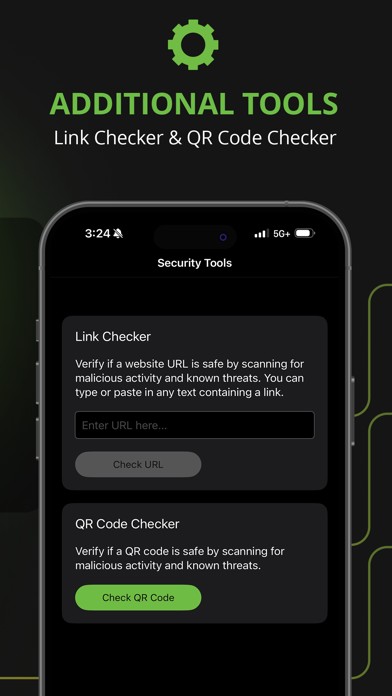
First released in December 2013, IPVanish sits among the longer-tenured VPN apps on iOS. The 86 MB install is modest, and a 4.55 rating across more than 104,000 reviews signals a broad, generally satisfied user base. The core promise is simple: encrypt your connection, mask your IP address, and keep the whole process approachable. Whether that promise fully delivers depends heavily on which subscription tier you choose.
Straightforward encryption without unnecessary complexity
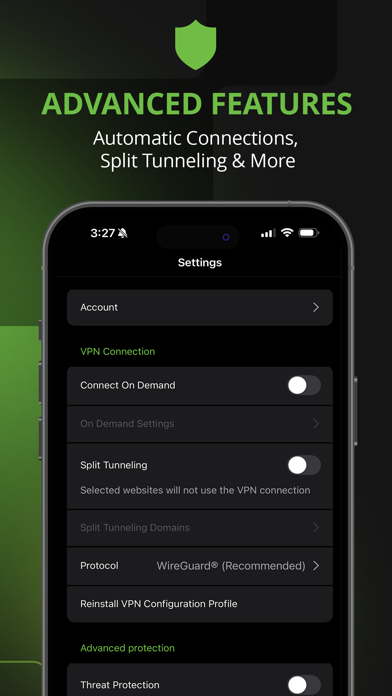
IPVanish does exactly what a mainstream VPN should: it encrypts outbound traffic, substitutes a different IP address, and presents that workflow through a clean, minimal interface. Open the app, select a server region, tap connect. There is no cluttered dashboard standing between you and a protected connection. For users seeking WiFi security at airports or coffee shops without any networking background, that directness is genuinely valuable rather than a marketing simplification. The app supports standard protocols and covers the fundamentals reliably. Where it falls short is differentiation: nothing in the iOS feature set stands out against a crowded field of competitors at comparable price points, and advanced options available on desktop are noticeably trimmed on mobile.
Sustained ratings indicate reliable daily performance
Qualitative signals point toward solid everyday reliability. A rating of 4.55 sustained across more than 104,000 reviews is difficult to maintain unless connection stability is consistently acceptable, since VPN users are quick to leave negative feedback when drops or slowdowns occur. The 86 MB install size is reasonable for the category and suggests the app is not carrying excessive bloat. Update cadence is a strong positive signal here: the app was last updated in July 2026, indicating the developer actively addresses iOS compatibility and bug reports rather than letting the codebase stagnate. We cannot quote specific throughput figures, but the combination of review volume, recency of updates, and a decade-plus track record suggests dependable day-to-day performance for typical use cases.
Subscription model requires commitment after free trial
The free listing requires careful reading. The app downloads at no charge, but meaningful VPN functionality sits behind a subscription, a structure common across the category yet still worth flagging clearly. The transition from the trial experience to the paywall can feel abrupt for new users who assume the free listing implies a usable free tier. For subscribers, the value proposition is reasonable given the app's stability and long maintenance history. However, competitors at similar price points sometimes offer more generous free tiers, more granular iOS controls, or additional privacy features. IPVanish charges for consistency and simplicity, which is fair, but shoppers comparing options should confirm current pricing and trial terms directly in the App Store before committing.
Privacy practices require direct App Store label review
We cannot independently verify specific data-collection practices or audit server infrastructure, and we will not fabricate privacy-label findings. The authoritative source for what IPVanish collects and links to your identity is the App Store privacy nutrition label on the app's product page, which Apple requires developers to self-report. Prospective users should review that label before installing, paying particular attention to whether usage data, identifiers, or diagnostics are linked to their identity. It is also worth noting that IPVanish has historically operated under U.S. jurisdiction, which carries specific legal implications for data-retention requests. Reviewing the developer's published privacy policy alongside the App Store label gives the most complete picture.
Minimal interface prioritizes connection over advanced options
The interface follows a clean, single-purpose layout that prioritizes the connect action above everything else. Visual hierarchy is clear, and the location-selection workflow requires no prior VPN knowledge to navigate. The 4+ content rating reflects an absence of mature content rather than a statement about complexity. Regarding accessibility, the app uses standard iOS UI components, which generally means compatibility with Dynamic Type and basic VoiceOver navigation, though we have not conducted a formal audit. Users who rely heavily on assistive technologies should test the app during any available trial period to confirm that interactive elements are properly labeled and that the connection flow is fully navigable without visual input.
Continuous development since 2013 ensures iOS compatibility
Active maintenance is one of IPVanish's clearest strengths. The app launched in December 2013 and reached version 4.32.0 with an update recorded in July 2026, meaning it has been continuously developed across more than a decade of iOS changes. That longevity matters for a security tool, where outdated code can introduce vulnerabilities and compatibility breaks with new OS versions. The high and sustained review volume also suggests the developer is engaging with a large active user base rather than coasting on legacy installs. For users who prioritize long-term reliability and want confidence that the app will keep pace with future iOS updates, IPVanish's maintenance record is a genuine differentiator.
Pros
- Over a decade of continuous development and a July 2026 update signal strong, ongoing maintenance
- A 4.55 rating across 104,000-plus reviews reflects consistent real-world reliability
- Minimal connect flow requires no networking knowledge and suits first-time VPN users
- 86 MB install size is modest and avoids excessive storage impact on the device
Cons
- Core VPN functionality is paywalled despite the free App Store listing
- iOS version offers noticeably fewer advanced configuration options than the desktop counterpart
- No standout feature distinguishes it from similarly priced competitors in a crowded category
Related guides
Similar Security apps


apptidal is independent and ad-supported. We earn no commission on installs and no company can pay for a better score. How we stay independent.