
Entertainment · iOS
Screen Mirroring | Smart TV
by Level Clash Apps S.L.


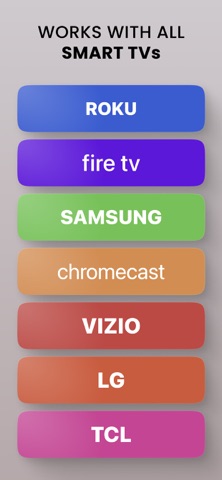


Level Clash Apps S.L. positions this app as a universal Wi-Fi casting tool for iPhone users who want their screen, photos, or web video on a smart TV without extra hardware. The 28,000 ratings averaging 4.47 suggest broad satisfaction at a surface level, though mirroring apps routinely earn inflated store scores before users fully encounter their subscription gates. The whiteboard annotation tool is a genuine differentiator worth noting.
Simple casting with unclear free tier limits
The core workflow is simple: place both the iPhone and TV on the same Wi-Fi network, disable any active VPN or proxy, and the app attempts to push your screen to the television. Beyond live mirroring, it supports casting photos and videos from your camera roll or web sources, which meaningfully widens its appeal beyond just screen duplication. The whiteboard tool, which lets you draw or annotate in real time on the big screen, is a practical differentiator for informal classroom sessions or small-team presentations. Whether all these features remain accessible on the free tier is genuinely unclear, and that ambiguity is a real caveat worth weighing before downloading.
Heavy install size, acceptable latency on strong networks
A 297 MB install is notably heavy for a casting utility, a category where lean, sub-50 MB apps are common. That size suggests bundled assets, possibly video codecs or UI frameworks, rather than a stripped-down network tool. On a strong, uncontested home Wi-Fi connection, mirroring apps in this category typically deliver acceptable latency for photo slideshows and casual video, though they rarely match the smoothness of dedicated hardware like Apple TV. The app received an update as recently as June 2026, which is a positive signal for ongoing bug fixes and compatibility with current iOS versions. The content rating of 17-plus is worth noting for household contexts.
Free download masks subscription paywall structure
The app is free to download, but free-tier mirroring apps almost universally surface subscription prompts quickly, often before a first successful cast completes. Nothing in the available data specifies the exact paywall structure, so prospective users should treat the free download as a trial rather than a complete product. For anyone who only needs occasional casual casting, the free tier may be sufficient. Regular users who want reliable, unrestricted access should budget for a subscription and compare that cost against a one-time hardware purchase like a Chromecast or Apple TV before committing.
VPN requirement trades privacy for casting access
Casting apps typically request access to the local network, the photo library, and sometimes screen recording permissions, all of which are reasonable for the stated functionality. However, the specific data collected, shared, or retained by this app should be verified directly in the App Store privacy nutrition label before installing. The hard requirement to disable any active VPN or proxy is a meaningful privacy trade-off for users who rely on those tools for everyday protection. We cannot independently audit network behavior or data practices, so consulting the App Store privacy label is the only reliable way to assess actual risk.
Unusual content rating suggests ad-supported free tier
The app carries a 17-plus content rating, which is unusual for a utility and may reflect advertising content surfaced on the free tier rather than the core feature set. Mirroring apps in this category tend toward simple, scan-and-connect interfaces, and the strong rating volume suggests most users find the setup approachable. Formal accessibility features such as VoiceOver compatibility or Dynamic Type support cannot be confirmed without hands-on testing, though Apple's platform guidelines encourage their inclusion. Users with accessibility needs should verify support before relying on the app in a professional or educational setting.
Four years of updates signal active maintenance
Version 1.9.5, released originally in December 2021 and updated as recently as June 2026, reflects roughly four and a half years of continued development. That update cadence is a genuine positive, suggesting the developer is tracking iOS changes and addressing compatibility issues rather than abandoning the product post-launch. A 28,000-rating sample is large enough to smooth out outliers and lend some credibility to the 4.47 average. Sustained maintenance matters especially for casting apps, which are vulnerable to breakage whenever Apple updates its AirPlay or network permission frameworks.
Pros
- Whiteboard annotation tool adds a presentation use case that most competing casting apps omit
- 28,000 ratings averaging 4.47 represent a large, credible satisfaction signal
- Updated as recently as June 2026, confirming active compatibility maintenance
- Supports casting from both the camera roll and web sources, not just live screen mirroring
Cons
- 297 MB install size is disproportionately large for a Wi-Fi casting utility
- Mandatory VPN and proxy disabling creates a real friction point for privacy-conscious users
- Free tier almost certainly gates core functionality behind an undisclosed subscription cost
Related guides
Similar Entertainment apps


apptidal is independent and ad-supported. We earn no commission on installs and no company can pay for a better score. How we stay independent.