
Entertainment · iOS
TV Cast for Roku App
by Kraus und Karnath GbR 2Kit Consulting
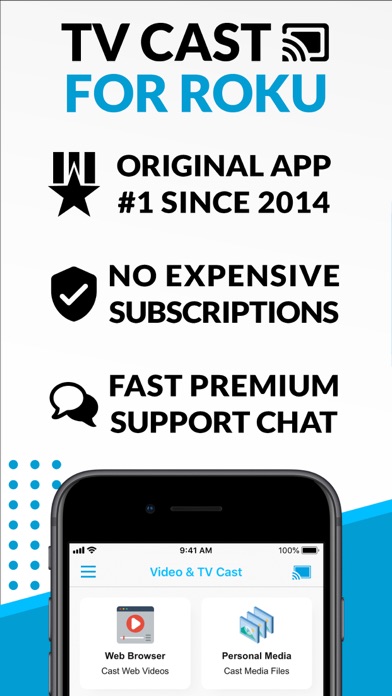

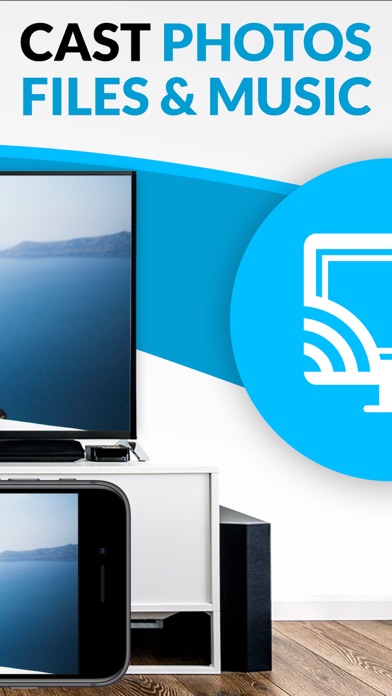
Released in 2015 and still pulling a 4.3 from more than 21,000 ratings, TV Cast for Roku has earned genuine staying power. The core mechanic is a built-in browser that passively detects stream links and fires them to your Roku with a tap. Support covers MP4, M3U8, HLS livestreams, and HTTPS video up to Full HD, plus camera roll playback. At 34 MB the install is light, and updates continue into 2026.
Automatic video detection simplifies casting workflow
The standout mechanic is passive video detection. Browse inside the built-in browser and the app surfaces detected stream URLs below the viewport automatically, no manual URL hunting required. Tap a detected link and playback begins on your Roku. Support for HLS and M3U8 extends the reach beyond simple MP4 files to live streams and regional broadcaster feeds. The workflow feels genuinely clever when a site cooperates. Friction appears on pages that dynamically generate or obfuscate video URLs, where the detector can return empty-handed. That inconsistency is the central limitation of the approach, and it is worth setting expectations accordingly before relying on the app for any specific source.
Modest footprint and strong user ratings signal reliability
A 34 MB install is modest by modern standards, suggesting the app keeps its footprint lean rather than bundling heavyweight rendering engines. The 4.3 rating across more than 21,000 reviews indicates that the majority of users find it functional rather than frustrating, which is a meaningful signal at that review volume. Performance will vary by network conditions between the phone, the Roku, and the source server, since the app bridges all three. The built-in browser is serviceable but noticeably simpler than Safari or Chrome, so pages with heavy JavaScript can behave unexpectedly. For straightforward video sites the experience is smooth; for complex modern web apps it can feel limited.
Free tier available with undisclosed paid options
The base download is free, which makes the risk of trying it essentially zero. In-app purchases exist, but their exact pricing and what features they unlock are not disclosed in the publicly available store data reviewed here. That opacity is worth noting: users should check the App Store purchase screen before assuming the free tier covers everything they need. For occasional casting of personal videos from the camera roll or niche streams that Roku's native channels miss, the free version alone may be sufficient. Anyone expecting to use it as a primary casting tool daily should verify what the paid tier unlocks before committing.
Open browser access requires privacy label review
The app carries a 17-plus content rating, which reflects the open-browser nature of the tool rather than any content the app itself produces. Because the built-in browser can navigate arbitrary websites, it likely requests network access and may log browsing activity or detected URLs for functionality purposes. The App Store privacy nutrition label for this app is the authoritative source for what data is collected, how it is linked to your identity, and whether it is used for tracking. We recommend reviewing that label directly in the App Store before installing, particularly if you plan to browse sensitive or personal content through the built-in browser.
Utilitarian design prioritizes function over polish
The interface follows a utilitarian logic: browser on top, detected links below, cast button prominent. That layout prioritizes function over visual polish, which suits the tool-like nature of the app. Navigation is straightforward enough that new users can understand the workflow quickly without a tutorial. Accessibility features such as Dynamic Type support and VoiceOver compatibility are not independently verified here, but Apple's platform guidelines encourage their inclusion. Users who rely on assistive technologies should test the core casting flow specifically, as third-party browser components embedded in apps can sometimes behave inconsistently with screen readers compared to native UI elements.
Decade of updates shows sustained developer support
Version 3.15 arrived in March 2026, more than a decade after the original 2015 launch, which is a strong signal of ongoing developer commitment. Kraus und Karnath GbR 2Kit Consulting has kept the app current through multiple iOS generations and Roku firmware cycles, a meaningful achievement for a niche utility. The supported device list is specific and honest, covering Roku TV, Streaming Stick, Express, Premiere, Ultra, and Roku 2 through 4, while explicitly excluding the legacy N1000 and N1050 models. That transparency about unsupported hardware is more reassuring than a vague disclaimer. The combination of recent updates and a decade-long track record suggests the app will continue to receive attention.
Pros
- Automatic video link detection removes manual URL hunting during in-app browsing
- Supports HLS and M3U8 alongside MP4 and HTTPS video, covering live streams and on-demand content
- Camera roll casting adds a practical personal media use case beyond web video
- Actively maintained with a version update as recent as March 2026 after a decade in the App Store
Cons
- Detection fails on sites that dynamically generate or protect their video URLs, which is increasingly common
- In-app purchase pricing and feature scope are not disclosed upfront, creating uncertainty about the free tier's limits
- The built-in browser is noticeably basic compared to a real mobile browser, limiting usability on JavaScript-heavy sites
Related guides
Similar Entertainment apps


apptidal is independent and ad-supported. We earn no commission on installs and no company can pay for a better score. How we stay independent.