Entertainment · iOS
VLC Streamer Pro
by Hobbyist Software Limited
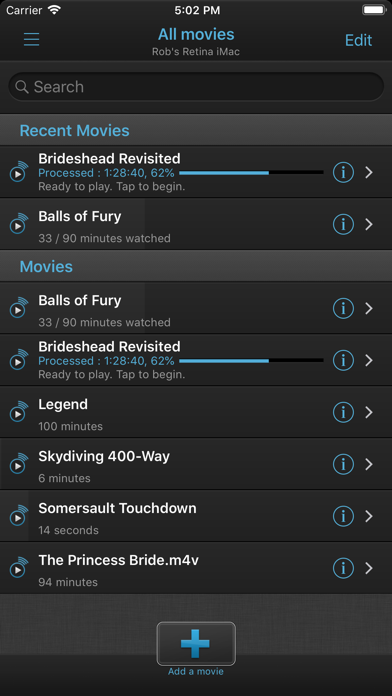
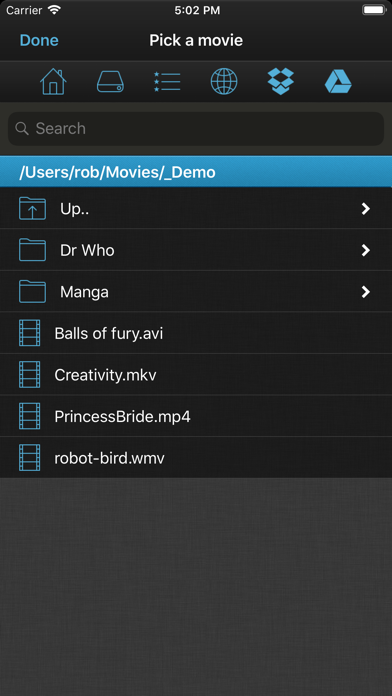
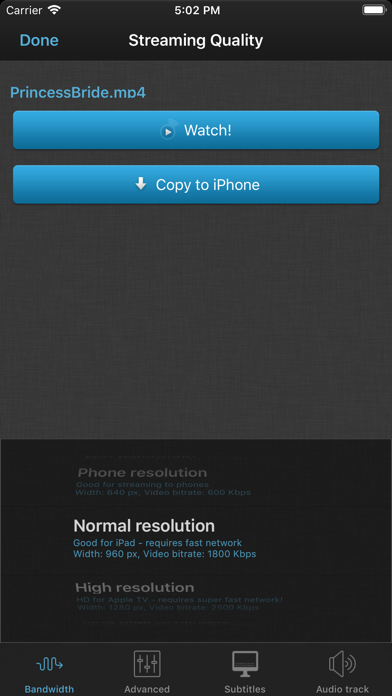


VLC Streamer Pro connects your iPhone or iPad to a companion desktop app, letting you browse and play almost any video format you already own over your home Wi-Fi network. No transcoding, no USB syncing, no reformatting required. At $7.99 with a 4.73 average across 742 ratings, the core experience clearly resonates with its audience. The catch is a November 2022 last-update date that casts a long shadow over the purchase decision.
Format support without conversion works reliably
The central promise is format agnosticism. Where most iOS video apps demand MP4 or a compatible container, VLC Streamer offloads the heavy lifting to its companion computer-side helper, transcoding or remuxing on the fly and piping the result to your device. MKV, AVI, older MPEG formats, and similar files that would otherwise require conversion become playable from the couch without touching a single file. For anyone maintaining a large personal media collection, that workflow shortcut is the entire value proposition. The 742-rating average of 4.73 suggests the approach works reliably for a loyal user base, and the long track record since 2010 adds some credibility to those numbers.
Performance depends on network and hardware
Performance in this category depends heavily on three variables: the speed of your home Wi-Fi, the processing power of the computer running the helper app, and the complexity of the source file. VLC Streamer cannot be assessed by any benchmark we can independently measure, but the combination of a modest 60 MB install size and a high rating volume suggests the app is not bloated and does not generate widespread complaints about crashes or stuttering. Users on older iOS versions or stable network setups likely see smooth playback. On current hardware and recent iOS releases, however, the absence of any update since November 2022 introduces real uncertainty about codec support and system-level compatibility.
Price is steep for unmaintained software
At $7.99, VLC Streamer Pro sits at the higher end of the utility-app tier on the App Store. For the right user, that price is fair: no subscription, no recurring fees, and a genuinely useful capability that free alternatives often handle less gracefully. The problem is the risk calculus. Paying $7.99 for an app that last received attention in late 2022 means betting that Apple's next two or three iOS updates will not break something fundamental. Plex and Infuse offer competing local-streaming solutions with active development, and that comparison makes the VLC Streamer price harder to defend for new buyers today.
Local network architecture protects privacy
Because VLC Streamer Pro operates entirely on your local network rather than routing media through external servers, the inherent privacy exposure is lower than cloud-dependent alternatives. That said, we cannot independently verify what data the app collects or reports. Prospective buyers should consult the App Store privacy nutrition label on the product page, which is the authoritative source for declared data practices. Pay particular attention to any network access permissions and whether the app requests anything beyond local Wi-Fi connectivity. The content rating of 4+ and the local-only architecture are both positive signals, but reading the privacy label directly is the only reliable step.
Interface feels dated and unpolished
VLC Streamer Pro carries the visual DNA of an app born in 2010 and refined through the mid-2010s. The interface is functional rather than polished, prioritizing file browsing and playback controls over modern design language. Whether that registers as charmingly utilitarian or simply dated will depend on the user. Accessibility features such as Dynamic Type support and VoiceOver compatibility are not things we can confirm without hands-on testing, and the stalled update history makes it unlikely that recent Apple accessibility APIs have been adopted. Users with accessibility requirements should treat this as an open question and, where possible, test before committing to the purchase.
No updates since November 2022
This is the sharpest concern with VLC Streamer Pro. Version 6.22.0, released on November 2, 2022, is the most recent build available as of this review. Apple ships a major iOS update every autumn, and two full release cycles have passed since this app was last touched. The developer, Hobbyist Software Limited, has not signaled any roadmap or public communication about future updates. The app may continue to function for some users on older iOS versions, but new buyers should treat this as essentially unsupported software. That reality does not erase the genuine utility the app provides, but it is a non-negotiable part of the purchase decision.
Pros
- Streams virtually any video format without requiring manual conversion or file transfer
- Entirely local-network operation keeps your media library off external servers
- Strong user satisfaction reflected in a 4.73 average across 742 ratings built over many years
- One-time $7.99 purchase with no subscription fees attached
Cons
- Last updated November 2022, making compatibility with current and future iOS versions genuinely uncertain
- Requires a companion computer on the same local network, rendering the app useless outside home Wi-Fi
- Active competitors such as Infuse and Plex offer similar local streaming with ongoing development support
Related guides
Similar Entertainment apps


apptidal is independent and ad-supported. We earn no commission on installs and no company can pay for a better score. How we stay independent.