
Utilities · iOS
Weather Forecast: Weather
by Phung Thinh
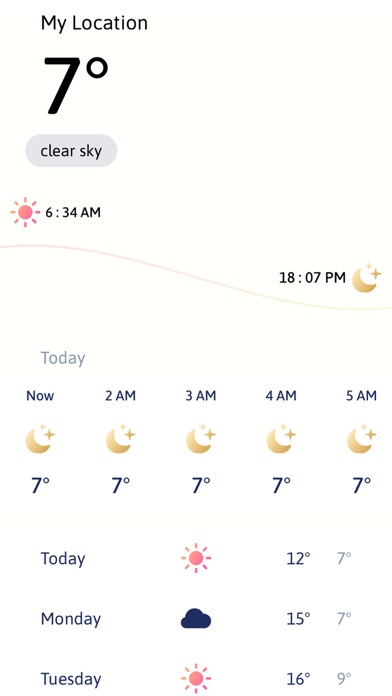
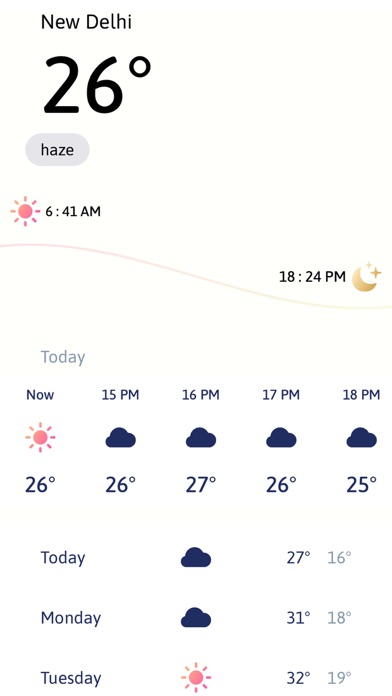
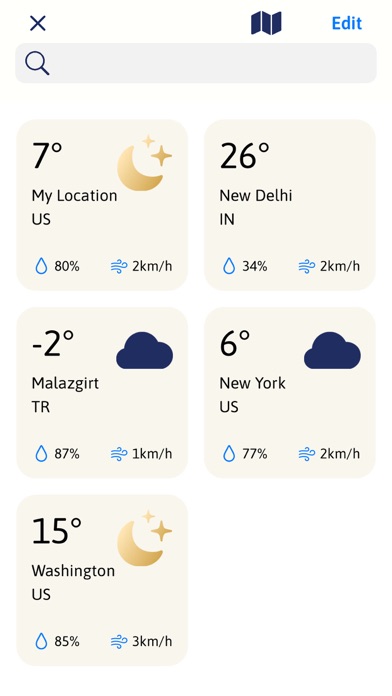
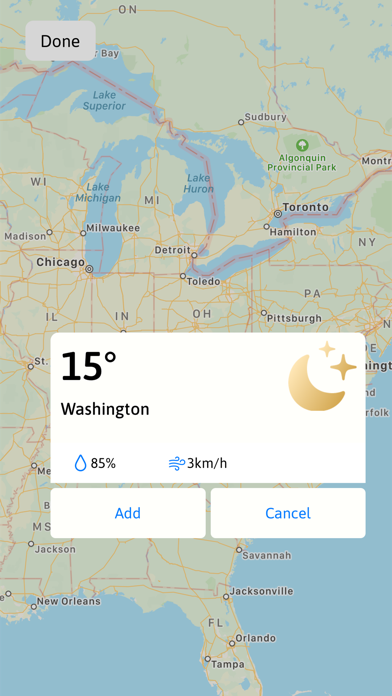
Built by solo developer Phung Thinh, this free utility packs current temperature, AQI readings, hourly breakdowns, and an 8-day outlook into a compact 15 MB package. Its standout feature is a single comparison screen that holds up to 10 saved cities at once. Version 1.0 shipped in March 2022 and has never been updated, which is the defining problem for an app that depends on live data pipelines and evolving iOS compatibility.
Multi-city comparison works, but documentation lacks polish
The core proposition is straightforward: deliver current conditions, AQI, hourly forecasts, and an 8-day outlook for multiple locations simultaneously. The multi-city comparison screen, supporting up to 10 saved locations in a single view, is a legitimately useful idea that many far more polished competitors skip. Pairing temperature with AQI in the same glance adds real practical value for users in regions where air quality shapes daily decisions. Home screen widgets extend that quick-reference utility further. Where the execution stumbles is in documentation: the store listing references both a 5-day and an 8-day forecast in different sections, a small but telling sign of rushed or unfinished polish.
Minimal footprint undermined by two years without updates
At 15 MB, the install footprint is genuinely minimal, and the app should load quickly on any modern iPhone. Beyond that, honest performance assessment is difficult. The app carries only two ratings in the App Store, which is far too thin a sample to draw any reliable conclusions about data accuracy, crash frequency, or stability across iOS versions. No updates have shipped since the March 2022 launch, meaning any bugs present at release remain unaddressed and any iOS changes introduced since then have gone unaccommodated. For a weather app, whose value depends entirely on timely, accurate data delivery, that stagnation is a practical liability rather than a minor footnote.
Free download masks unclear in-app purchase structure
The app is free to download, which lowers the barrier to trying it. However, the in-app purchase structure is not clearly disclosed in the store listing, so users cannot know upfront whether key features sit behind a paywall. Given that free, actively maintained alternatives such as Apple's own Weather app or Weather Underground exist at no cost, the value proposition here is narrow. The multi-city comparison screen is the one feature that genuinely differentiates it, and for that specific use case it may be worth a low-stakes trial. For anything beyond casual curiosity, the risk of depending on an unmaintained app outweighs the zero price tag.
Location permission required, other data practices undisclosed
Location access is essentially required for any weather app to function, so expect that permission request. Beyond that, we cannot responsibly characterize what data this app collects, shares, or retains. The App Store privacy nutrition label for this listing is the authoritative source and should be reviewed before installing. The combination of a solo developer, no updates since launch, and an opaque in-app purchase structure makes it especially worthwhile to check those disclosures carefully. Users with heightened privacy concerns may prefer an app from a developer with a transparent, regularly audited data policy.
Sound design principle, but accessibility details unknown
The multi-city layout reflects a clear design intention: reduce tapping and surface the most useful information at a glance. That is a sound principle. Whether the visual execution meets modern iOS design standards is harder to assess without hands-on use, and the absence of any update since 2022 means the interface has not been refined in response to user feedback or Apple's evolving Human Interface Guidelines. No information is available about Dynamic Type support, VoiceOver compatibility, or color-contrast choices. Accessibility features in version 1.0 apps from smaller developers are often minimal, and nothing in the available record suggests this app is an exception.
Version 1.0 unchanged since March 2022 launch
Version 1.0 remains the only release, and the last update date matches the original launch date of March 6, 2022. That is now well over two years without a single patch, bug fix, or feature addition. For a utility in a category where data-source agreements, API changes, and iOS updates routinely require developer attention, this is a serious concern rather than a cosmetic one. The two-rating count confirms the app never built a meaningful user community that might pressure the developer toward ongoing support. Until Phung Thinh demonstrates renewed commitment through at least one substantive update, this app should not be treated as a reliable daily driver.
Pros
- Multi-city comparison screen accommodates up to 10 locations in a single view, a feature many polished competitors omit
- AQI data displayed alongside temperature gives air-quality-conscious users a genuinely useful combined glance
- Hourly and 8-day forecast windows cover both immediate and longer planning horizons
- A 15 MB install size keeps the footprint minimal on any iPhone
Cons
- No updates whatsoever since the March 2022 launch, raising real concerns about iOS compatibility and data pipeline reliability
- Only two App Store ratings mean real-world accuracy and stability are essentially unverified
- In-app purchase structure is undisclosed, leaving users uncertain about what features may eventually require payment
Related guides
Similar Utilities apps



apptidal is independent and ad-supported. We earn no commission on installs and no company can pay for a better score. How we stay independent.