
Entertainment · iOS
Web Video Cast | Browser to TV
by InstantBits Inc
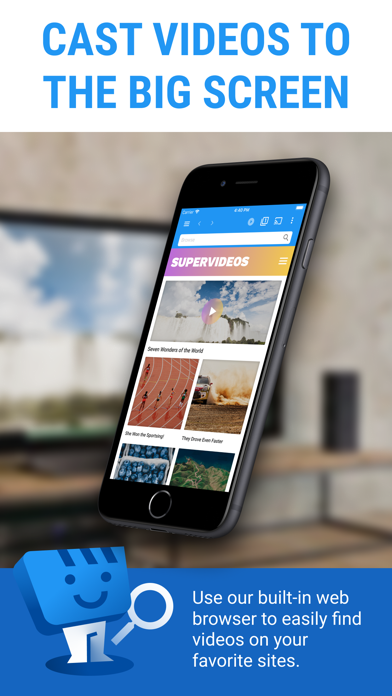
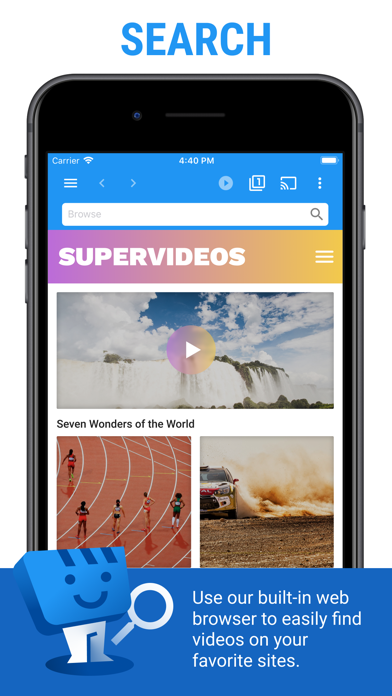
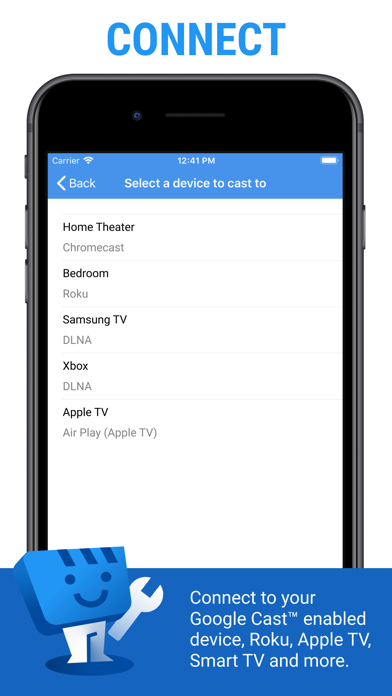
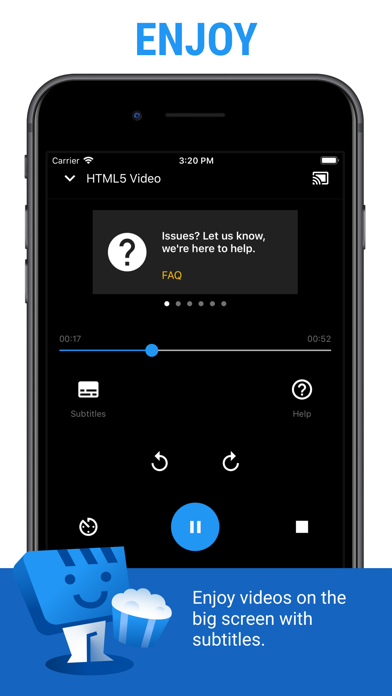
Web Video Cast turns an iPhone into a casting middleman for video sources that mainstream apps ignore entirely. Supporting Chromecast, Roku, Fire TV, Apple TV 4, DLNA devices, and even a browser-based console workaround, it covers an unusually broad hardware roster. A 4.82 average across 70,000 ratings signals genuine user satisfaction, and a July 2026 update on a 2018 release confirms the developer is still actively invested in keeping it functional.
Casting to multiple device types works reliably
The core promise is straightforward: paste or locate a web video source on your phone and push it to a screen in your living room, regardless of which streaming hardware you own. Web Video Cast supports Google Cast, Roku, Fire TV, Apple TV 4, DLNA-compatible TVs and game consoles, and a browser-based fallback via cast2tv.app for devices like the PS4. For M3U8 HLS live streams and MP4 files, the app genuinely delivers on that promise, particularly over Chromecast. The breadth of supported device families is the headline feature, and for users whose video diet runs to niche sports, international news, or community-hosted streams, it fills a gap that no single-platform casting app can match. That said, the app does what it advertises within a defined scope rather than attempting to be a universal media player.
Heavy install size reflects bundled components
Qualitative signals point toward solid reliability. A 4.82 average across 70,000 reviews is not a small-sample anomaly; it reflects a broad user base finding the app dependable over time. The 220 MB install footprint is notably heavy for a casting utility, suggesting bundled browser components or format-handling libraries rather than a lean tool, and that size may give pause on storage-constrained devices. Casting latency and stream stability will always depend on local network conditions and source quality rather than anything the app controls directly, so those variables sit outside any fair assessment here. The consistent update cadence, most recently in July 2026, suggests bugs and compatibility issues with newer OS versions are being addressed rather than left to accumulate.
Free tier available, premium features likely gated
The base download is free, which lowers the barrier to trying it considerably. However, the app almost certainly gates some features behind in-app purchases or a subscription tier, as is standard practice for utilities in this category. The App Store listing should be checked directly for current pricing before committing to a workflow that depends on premium functionality. For users whose specific use case aligns with what the free tier offers, the value proposition is strong given the device compatibility breadth. Power users who need authenticated video sources or advanced format handling will want to evaluate whether the paid unlock justifies the cost compared to alternatives like Infuse or VLC for Mobile.
Local network access permissions required for routing
Web Video Cast carries a 17-plus content rating, which reflects the nature of unrestricted web video access rather than any specific privacy concern. Because the app functions partly as a browser and network relay, it will likely request permissions related to local network access and possibly microphone or camera depending on features used. The App Store privacy nutrition label for this app is the authoritative source for exactly what data is collected, how it is linked to your identity, and whether any data is used for tracking. We recommend reviewing that label directly before installing, paying particular attention to network access permissions given the app's role in routing video streams across your local devices.
Functional interface designed for technical users
The app's interface prioritizes function over visual polish, which is appropriate for a utility targeting technically comfortable users who are already pasting stream URLs and managing device lists. Navigation centers on source input and device selection, a logical flow for the use case. Accessibility features like Dynamic Type support and VoiceOver compatibility are not independently verifiable here, but Apple's App Store guidelines require baseline accessibility compliance for listed apps. Users with visual accessibility needs should test the core casting workflow specifically, as URL-input utilities can sometimes present challenges for screen readers depending on how custom input fields are implemented. The overall design is competent rather than distinctive.
Nearly eight years of active development
By any reasonable measure, yes. A July 2026 update on an app first released in November 2018 represents nearly eight years of sustained development, which is genuinely uncommon for a niche utility. Regular maintenance matters here more than in simpler apps because casting protocols, OS versions, and streaming standards all evolve, and an unmaintained casting bridge becomes unreliable quickly. The high rating volume also suggests the developer has maintained quality through multiple iOS generations rather than coasting on early goodwill. Version 3.4 at this point in the app's life implies iterative refinement rather than a stagnant codebase, and that track record is one of the stronger arguments for trusting the app with a regular workflow.
Pros
- Supports seven distinct device families including Chromecast, Roku, Fire TV, Apple TV 4, DLNA TVs, and a browser-based console fallback
- M3U8 HLS live stream casting works reliably over Chromecast, covering a format most casting apps skip entirely
- Nearly eight years of active maintenance with a July 2026 update confirms ongoing OS and protocol compatibility
- A 4.82 average across 70,000 ratings represents broad, sustained user satisfaction rather than a small-sample spike
Cons
- M3U8 live stream support is limited to Chromecast, leaving DLNA users without that core functionality
- Supported media formats are narrow with no confirmed support for common containers like MKV or TS
- 220 MB install size is disproportionately large for a casting utility and may strain storage on older devices
Related guides
Similar Entertainment apps


apptidal is independent and ad-supported. We earn no commission on installs and no company can pay for a better score. How we stay independent.