
Entertainment · iOS
Yidio - Streaming Guide
by Yidio LLC

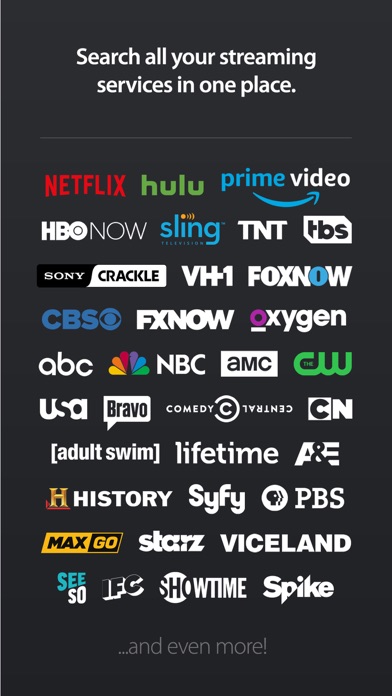


Released in 2013 and still actively updated, Yidio consolidates search across more than 100 streaming services into a single 36 MB free install. Its strongest card is price comparison: when a title is available to rent on one platform but streams free on another, Yidio surfaces both options side by side. Coverage breadth is impressive on paper, though depth varies noticeably across smaller services.
Aggregation works well for major services
Yidio's core job is aggregation: connect your subscriptions, search once, and receive a ranked list of where a title lives and what it costs. That loop works reliably for major platforms. The price-comparison screen is the genuine highlight, lining up rental, purchase, and free-streaming options so a decision takes seconds rather than several app switches. Where the experience gets uneven is in smaller or regional services, where catalog data can lag or feel incomplete. The app also surfaces services you do not subscribe to without a prominent filter, adding noise to results that should feel curated.
Lightweight and stable for most users
At 36 MB, Yidio is a lightweight install that opens quickly on modern hardware. With roughly 3,000 ratings and a 4.27 average, user sentiment is broadly positive, suggesting the core search-and-redirect loop is stable for most people. Because the app does not stream anything itself, it avoids the buffering and playback variables that burden heavier entertainment apps. The main performance caveat is data freshness: a streaming guide lives or dies on catalog accuracy, and occasional mismatches between what Yidio lists and what a service actually carries are a known category-wide issue rather than a Yidio-specific fault.
Free tier justifies install for comparison shopping
Yidio is free to download and ad-supported, which fits the apptidal publication model well. In-app purchases exist but their scope is not prominently disclosed upfront, so check the App Store listing before assuming the free tier covers everything you need. Even at the free tier, the price-comparison feature alone can justify the install for anyone who regularly weighs renting a title against waiting for it to appear on a subscription service. Casual viewers with a single subscription will find the value proposition thinner, since a quick web search can approximate the same result.
Ad support means behavioral tracking in use
Yidio carries a 12-plus content rating and is ad-supported, which typically means behavioral or contextual advertising data is in play. The App Store privacy nutrition label for this app is the authoritative source for exactly what data is collected, linked to your identity, and used for tracking. Before connecting your streaming accounts, review those disclosures carefully. As a general practice with aggregator apps, grant only the permissions the app explicitly needs and revisit them periodically in iOS Settings.
Familiar design with loose Roku integration
The interface follows a familiar content-grid layout that most streaming users will navigate without a learning curve. Search is front and center, and the price-comparison view presents information in a clear, scannable format. Personalized recommendations improve meaningfully with use, though early suggestions feel broad and genre-level rather than tailored. The Roku Remote integration is a functional bonus for Roku households but feels loosely bolted on rather than woven into the guide experience. Standard iOS Dynamic Type and VoiceOver compatibility should be verified by accessibility-dependent users before relying on the app daily.
Twelve years of updates signal active maintenance
A last-updated date of May 2025 on an app first released in July 2013 is a genuinely positive signal. Twelve years of continuous development with a recent update suggests Yidio LLC treats this as an ongoing product rather than an abandoned utility. Version 3.6.91 implies a steady cadence of incremental releases rather than infrequent large drops, which is generally healthier for catalog accuracy and bug resolution. The combination of longevity and recent activity makes this one of the more reliably maintained apps in the streaming-guide category.
Pros
- Price comparison across rental, purchase, and free-streaming tiers is genuinely time-saving
- Covers more than 100 platforms in a single 36 MB free install
- Twelve-plus years of development with a May 2025 update signals reliable long-term maintenance
- Watchlist and daily reminders provide lightweight but effective viewing organization
Cons
- Does not play content directly, every title requires a redirect to an external app or site
- Search results surface unsubscribed services without a prominent filter, adding result noise
- In-app purchase scope is not clearly communicated upfront in the free-tier experience
Related guides
Similar Entertainment apps


apptidal is independent and ad-supported. We earn no commission on installs and no company can pay for a better score. How we stay independent.