
Utilities · iOS
Ambient Weather Network
by Ambient,LLC
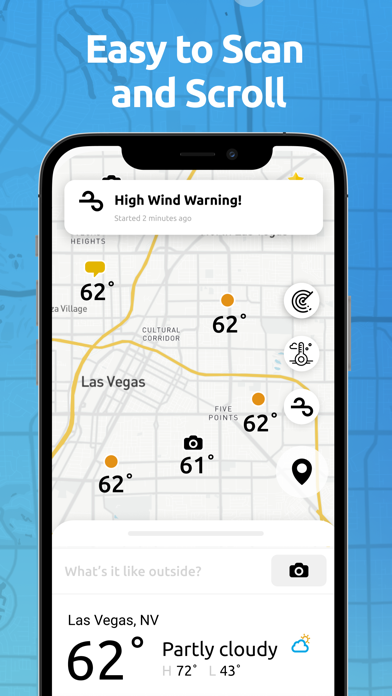
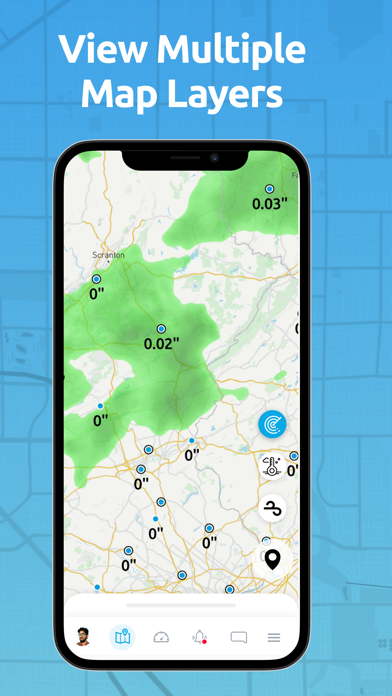
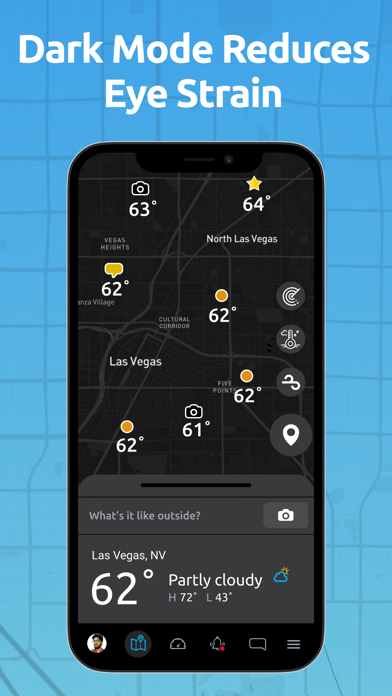
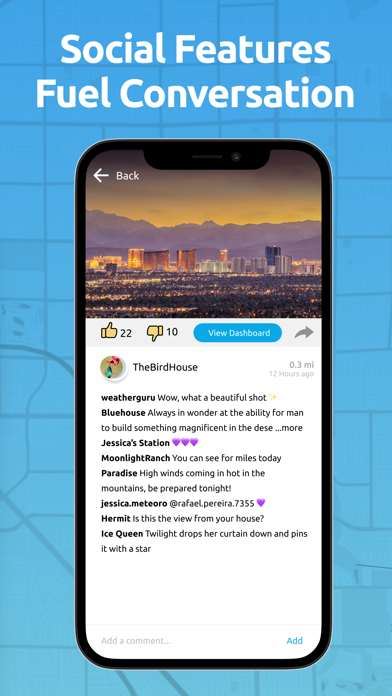

Forget the nearest National Weather Service sensor sitting miles away. Ambient Weather Network can surface readings from a station a few blocks over, displaying temperature, humidity, wind, pressure, and precipitation at a specific physical point on an interactive map. At 12 MB the app installs in seconds, carries no ads, and has been maintained continuously since 2018. The core tradeoff is that data quality depends entirely on whoever owns and maintains the nearest hardware.
Hyperlocal station data outperforms regional forecasts
The multi-layered interactive map is the heart of the experience. Tapping any station surfaces a full readout including temperature, feels-like, humidity, barometric pressure, wind speed, and precipitation totals from that exact physical location, whether it sits on a marina dock, a race course, or a neighborhood street one mile from yours. Hourly, daily, and weekly forecast views complement the live station data, so the app covers both the right-now and the planning-ahead use cases. For users whose microclimate differs meaningfully from the regional average, that specificity is a genuine practical advantage found in very few free weather apps.
Stable performance hampered by urban pin density
At 12 MB, the install footprint is modest by any standard, and the app loads station data quickly on a reasonable connection. The map interface is fluid enough for casual browsing, though the sheer density of station pins in urban areas can make precise tapping fiddly on smaller screens. A 4.6 star rating across roughly 13,000 reviews suggests the majority of users encounter a stable, reliable experience rather than chronic crashes or data gaps. Update cadence has been consistent, with the most recent release in June 2026, which is a positive signal for ongoing server-side compatibility and bug resolution. Performance in rural areas is harder to assess qualitatively because sparse coverage, not the app itself, becomes the limiting factor.
Free with no ads serves data enthusiasts well
The app is free with no paywalled core functionality and, notably, no advertising visible within the experience. That combination is increasingly rare in the utilities category. Existing Ambient Weather hardware owners gain the clearest added value because their own station feeds live data into the same network they are browsing. Casual users seeking a simple daily forecast may find the map-heavy interface more complex than necessary and could be equally served by lighter alternatives. For the target audience of outdoor enthusiasts and data-minded users in well-covered areas, the price-to-value ratio is hard to argue with.
Location access required, privacy details warrant review
Because station browsing is location-dependent, the app will request access to your device location, which is standard for any weather utility. Beyond that, the specifics of what data is collected, how long it is retained, and whether it is shared with third parties are detailed in the App Store privacy nutrition label, which is the authoritative source to consult before installing. Ambient LLC operates the backend infrastructure that aggregates station data from hundreds of thousands of contributors, so it is worth reviewing that label carefully if data minimization is a priority for you. Nothing in the publicly available information suggests unusual permission requests beyond location.
Map interface prioritizes exploration over simplicity
The map-first layout suits power users who want to explore station coverage visually, but it does create a steeper learning curve for anyone expecting a conventional forecast card. Station pins cluster heavily in dense cities, which can require repeated pinch-to-zoom gestures to isolate a single reading. The app carries a 4+ content rating, indicating no mature content concerns. Formal accessibility testing results are not available to us, but users who rely on VoiceOver or other assistive technologies should verify compatibility before committing, since map-heavy interfaces vary widely in how well they expose interactive elements to screen readers.
Eight years of consistent updates signal commitment
The maintenance record here is genuinely strong. Released in August 2018 and updated as recently as June 2026, the app has sustained consistent development across nearly eight years, which is well above average for a niche utility. Version 4.6.4 reflects iterative refinement rather than stagnation. A 13,000-review base accumulated over that period also suggests a stable, growing user community rather than a project approaching abandonment. For a free app in a category where many competitors go quiet after a year or two, that longevity is a meaningful trust signal.
Pros
- Completely ad-free with no paywalled core functionality, an increasingly rare combination in free utilities
- A network of more than 300,000 stations delivers genuine neighborhood-level readings rather than regional approximations
- Interactive map lets you inspect any specific sensor point, not just the one nearest your GPS location
- Consistently maintained since 2018 with a June 2026 update confirming active, ongoing development
Cons
- Station coverage thins significantly outside urban and suburban areas, undermining the hyperlocal promise for rural users
- No visible quality or calibration indicator to distinguish a professionally sited sensor from a poorly placed personal unit
- Map-first, data-dense interface can feel overwhelming for users who simply want a clean daily forecast
Related guides
Similar Utilities apps


apptidal is independent and ad-supported. We earn no commission on installs and no company can pay for a better score. How we stay independent.