
Media · iOS & Android
Canva: AI Video & Photo Editor
by Canva


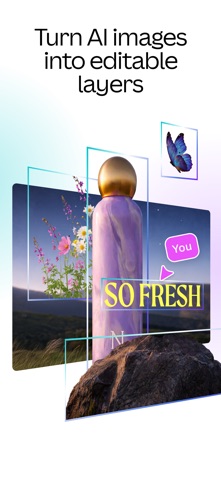


Over a decade since its 2014 launch, Canva now spans graphic design, photo editing, video production, and AI generation in a single 140 MB install. A 4.88 rating across 3.4 million reviews reflects durable, broad satisfaction rather than a honeymoon spike. The free tier remains genuinely useful, though the most powerful features, including Veo 3 AI video, sit behind a subscription paywall that surfaces at creatively inconvenient moments.
Broad toolkit with standout AI video generation
Canva covers an unusually wide creative surface: social graphics, presentations, resumes, photo collages, background removal, video trimming, and now AI-generated video through Veo 3. That last addition is the headline worth taking seriously. Unlike many AI video tools that produce silent clips requiring separate audio work, Veo 3 generates footage with synchronized audio from a plain text prompt, cutting a real step out of the production chain for social media creators and marketers. Background removal works without manual masking, template variety is substantial across every format category, and lighting adjustments behave reliably. Specialists wanting deep, granular control over a single medium will find the tools competent but rarely exceptional compared to dedicated apps.
Lean install with smooth core tasks
At 140 MB, Canva installs lean for an app carrying this much functionality, which suggests reasonably efficient asset streaming rather than bloated local storage. The sheer breadth of format options means the home canvas can feel directionless for new users, and switching between design categories adds navigational friction. That said, core editing tasks such as resizing, template browsing, and photo adjustments respond smoothly under normal conditions. Version 4.216.0, updated as recently as July 2026, signals an active release cadence, which is a positive sign for stability and feature parity. Frequent updates do carry the occasional risk of minor regressions around newly shipped features, a pattern common to apps iterating this quickly.
Free tier useful, premium features behind paywall
The free tier covers a genuinely useful range of templates, basic photo tools, and standard design formats, making Canva one of the more honest freemium offerings in its category. The friction arrives when high-value features, particularly Veo 3 video generation and a large portion of premium templates, sit behind a Canva Pro subscription. The cost of that subscription is not surfaced clearly upfront, so users can invest time in a project only to hit a paywall at the export or feature stage. For small business owners or content creators who rely on multiple format types regularly, the subscription likely pays for itself in time saved. Casual or occasional users will find the free tier sufficient for most everyday tasks.
Cloud storage requires review of data practices
Canva requests access to device storage and camera to support photo importing and capture features, both of which are expected for a design app of this scope. The precise details of data collection, including what is linked to your identity and what is used for tracking, are documented in the App Store privacy nutrition label, which is the authoritative source to consult before installing. As a cloud-based platform, designs are stored on Canva's servers by default, meaning uploaded photos and creative assets leave the device. Users handling sensitive imagery, such as client materials or personal documents, should review the privacy label and Canva's data retention policy directly rather than relying on any third-party summary.
Clean design hampered by navigational complexity
Canva's visual design is clean and template-driven, which lowers the barrier for non-designers considerably. The interface does carry the weight of its own ambition, with so many format categories and tool panels that new users can feel overwhelmed before finding a rhythm. On larger phone screens and tablets the canvas experience improves noticeably, giving more room for precision work. Regarding accessibility, Canva has historically supported Dynamic Type and VoiceOver at a basic level on iOS, though the richness of a drag-and-drop canvas environment presents inherent challenges for screen reader navigation. Users with specific accessibility requirements should test the free tier before committing to a subscription.
Frequent updates drive feature parity and stability
Few apps in this category match Canva's update cadence. Version 4.216.0 was pushed in July 2026, and the release history shows consistent, frequent updates since the app's 2014 debut. The integration of Veo 3, a Google-backed AI video model, demonstrates that Canva is investing in substantive feature development rather than cosmetic refreshes. A 3.4 million review base at 4.88 stars suggests that updates have, on balance, improved rather than destabilized the experience over time. The active cadence does mean occasional instability immediately following major feature rollouts, a tradeoff worth monitoring in app store release notes before updating in the middle of a time-sensitive project.
Pros
- Veo 3 generates video with synchronized audio from text prompts, a meaningful differentiator from silent-clip AI tools
- Covers presentations, social graphics, resumes, photo editing, and video in a single 140 MB install
- Background removal works reliably without manual masking, even on complex subjects
- A 4.88 rating across 3.4 million reviews reflects sustained, broad user satisfaction over more than a decade
Cons
- Veo 3 and a large share of premium templates are locked behind a subscription whose cost is not clearly surfaced upfront
- The breadth of format options makes the interface feel cluttered and directionless for new users
- Depth of individual tools such as video trimming and advanced photo editing trails dedicated single-purpose apps
Related guides
Similar Media apps


apptidal is independent and ad-supported. We earn no commission on installs and no company can pay for a better score. How we stay independent.