
Utilities · iOS
HeyWeather: Accurate Forecast
by GCO Apps
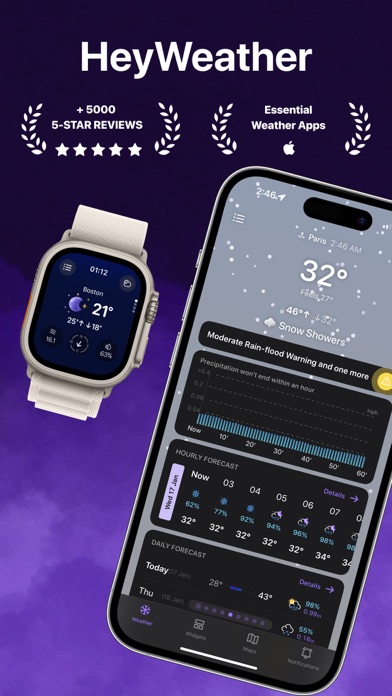
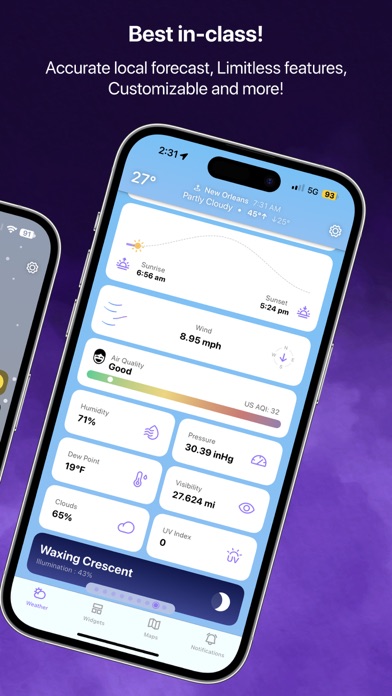
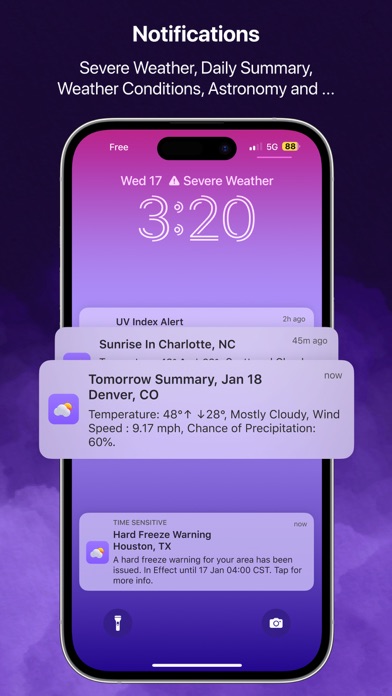
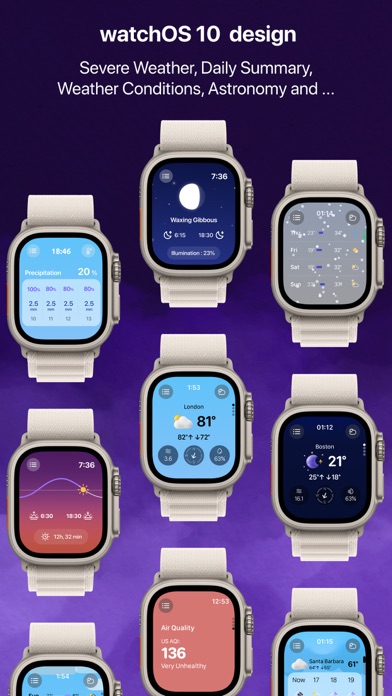
Launched in September 2020 and updated as recently as May 2026, HeyWeather has grown into a capable forecast toolkit. Version 4.3.3 bundles a 400-hour hourly forecast, a 16-day daily outlook, interactive radar maps, home and lock screen widgets, and a full Apple Watch app with complications. The 4.51 rating across roughly 6,000 reviews signals broad user satisfaction, though the 110 MB install size and an opaque paywall deserve attention before committing.
400-hour forecasts and interactive maps work well
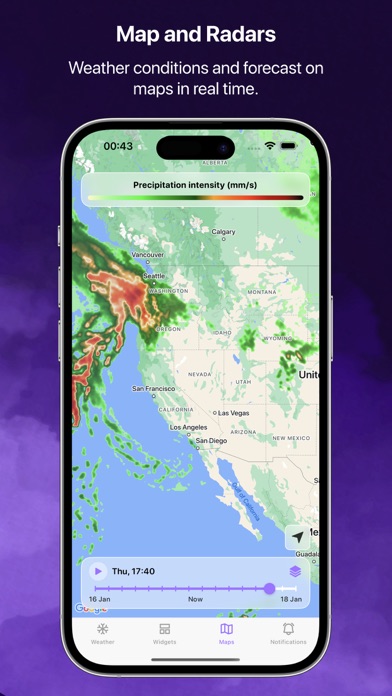
HeyWeather positions itself as a deep-data weather companion rather than a quick-glance utility. The 400-hour hourly forecast window is one of the longest available in any free weather app on iOS, and the accompanying 16-day daily view gives planners and outdoor workers a meaningful runway for decision-making. Interactive radar maps covering temperature, rain intensity, and cloud coverage add a spatial dimension that most casual weather apps skip entirely. These are not decorative flourishes; they genuinely change how you interpret incoming conditions. Apple Watch support, including complications, rounds out a feature set that covers nearly every common use case. The core promise is well executed, though the exact boundaries of the free tier remain unclear until you dig into settings.
110 MB app runs stably across updates
At 110 MB, HeyWeather sits on the heavier end of the weather-app spectrum, suggesting a richer asset library and more on-device processing than a stripped-down alternative would require. That size alone does not guarantee smooth performance, but the May 2026 update and consistent iteration since 2020 suggest the developer is actively addressing issues rather than letting the codebase stagnate. A 4.51 rating across 6,000 reviews, while a modest sample compared to category giants, points to a generally stable experience. Widget refresh reliability and radar tile loading speed are the two areas where weather apps of this type most commonly frustrate users, and those are worth testing personally during a trial period before committing to the full setup.
Free tier unclear until settings review
The base download is free, which lowers the barrier to entry considerably. The concern is that GCO Apps does not make the in-app purchase scope obvious upfront, so features like extended forecasts, certain widget layouts, or ad removal may sit behind a subscription or one-time paywall that only reveals itself after you have invested time in setup. The honest advice is to navigate to the app's purchase screen early in your evaluation. If the free tier covers your core needs, the value proposition is strong given the forecast depth on offer. If the most useful features require payment, the calculus changes and the app should be compared directly against paid-upfront alternatives in the same category.
Location access required, check privacy label
Weather apps as a category routinely request location access, and HeyWeather will almost certainly require it to deliver relevant forecasts. Beyond location, the permissions picture depends on features you enable, such as notifications or widgets. Rather than speculating about specific data practices, the most reliable step is to consult the App Store privacy label on HeyWeather's product page before installing. That label, required by Apple, discloses which data types are collected and whether they are linked to your identity. Given that the app is ad-supported, some level of advertising-related data collection is plausible and worth reviewing there directly.
Extensive customization demands upfront setup effort
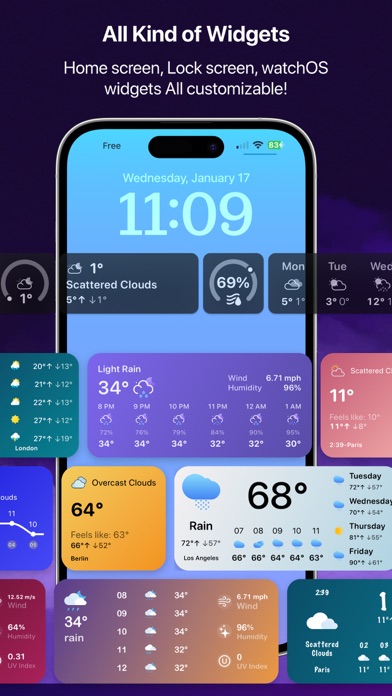
HeyWeather's customization depth, spanning home screen widgets, lock screen widgets, and Apple Watch complications, suggests a deliberate design philosophy that prioritizes user control over a one-size-fits-all layout. That flexibility is a genuine strength for power users, though it does mean the initial setup requires real effort before the app reflects your actual preferences. The 4+ content rating confirms no age-restricted material, and the interface appears clean enough from available screenshots. Formal accessibility features such as Dynamic Type support and VoiceOver compatibility are not prominently advertised, which is worth checking if those capabilities matter to you, particularly since weather data presented in map or chart form can be less screen-reader-friendly than plain text.
Six years of consistent feature development
The maintenance record here is genuinely encouraging. HeyWeather launched in September 2020 and reached version 4.3.3 by May 2026, which represents a sustained development cycle across nearly six years. The developer has noted that widget options continue to expand with each update, signaling that new features are being added rather than just bugs being patched. For a utility app, that kind of ongoing investment matters because weather data sources, iOS widget APIs, and watchOS complications all evolve and require regular attention. Users who have been burned by abandoned weather apps in the past will find the update history here reassuring.
Pros
- 400-hour hourly forecast window is unusually deep for a free iOS weather app
- 16-day daily outlook covers long-range planning needs that shorter forecasts cannot
- Interactive radar maps for temperature, rain intensity, and cloud coverage add genuine analytical value
- Apple Watch app with complications plus both home screen and lock screen widget support cover every major glanceable use case
Cons
- In-app purchase scope is not clearly disclosed upfront, making true free-tier limits hard to judge before setup
- 110 MB install size is notably large for a weather utility and may deter storage-conscious users
- Customization depth is a double-edged sword, requiring meaningful time investment before the app feels properly configured
Related guides
Similar Utilities apps


apptidal is independent and ad-supported. We earn no commission on installs and no company can pay for a better score. How we stay independent.