
Utilities · iOS
Local Weather Radar & Forecast
by doapp, inc
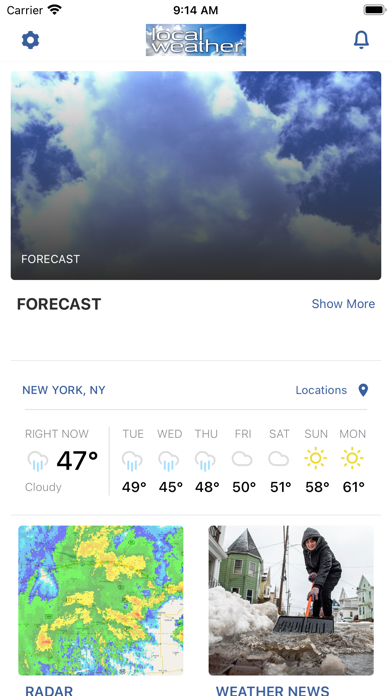
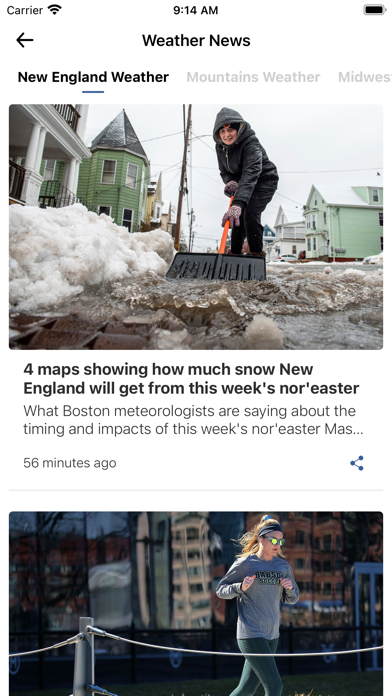
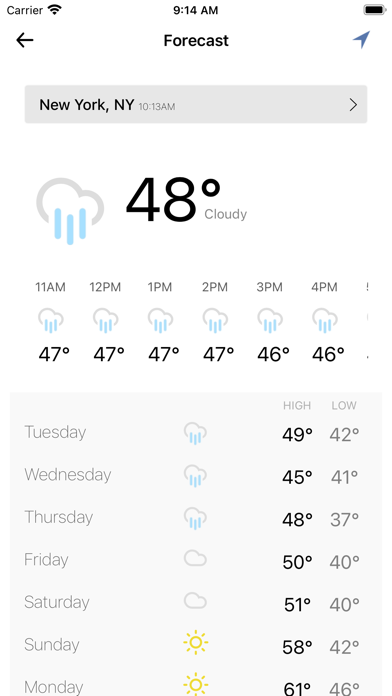
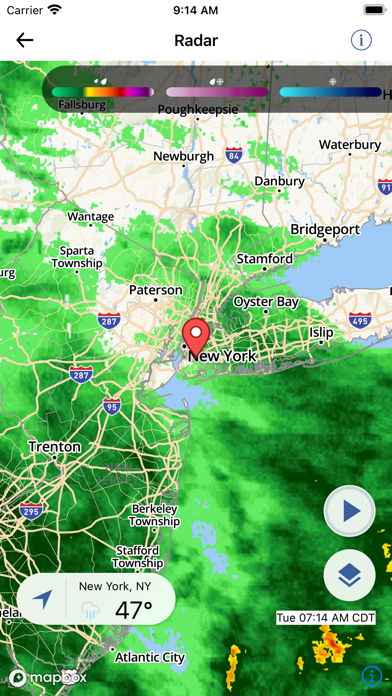
Released in 2011 and still active, Local Weather Radar & Forecast packs doppler radar, satellite maps, hourly forecasts, NOAA hurricane and typhoon layers, live traffic, and emergency transit alerts into a 76 MB install. A 4.61 rating across 34,000 reviews signals a loyal following. The catch is an in-app purchase structure whose exact scope the store listing never fully explains, which complicates the value calculation for new users.
Useful consolidation hampered by unclear paywall
The core proposition is consolidation. Doppler radar and satellite maps handle the foundational weather job, while an hourly temperature timeline gives day-planning detail that a single daily high and low simply cannot. The NOAA-sourced hurricane and typhoon layer is a genuine differentiator, particularly for users in coastal or tropical regions where storm tracking matters beyond casual curiosity. Layering live traffic and emergency transit alerts on top of weather data reduces app-switching during storm-disrupted commutes. That breadth is real and useful. The caveat is that the free tier's ceiling is never clearly mapped out in the store listing, so some of that breadth may sit behind a paywall you only discover through trial and error.
Competent performance on aging codebase
At 76 MB, the install footprint is lean relative to the feature count, which is an encouraging signal for runtime efficiency. A 4.61 average across 34,000 ratings suggests the experience holds up for most users over time, since low-quality apps rarely sustain that volume of positive feedback. Update history is a mixed picture: version 5.12 landed in August 2024, confirming the app is not abandoned, but a codebase stretching back to 2011 can accumulate layers of UI decisions that feel slower or less fluid than apps built on more modern frameworks. Qualitatively, users should expect competent rather than snappy performance, with radar tile loading dependent on network conditions rather than anything the app controls.
Free download conceals undisclosed in-app purchases
The app is free to download, which lowers the barrier to entry meaningfully. The problem is that in-app purchases exist and their scope is never clearly disclosed upfront. Without knowing which features, such as multi-location alerts, ad removal, or advanced radar layers, sit behind a paywall, it is impossible to assess the true cost before investing time in the app. Competing weather utilities at similar or zero price points often publish their tier structures transparently. Until doapp clarifies what the free experience actually covers, the honest recommendation is to treat the download as a trial and probe the limits of the free tier before spending anything.
Location permission expected, privacy details in App Store
Location access is functionally required for a hyperlocal weather and traffic app, so that permission request is expected and reasonable. Beyond location, the app is ad-supported, which typically involves some form of advertising identifier access. For a precise breakdown of what data is collected, linked to your identity, and used for tracking, the App Store privacy nutrition label for this app is the authoritative source. We do not fabricate privacy findings; readers should open the App Store listing, scroll to the App Privacy section, and review the declared data types before installing. Content is rated 4-plus, suggesting no mature material concerns.
Functional interface shows signs of age
A 2011 launch date is not automatically a design liability, but apps of that vintage that have not undergone full visual rebuilds often show their age in navigation patterns, icon styles, and layout density. Version 5.12 suggests iterative updates rather than a ground-up redesign, so expect an interface that is functional and familiar to long-time users but potentially cluttered for newcomers. On accessibility, the app carries a 4-plus content rating and targets iOS, meaning it operates within Apple's accessibility framework. Whether dynamic type, VoiceOver, and sufficient contrast targets are fully implemented is not something we can confirm without hands-on testing, but users with accessibility needs should verify those features before relying on the app.
Active maintenance without ground-up modernization
The August 2024 update to version 5.12 confirms the app is alive and receiving attention, which matters for a utility category where weather data sources and OS compatibility requirements shift regularly. Thirteen-plus years on the App Store is a longevity signal that cuts both ways: it demonstrates staying power and a developer willing to keep pace with iOS changes, but it also means the underlying architecture predates modern Swift conventions and may carry technical debt. The 34,000-rating sample size is large enough that a sudden drop in satisfaction would surface in the aggregate score, and 4.61 suggests no such collapse has occurred. Continued maintenance appears likely, though the pace of meaningful feature updates versus minor patches is unclear from public data alone.
Pros
- Combines radar, satellite maps, traffic, and emergency transit alerts in a single 76 MB install
- NOAA hurricane and typhoon layer is a meaningful differentiator for users in storm-prone coastal regions
- Hourly temperature timeline provides practical day-planning detail beyond a simple daily high and low
- 4.61 average rating across 34,000 reviews reflects sustained user satisfaction over a long lifespan
Cons
- In-app purchase scope is never clearly disclosed, making true cost assessment impossible before download
- Interface design carries visible signs of its 2011 origins and appears iteratively patched rather than rebuilt
- Ad-supported model combined with opaque paywalls creates friction that cleaner competitors avoid
Related guides
Similar Utilities apps


apptidal is independent and ad-supported. We earn no commission on installs and no company can pay for a better score. How we stay independent.