
Utilities · iOS
Marine Weather Forecast Pro
by LW Brands, LLC
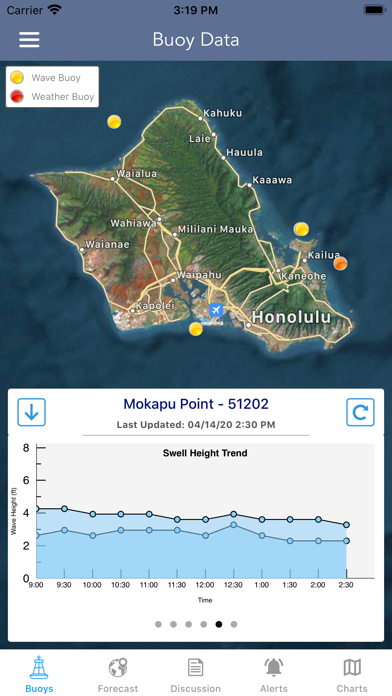
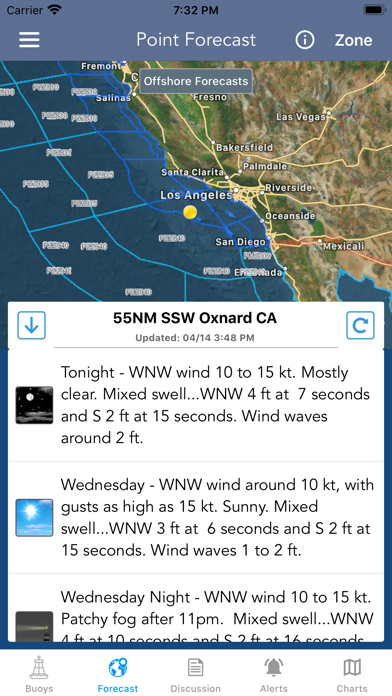
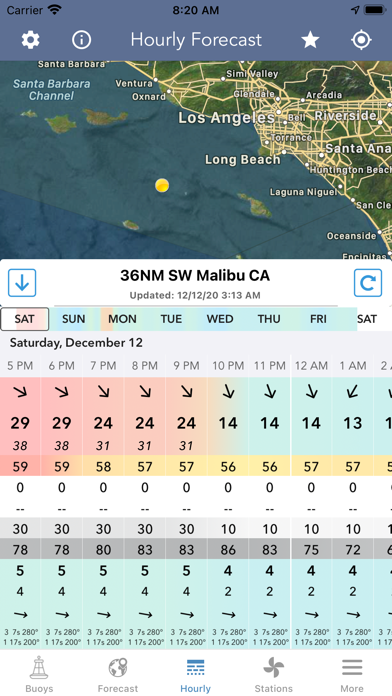
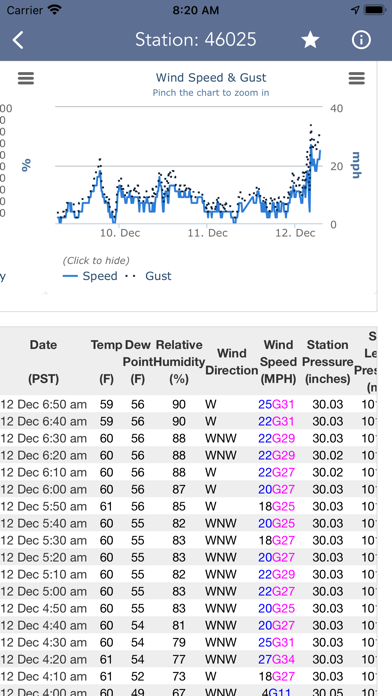
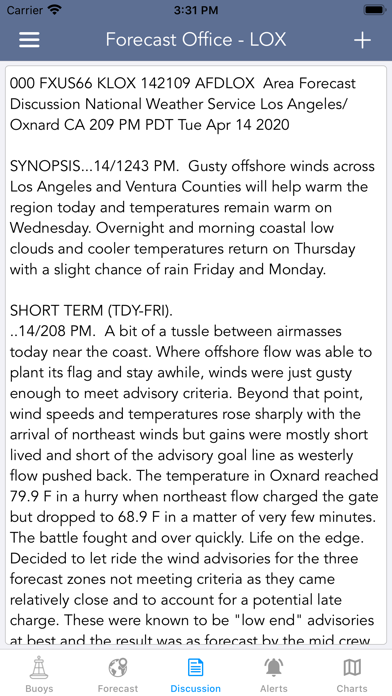
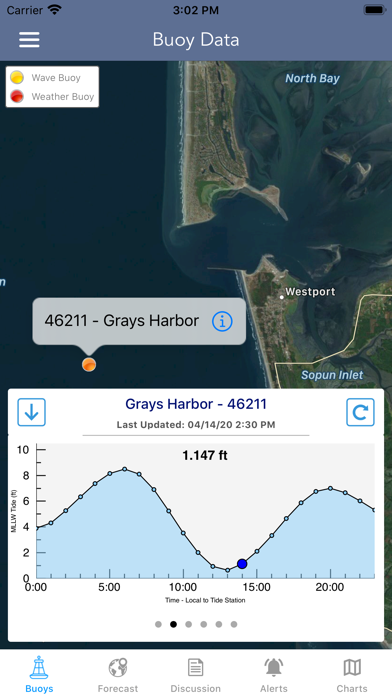
Drawing on NOAA and NWS data, Marine Weather Forecast Pro delivers real-time buoy readings, a 7-day hourly WaveWatch III swell model, harmonic tide forecasts, and map overlays in a single 94 MB package. The breadth of information goes well beyond any general-purpose weather app, and 16,000 ratings averaging 4.71 stars signal that its target audience finds genuine, lasting value in it.
WaveWatch III delivers offshore detail most apps skip
The WaveWatch III integration is the clear standout feature. Hourly swell predictions across up to six simultaneous swells, complete with height, period, and direction, give offshore planners information that most consumer apps never surface. Layering that alongside 6-hour historical wave trend data and spectral wave energy density lets you watch a swell build, peak, and decay rather than relying on a single snapshot. Real-time buoy readings, NWS zone forecasts, forecast discussions, and harmonic tide models round out a package that genuinely covers the full scope of coastal and offshore trip planning. For the audience it targets, the app does its core job very well.
Stable performance backed by consistent updates since 2017
A 94 MB install sits on the heavier end for a weather utility, though it is reasonable given the volume of model data and map tile assets involved. The app has been updated consistently since its January 2017 launch, with a version release as recently as July 2026, suggesting active maintenance rather than a stagnant codebase. With 16,000 ratings at 4.71 stars, widespread stability complaints are not a visible pattern. Data refresh speed depends on NOAA and NWS server availability, which is outside the developer's control, but the app's long track record implies it handles those dependencies reliably. An Apple Watch companion adds practical on-deck utility without requiring a phone to be pulled out mid-passage.
Free entry point masks unclear paywall structure
The base download is free, which makes the initial commitment easy. The complication is that the in-app purchase structure is not clearly communicated before you install, leaving some uncertainty about which features sit behind a paywall. Users planning to rely on the app for serious offshore decisions should explore the purchase options early rather than discovering limits mid-season. That said, even the free tier appears to deliver meaningful functionality given the strong ratings volume, and the depth of NOAA data surfaced here would cost considerably more through dedicated professional marine forecast services. For working boaters, the value proposition is strong once the pricing tiers are understood.
Location access necessary, privacy controls available
Location access is effectively required for the app to function, since tide, buoy, and forecast data are all keyed to a geographic position. Beyond location, the specific data collected, shared, or used for tracking is detailed in the App Store privacy nutrition label, which is the authoritative source to consult before installing. The app carries a 12+ content rating, which reflects no significant content concerns. As with any utility that requests persistent location access, users who prefer minimal background tracking should review the privacy label and adjust location permissions to 'While Using' rather than 'Always' if continuous background access is not needed.
Data density serves experts over casual users
The interface prioritizes data density over simplicity, which is the right trade-off for its core audience but a real friction point for newcomers. A boater who just wants a quick bay-crossing check on Saturday morning may cycle through several screens before finding the right view. The Apple Watch companion helps mitigate this by surfacing key readings in a glanceable format. On accessibility, the app does not appear to have been purpose-built around VoiceOver or Dynamic Type, though standard iOS accessibility settings will apply. The content rating and broad install base suggest no significant usability barriers for sighted users comfortable with data-heavy interfaces.
Nearly a decade of active maintenance
The maintenance record here is genuinely strong. The app launched in January 2017 and reached version 1.40 with an update logged in July 2026, meaning LW Brands has sustained nearly a decade of active development. That kind of longevity in a niche utility category is meaningful, particularly for an app whose value depends on keeping pace with NOAA data formats and Apple platform changes. The high rating held across 16,000 reviews further suggests that updates have not introduced regressions that alienated the existing user base. Prospective users can reasonably expect continued support rather than an app quietly drifting toward abandonment.
Pros
- Hourly WaveWatch III model runs 7 days out with multi-swell height, period, and direction breakdowns
- Spectral wave energy density from real-time buoy data is a rare consumer-level detail unavailable in general weather apps
- Harmonic tide forecasts combined with NWS alerts add genuine passage-planning and go or no-go decision utility
- Nearly a decade of consistent updates through July 2026 signals a developer committed to long-term maintenance
Cons
- Interface complexity creates a steep learning curve for users who only need basic surface conditions
- In-app purchase tiers are not clearly explained upfront, making the true cost difficult to assess before committing
- iOS exclusivity limits usefulness for mixed-device crews where Android users need the same data source
Related guides
Similar Utilities apps


apptidal is independent and ad-supported. We earn no commission on installs and no company can pay for a better score. How we stay independent.