
Utilities · iOS
MyWeather - 15-Day Forecast
by iDaily Corp.
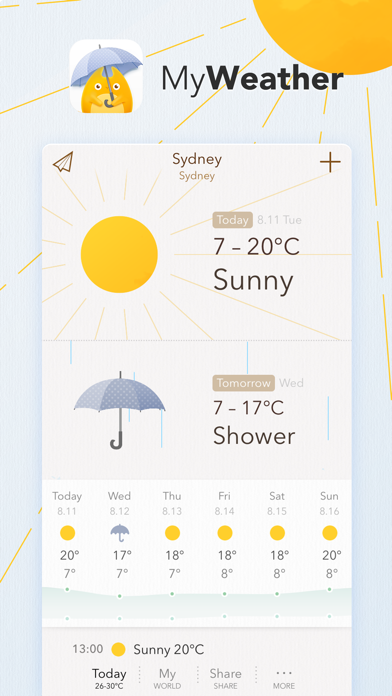
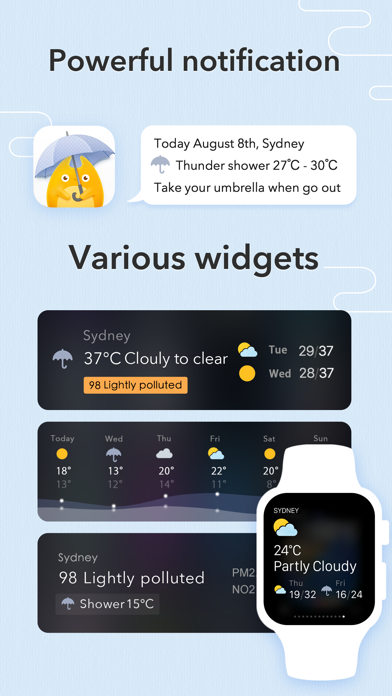
Launched in 2015 and updated as recently as February 2026, MyWeather from iDaily Corp. covers more than 200,000 cities worldwide and lets users stack multiple location forecasts on a single screen. Apple Watch support, five visual themes, and an iPad-optimized layout round out the feature set. The app is free to download, carries a 4.46 rating from roughly 3,000 reviews, and occupies a substantial 262 MB on device.
Multi-city view and broad coverage offset forecast inconsistency
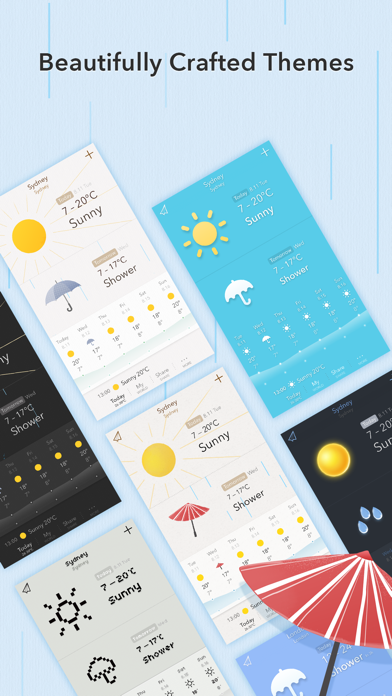
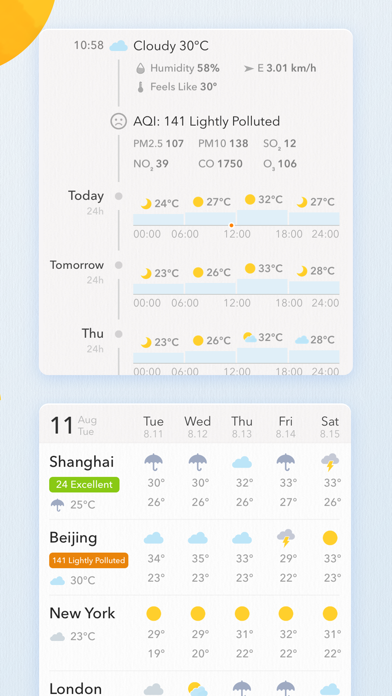
MyWeather's headline feature is its multi-city list view, which surfaces forecasts for several locations simultaneously without forcing users to tap between individual screens. That alone separates it from many stock weather apps. The 200,000-plus city database is broad enough to cover most travel or family-tracking needs. Five visual themes, ranging from a clean classic style to a retro pixel look, give the interface genuine personality rather than cosmetic window dressing. Apple Watch support is present and appropriately lightweight, delivering glanceable data without clutter. The app title promises 15-day forecasts, though some store copy references only 10 days, a small but real inconsistency that can create confusion about what users are actually getting.
Heavy storage footprint but responsive and tablet-friendly
At 262 MB, MyWeather is notably heavy for a weather utility, a category where most competitors install in a fraction of that space. That footprint likely reflects bundled theme assets and visual resources rather than core data processing, but it still demands meaningful storage. On the positive side, the app's consistent update cadence, with the most recent release landing in early 2026, suggests iDaily Corp. actively addresses bugs and compatibility. A 4.46 average across roughly 3,000 ratings points to a generally stable experience, though that review volume is modest for an app approaching a decade on the App Store. Qualitatively, the interface feels responsive and the layout scales well on iPad, which is a genuine differentiator in a category where tablet support is often neglected.
Free base app with unclear in-app purchase scope
The base download is free, which lowers the barrier to trying MyWeather considerably. The concern is that in-app purchases are present, and the available store information does not make their scope transparent. Users should check the App Store listing directly to understand which features, whether extended forecasts, premium themes, or ad removal, sit behind a paywall before investing time in the app. For users who find the free tier sufficient, the value proposition is reasonable given the multi-city view and wide city coverage. Those who need every feature unlocked may find the total cost less competitive against paid-upfront alternatives that offer full transparency from the start.
Standard location permissions require checking privacy label
Weather apps as a category typically request location access, and MyWeather is no exception. Beyond that, the specifics of what data is collected, how it is used, and whether it is shared with third parties are detailed in the App Store privacy nutrition label, which is the authoritative source for this app. We recommend reviewing that label before installing, paying particular attention to whether location data or usage analytics are linked to your identity or shared with advertisers. The app carries a 4+ content rating, indicating no mature content concerns, but privacy practices are a separate consideration that the label will clarify.
Thoughtful themes and iPad layout lack accessibility details
The five-theme system is one of MyWeather's more thoughtful design choices, giving users meaningful control over visual presentation rather than a single locked-in style. The iPad-optimized layout demonstrates that iDaily Corp. considered larger screens rather than simply stretching a phone interface. On accessibility, the app does not appear to advertise specific features such as Dynamic Type support or VoiceOver optimization in its store materials. Users who rely on assistive technologies should test the free download directly to confirm compatibility, as weather apps vary considerably in how well they expose forecast data to screen readers. Overall the visual design is clean and the information hierarchy is readable at a glance.
Nearly eleven years of active updates signal commitment
A February 2026 update on an app first released in September 2015 is a strong signal of sustained developer commitment. Nearly eleven years on the App Store with continued version increments, currently at 3.4.8, suggests iDaily Corp. treats MyWeather as an ongoing product rather than an abandoned side project. The relatively modest review count of around 3,000 ratings may reflect a loyal but niche audience rather than any quality problem. For users who have been burned by weather apps that quietly stopped updating and broke with iOS releases, MyWeather's track record here is one of its more reassuring qualities.
Pros
- Multi-city list view displays several locations on one screen without extra navigation
- Five distinct visual themes, including a retro pixel style, offer real interface customization
- Consistently maintained across nearly 11 years with a confirmed 2026 update
- iPad-optimized layout provides a genuinely tailored tablet experience rare in this category
Cons
- 262 MB install size is disproportionately large for a weather utility
- Forecast window is labeled inconsistently as both 10-day and 15-day across store materials
- In-app purchase scope is not clearly communicated, making true cost difficult to assess upfront
Related guides
Similar Utilities apps


apptidal is independent and ad-supported. We earn no commission on installs and no company can pay for a better score. How we stay independent.