
Utilities · iOS
National Weather Forecast Data
by LW Brands, LLC
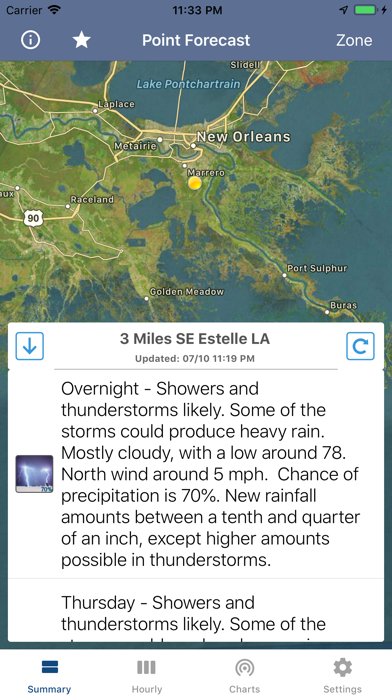
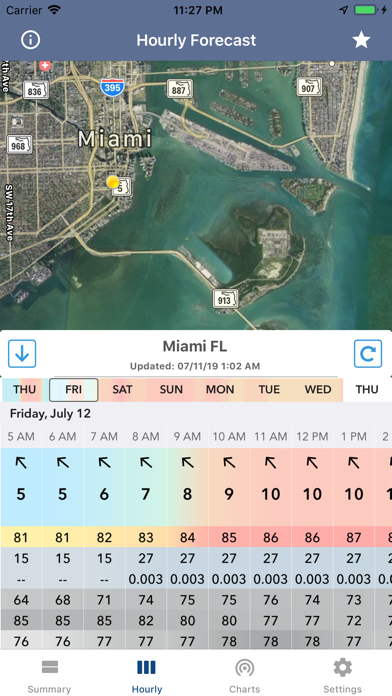
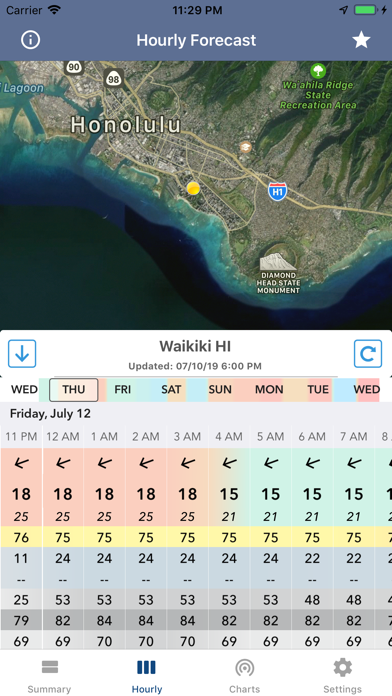
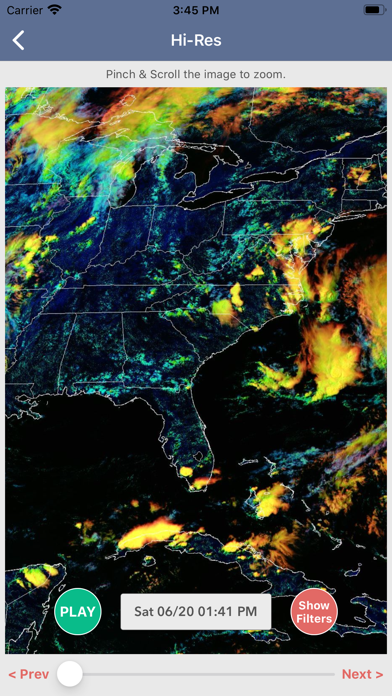
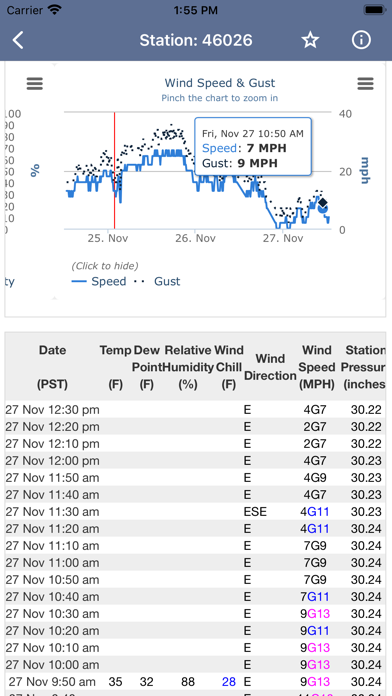
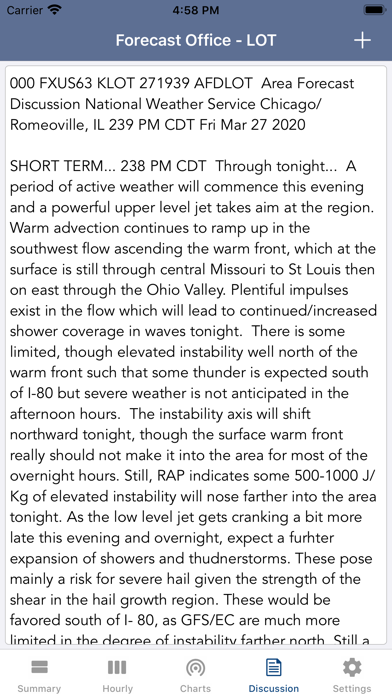
National Weather Forecast Data strips away cartoon icons and personality-driven interfaces to deliver exactly what its name promises: official government forecast text, station observations from over 40,000 reporting sites, and radar overlays in a single tappable map. At 67 MB, it is compact for what it covers. A 4.64 rating across 12,000 reviews confirms that its target audience, power users who trust NWS sourced data over consumer model blends, finds it genuinely useful.
Tap-to-forecast consolidates NWS data effectively
The core mechanic is straightforward and effective. Tap anywhere on the map and the app retrieves a 7-day NWS spot forecast covering wind, sky conditions, snow accumulation probability, and severe hazards for that precise coordinate. Beyond the basic forecast, users get the full forecaster discussion text, which includes short-term, long-term, marine, and aviation outlooks written by actual NWS meteorologists. For anyone who has previously navigated the NWS website manually, consolidating all of that into one tappable interface is a genuine time saver. Aviation weather and marine discussion sections alone set this app apart from every mainstream consumer weather alternative, and those sections are available at no cost.
Government data feeds keep performance steady
At 67 MB the install footprint is modest, and the app pulls live government data feeds rather than relying on a proprietary backend, which keeps the package lean. The 4.64 rating across a substantial 12,000 reviews suggests that crashes and data-loading failures are not widespread complaints among the user base. NWS data delivery speed depends on government API responsiveness rather than anything the developer controls, so occasional slowness during high-demand weather events is a network reality rather than an app deficiency. Rural taps can return sparse station observations, which reflects the density of the underlying NOAA reporting network and is worth understanding before relying on the app in remote areas.
Free tier covers basics, Pro adds detail
The free tier delivers genuine value: the 7-day spot forecast, forecaster discussion text, station observations, and aviation and marine outlooks cost nothing. That alone outpaces many paid weather apps for data authenticity. Hourly forecasts, high-resolution satellite imagery, 16-day model output, and hi-res weather simulation models all sit behind a Pro subscription. For casual users the free tier is workable, but the missing hourly data is a noticeable gap for trip planning or storm tracking. The Pro tier pricing is not disclosed in the available app metadata, so prospective subscribers should check the current in-app purchase screen before committing.
Ad support funds free access, verify privacy label
Because this app is ad-supported and free, it is reasonable to expect some data collection tied to advertising. The definitive source for what is actually collected, linked to your identity or used for tracking, is the App Store privacy nutrition label on the app's product page. We recommend reviewing that label before installing, paying particular attention to any data categories marked as used for third-party advertising. Location access is clearly necessary for the tap-anywhere forecast mechanic, but users should verify whether precise location is requested continuously or only on demand, as that distinction affects battery and privacy exposure meaningfully.
Dense text serves experts over casual users
The interface is deliberately utilitarian. NWS forecast text is dense by nature, and the app makes no attempt to soften it into consumer-friendly summaries, which is a feature for the target audience and a potential friction point for casual users. Navigation centers on a map with tap interaction, a model that is intuitive once learned but may require a short orientation period for new users. Accessibility features such as Dynamic Type support and VoiceOver compatibility are not independently verified here, but users who rely on assistive technologies should test the text-heavy forecast views specifically, as dense scrolling text layouts can vary in screen-reader friendliness across iOS utility apps.
Nearly decade of updates shows sustained commitment
The maintenance record here is notably strong. Released in June 2017, the app reached version 1.26 with a confirmed update in July 2026, meaning it has been sustained across nearly a decade of iOS changes and NWS API evolution. That longevity matters for a data-pipeline app, where government feed formats and authentication requirements can shift without warning. The consistent update cadence, combined with a high rating volume that has accumulated over years rather than through a single burst of reviews, suggests an engaged developer who has kept pace with both platform requirements and user feedback.
Pros
- Direct access to official NWS and NOAA forecast text with no third-party model interpretation
- Tap-anywhere map delivers spot-specific forecasts for any US coordinate, including specialist aviation and marine discussions
- Over 40,000 weather station observations accessible within the free tier
- Nearly a decade of active maintenance through version 1.26, with a confirmed 2026 update
Cons
- Hourly forecasts, 16-day models, and high-resolution satellite imagery all require a paid Pro subscription
- Station observation quality varies significantly in rural areas due to NOAA network density limitations
- Text-heavy NWS format and utilitarian interface can feel dense compared to consumer-polished weather alternatives
Related guides
Similar Utilities apps


apptidal is independent and ad-supported. We earn no commission on installs and no company can pay for a better score. How we stay independent.