Utilities · iOS
Weather Forecast-Local Alert
by ByFish
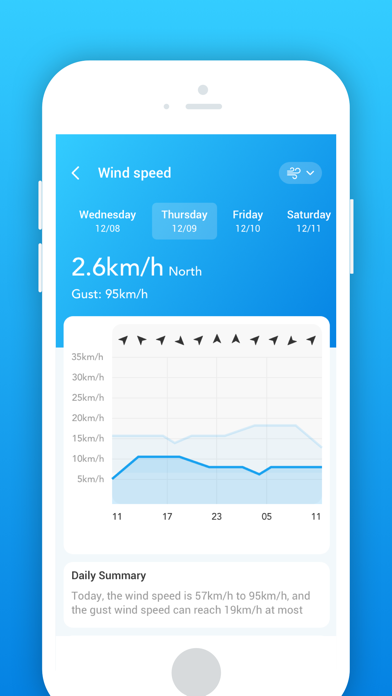
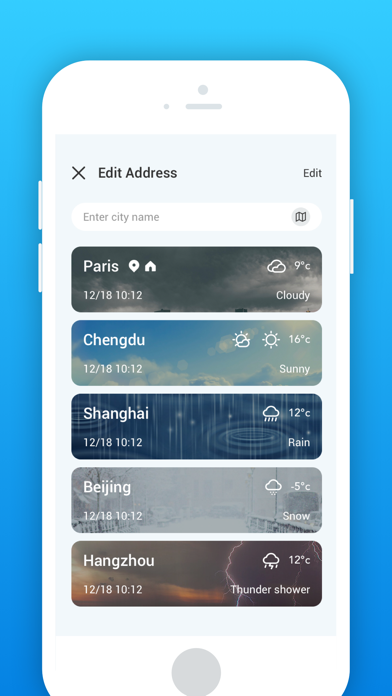
Released in February 2023 and weighing in at 69 MB, Weather Forecast-Local Alert by ByFish is a free iOS utility that goes well beyond temperature and rain probability. It bundles golden hour and blue hour windows, moonrise and moonset times, multi-unit pressure readouts, and 14-day hourly forecasts into a single customizable interface. With only 22 ratings so far, it remains a niche find, but the feature set feels deliberate rather than accidental.
Niche data features for photographers and hikers
Most free weather apps treat atmospheric pressure and twilight timing as premium extras. This one includes both as standard features, offering pressure readings in four unit formats, including inches, millimeters, kPa, and mbar, alongside golden hour, blue hour, moonrise, and moonset data. A RainScope view and a 14-day hourly forecast round out a genuinely dense package. For photographers scouting shoot windows, hikers tracking storm pressure, or anyone whose work depends on daylight quality, that combination is legitimately useful. The customizable layout also lets users surface the metrics they care about most, which keeps the interface from feeling cluttered despite the data density. The core execution feels considered, even if the app is still building a track record.
Modest footprint with limited community feedback
At 69 MB the install footprint is modest for a utility with this many data layers, which is a reasonable signal that the app is not bloated with unnecessary assets. The September 2024 update suggests the developer has not abandoned the project, though the gap between that update and the original 2023 launch points to a measured, rather than rapid, development pace. With only 22 ratings on record, there is not enough community feedback to draw firm conclusions about crash frequency or location accuracy across diverse regions. Qualitatively, the feature breadth implies meaningful engineering effort, but users in less-covered geographic areas should verify forecast accuracy against a more established source before relying on it for critical decisions.
Free entry with unclear in-app purchase scope
The app is free to download, which removes any upfront barrier. However, in-app purchases are listed as a possibility and their scope is not clearly explained on the App Store page, making the long-term cost picture genuinely unclear. That ambiguity is worth flagging, because features like extended forecasts or ad removal are common upsell targets in this category. At zero cost to try, the risk is low, but users who dislike discovering paywalls mid-use should poke around the settings early. Competing free options from larger developers, such as Weather Underground or Windy, offer more transparent pricing structures and larger accuracy track records, so the value proposition here rests almost entirely on the niche data features.
Location access required, air quality sourcing undocumented
A weather app fundamentally requires location access to function, so that permission is expected and reasonable. Beyond location, the specifics of what data is collected, how it is stored, and whether it is shared with third-party advertisers should be verified directly in the App Store privacy label for this app before downloading. As an ad-supported free utility from a small developer, it is worth checking whether precise location is required or whether approximate location is offered as an alternative. The air quality feature is present but its data sourcing and methodology are not publicly documented, which is a transparency gap worth noting for users who rely on that metric for health decisions.
Customizable layout prioritizes user choice over fixed design
The customizable layout is one of the app's clearest design strengths, allowing users to prioritize the parameters they actually track rather than accepting a fixed dashboard. That flexibility benefits both casual users who want a clean view and enthusiasts who want every metric visible at once. The content rating of 4-plus indicates no mature content concerns. Formal accessibility features, such as Dynamic Type support or VoiceOver optimization, are not documented in the App Store listing, which is common for small-developer utilities but worth testing personally if assistive technology is a requirement. The visual design appears functional rather than distinctive, which suits a data-forward utility.
Stable but incrementally updated since launch
Version 1.1.2 and a September 2024 update date tell a mixed story. The app has received at least one meaningful update in the past year, which confirms it has not been abandoned, but the version number suggests only incremental changes since the February 2023 launch. A more actively maintained weather app in this category would typically show more frequent version bumps to address forecast API changes, OS compatibility, and user-reported bugs. The small rating count of 22 also means the developer receives limited public feedback to act on. For now, the app appears stable rather than thriving, and prospective users should check the App Store update history for any activity after September 2024 before committing.
Pros
- Pressure displayed in four unit options, including kPa and mbar, a rare convenience in free apps
- Golden hour, blue hour, moonrise, and moonset data built in natively with no subscription required
- 14-day hourly forecast provides a genuinely useful planning window for outdoor activities
- Customizable layout lets users surface the metrics they actually care about, reducing clutter
Cons
- Only 22 ratings makes reliability and accuracy very difficult to judge across different regions
- In-app purchase scope is not clearly defined upfront, creating uncertainty about long-term costs
- Slow version cadence and limited public developer communication signal cautious rather than active iteration
Related guides
Similar Utilities apps


apptidal is independent and ad-supported. We earn no commission on installs and no company can pay for a better score. How we stay independent.