
Finance · iOS
Whalefy: Manual Budget Tracker
by Maksim Grigorev
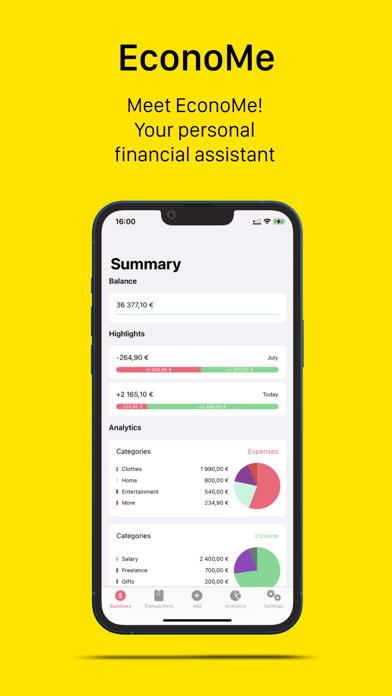
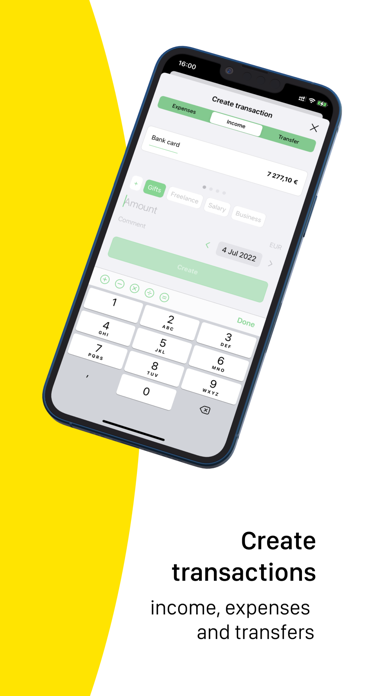


Built by a solo developer, Whalefy lets you log income, expenses, and transfers by hand across multiple wallets, with short comments attached to each transaction. There is no bank syncing, no automatic data pulling, and no advertising. The result is a deliberately low-noise environment suited to anyone who wants to own every number they record rather than hand that job to an algorithm.
Wallet system handles debt and transfers cleanly
The wallet system is the app's clearest strength. You can create wallets for cash, credit cards, savings, or loans, and negative starting balances are supported natively, so debt tracking requires no awkward workarounds. Three transaction types cover income, expenses, and transfers between wallets, which covers the vast majority of everyday personal finance scenarios. Per-transaction comments are a small but genuinely practical touch, helping you recall context weeks after the fact. The no-ads commitment is real and meaningful in a category that routinely plasters banners across transaction histories. For a focused manual ledger, the core loop works cleanly.
56 MB footprint heavier than comparable trackers
At 56 MB, the install footprint sits on the heavier side for an app that fetches no external data and renders no live charts. That size is worth noting because comparable manual trackers often land well under 30 MB. On the positive side, the app received an update as recently as July 2026, suggesting the developer is still actively refining it. With only four App Store ratings to draw from, there is almost no community signal about crash frequency, sync edge cases, or long-term data stability. Qualitatively, a simple manual ledger should be snappy on any modern iPhone, but we cannot verify that from available data alone.
Free trial obscures paywall structure
The free entry point makes Whalefy genuinely low risk to try. What is less clear is what lies behind the in-app purchase gate. The store listing does not spell out which features are free forever and which require payment, and that opacity is a real friction point when evaluating long-term commitment. For casual or trial use, free is obviously compelling. For anyone planning to migrate months of financial history into the app, understanding the paywall structure before investing that time would be wise. Check the app's settings screen for purchase details before going all-in.
Manual entry avoids financial credential requests
Because Whalefy is a manual tracker with no bank-sync functionality, it does not request access to financial credentials or external accounts, which is a structural privacy advantage over sync-based competitors. That said, the actual permissions the app requests and the data it collects are detailed in the App Store privacy label, which is the authoritative source to consult before downloading. Look specifically at whether transaction data is linked to your identity or used for analytics. A solo-developer app with no advertising business model has less incentive to harvest data, but that assumption should always be verified against the published label.
Minimalist design lacks documented accessibility features
The interface leans toward clean minimalism, which suits the manual-entry philosophy and keeps the screen uncluttered during data entry. The 4+ content rating signals nothing objectionable, and the layout appears straightforward enough for a broad age range. Formal accessibility features such as Dynamic Type support, VoiceOver compatibility, and sufficient color contrast are not documented in the store listing. Users who rely on assistive technologies should test the free download directly before committing, as solo-developer apps vary widely in how thoroughly they implement Apple's accessibility APIs.
One update per year signals slow development
The update history here tells a nuanced story. Whalefy launched in February 2021 and reached version 2.2 by July 2026, a pace of roughly one minor version per year. That is slow by category standards, suggesting feature growth is limited rather than rapid. On the other hand, the July 2026 update confirms the developer has not abandoned the project, which matters for a finance app where data continuity is important. With only four ratings accumulated over five years, the app has not found a large audience, and that thin community means bug reports and feature requests have minimal public visibility. Proceed with measured expectations.
Pros
- Genuinely ad-free with no banners, pop-ups, or video interruptions
- Negative balance wallet support makes debt tracking straightforward without workarounds
- No bank-sync requirement reduces credential exposure and privacy risk
- Still receiving updates as recently as July 2026, confirming active maintenance
Cons
- Only four App Store ratings makes reliability and stability very difficult to assess
- In-app purchase scope is not clearly disclosed, creating uncertainty about long-term costs
- 56 MB install size is notably large for a manual ledger with no data-fetching features
Related guides
Similar Finance apps


apptidal is independent and ad-supported. We earn no commission on installs and no company can pay for a better score. How we stay independent.