
Media · iOS
Blur Photo Editor Pro
by Loyal Foundry, Inc.
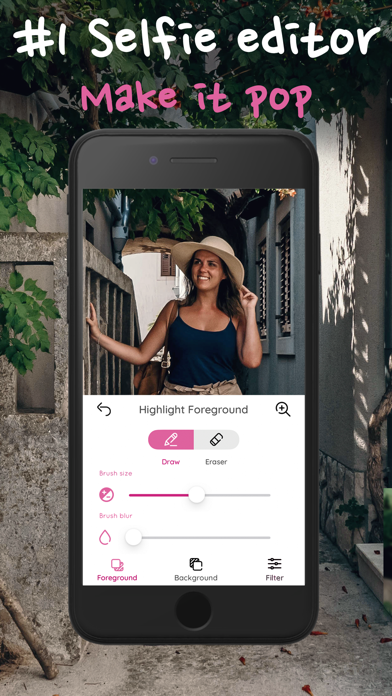
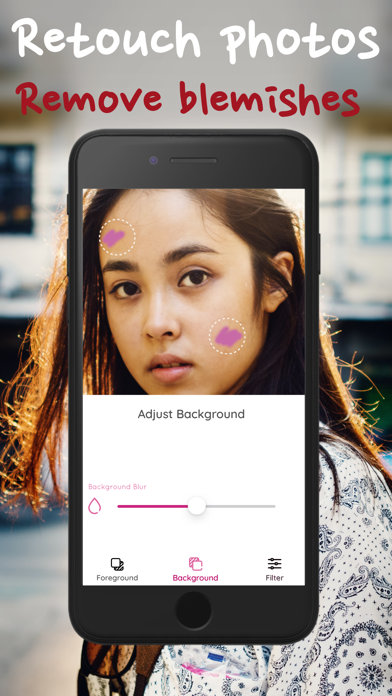
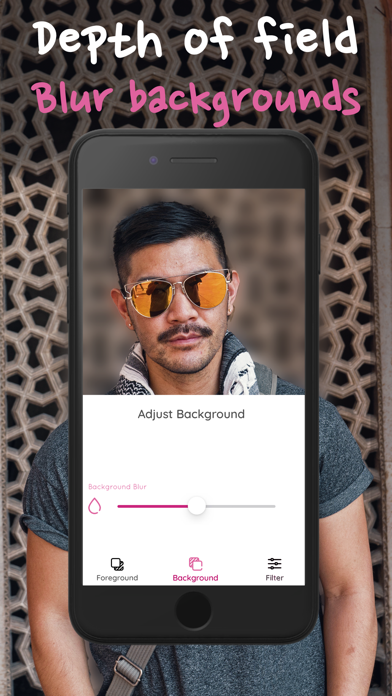
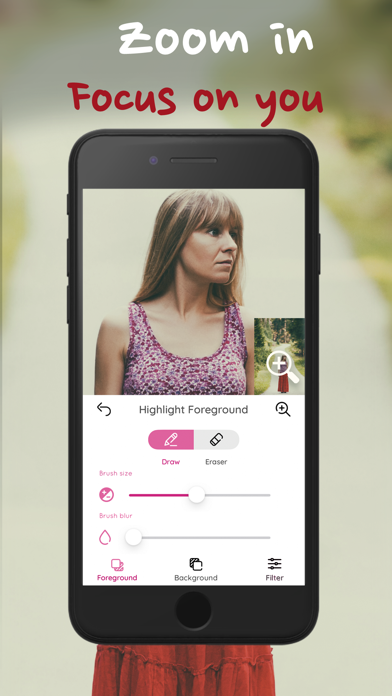

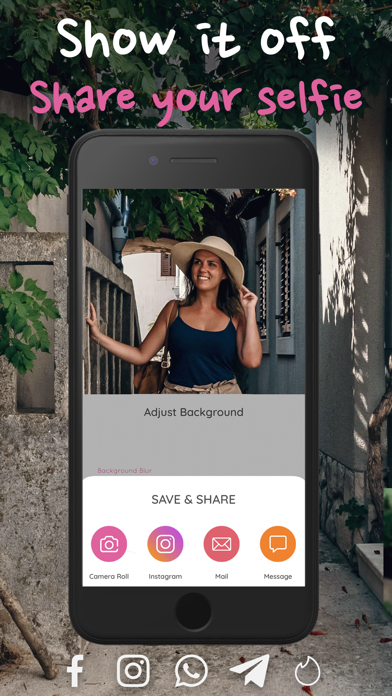
Loyal Foundry's Blur Photo Editor Pro has been on the App Store since April 2017 and received a confirmed update in March 2026, a reassuring lifespan for a 66 MB single-purpose tool. Its core proposition is depth-of-field simulation for photos taken outside Portrait mode, letting users soften backgrounds after the fact. A 4.29 rating across roughly 3,000 reviews reflects genuine, if not exceptional, user satisfaction over nearly nine years of availability.
Two-axis blur control outperforms simpler alternatives
The app's central pitch is post-capture blur, specifically the ability to isolate a subject and apply a softened background without needing dedicated camera hardware or a complex editing suite. Where it distinguishes itself from simpler alternatives is a two-axis control system that lets you adjust blur intensity and the zoom level of the effect independently. That pairing matters in practice: messy subject edges and irregular outlines become more forgiving to correct when you are not locked to a single slider. The selection tools are not AI-powered magic, so users with intricate hair or fine detail around subject edges will need patience. Still, for straightforward portraits and product shots, the controls deliver more nuance than the category average.
Modest install size and recent updates ensure reliability
At 66 MB, the install footprint is modest by modern iOS standards, and the app avoids the bloat that plagues multi-feature editors. That lean size generally correlates with snappy launch times and low memory overhead, though we cannot quote specific benchmark figures. The 4+ content rating signals a clean, uncomplicated interface with no unexpected content. Version 2.0.11 is a low build number for a nine-year-old app, which suggests the codebase has been refined rather than expanded aggressively. The March 2026 update confirms compatibility is being maintained for current iOS releases, reducing the risk of crashes on recent devices. For a single-purpose tool, that combination of small size and recent upkeep is a practical daily-use advantage.
Free tier scope unclear without testing
The app is free to download, which removes the barrier to a first impression. However, free-tier scope is the critical unknown here. The listing does not publicly itemize which blur controls, export resolutions, or effect types sit behind in-app purchases, so the true cost depends on what you actually need. Users who find the free layer sufficient will get real value from a maintained, lightweight tool at no charge. Those who need full precision controls or watermark-free exports may face upgrade prompts. Before committing to a purchase, it is worth testing the free tier against a specific use case. Competing options include Apple's own Portrait mode post-editing and Lightroom Mobile's masking tools, both of which are free at a capable level.
Photo library access requires privacy label review
Any photo editing app requires access to your photo library, which is an inherently sensitive permission on iOS. Beyond that baseline, the specific data practices for Blur Photo Editor Pro, including whether usage data, identifiers, or diagnostics are collected, are detailed in the App Store privacy nutrition label on the app's product page. We encourage users to review that label directly before downloading, as it is the authoritative and legally required disclosure. The app carries a 4+ content rating, suggesting no flagged content concerns, but that rating does not speak to data collection practices. Given the app is ad-supported as a free product, some form of advertising-related data access is plausible and worth confirming in the privacy label.
Focused interface lacks stated accessibility features
The interface is built around a focused workflow, which generally benefits usability. A single-purpose tool with a clear subject-and-background paradigm is easier to navigate than a sprawling editor, and the 4+ content rating reflects an uncomplicated visual environment. The two-axis blur control, while a genuine strength for precision, does add a layer of interaction that first-time users may need a moment to understand. On accessibility, the app does not advertise specific VoiceOver or Dynamic Type support in its listing. Users who rely on assistive technologies should test the free download before purchasing any upgrade tier. There is no specific mention of iPad optimization, so the experience on larger screens may simply be a scaled-up phone layout rather than a tailored design.
Nine-year maintenance record with measured updates
A March 2026 update on an app originally released in April 2017 is a meaningful signal. Many niche photo utilities from that era have gone dormant or been pulled entirely, so Loyal Foundry's continued investment in compatibility and upkeep stands out. Version 2.0.11 after nearly nine years does indicate a measured, incremental development pace rather than a feature-aggressive roadmap, which may disappoint users hoping for AI-assisted selection or new effect types. For users whose needs align with what the app already does, however, slow iteration paired with consistent maintenance is a reasonable trade-off. The combination of a long track record, a stable rating across 3,000 reviews, and a confirmed recent update makes this one of the more reliably maintained tools in its niche.
Pros
- Independent blur intensity and zoom controls offer more editing precision than a single-slider approach
- Compact 66 MB install size keeps device storage and memory impact minimal
- Confirmed March 2026 update demonstrates active iOS compatibility maintenance on a nine-year-old app
- Free to download with a 4.29 rating across 3,000 reviews reflecting consistent user satisfaction
Cons
- Free-tier scope is opaque, and in-app purchases may gate the most useful controls or watermark-free exports
- Version 2.0.11 after nearly a decade signals a slow feature development pace compared to competitors adding AI-assisted masking
- Faces strong competition from Apple's built-in Portrait mode editing and free tiers of Lightroom Mobile, which offer comparable blur with broader editing ecosystems
Related guides
Similar Media apps


apptidal is independent and ad-supported. We earn no commission on installs and no company can pay for a better score. How we stay independent.