
Media · iOS
CapCut: Photo & Video Editor
by Bytedance Pte. Ltd
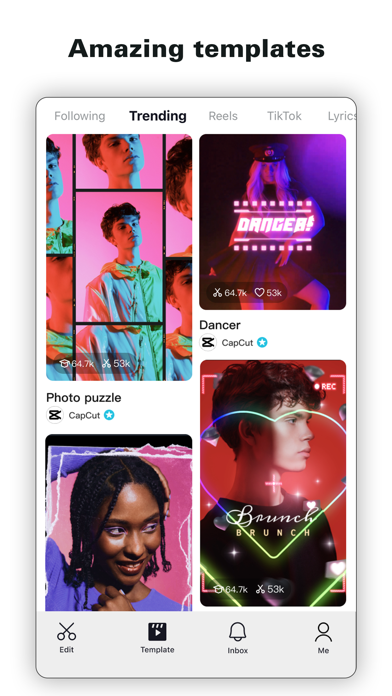


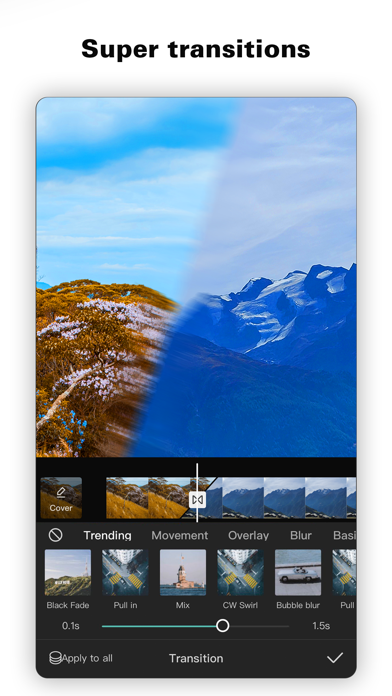
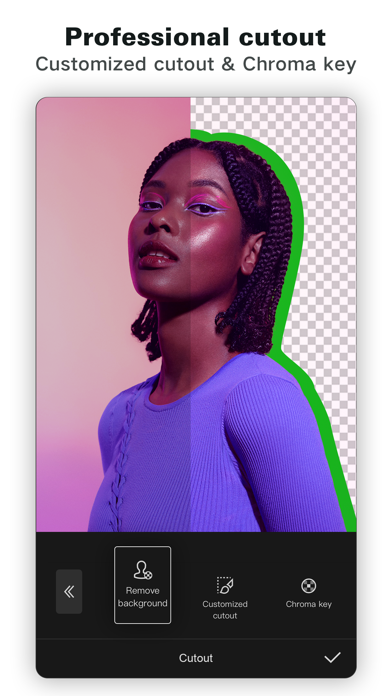

Launched in April 2020 and now carrying over 1.1 million App Store ratings at 4.62 stars, CapCut has matured well beyond its origins as a TikTok companion. Speed ramping, keyframe animation, chroma key, motion tracking, and auto captions all live inside one free download. The 748 MB install is a real commitment, but the sheer breadth of tools justifies that storage cost for most creators targeting short-form platforms.
Custom velocity curves deliver desktop-class speed control
CapCut's headline capability is its custom velocity curve tool, which lets editors draw precise speed ramps on individual clips rather than simply selecting a preset multiplier. That level of control historically belonged to desktop software, and finding it on a free mobile app remains genuinely surprising. Keyframe animation extends across virtually every parameter, freeze-frame placement is straightforward, and chroma key plus motion tracking round out a toolkit that covers the vast majority of short-form production needs. Auto captions are accurate enough to meaningfully reduce turnaround time on dialogue-heavy content. Background removal works reliably on static subjects. For clips under ten minutes, the feature depth is difficult to match at any price point on mobile.
Performance depends heavily on device generation
At 748 MB, CapCut is one of the heavier installs in the Media category, and that footprint translates to noticeable load times on older or budget iPhones. On current mid-range and flagship hardware the experience is generally smooth, though the interface has grown increasingly dense as successive updates have layered in new tools. Version 18.6.0, released in July 2026, reflects an active development pace, which typically correlates with bug fixes and stability improvements. Export times will vary with clip length and device generation, as is standard for mobile video editors. The sheer number of menu layers means new users should expect a learning curve before the workflow feels natural.
Free tier covers most needs, paywalls interrupt workflow
The free tier is genuinely generous by category standards. Speed ramping, keyframe controls, chroma key, auto captions, and background removal are all accessible without paying anything upfront. The friction arrives when certain AI-powered or premium template features surface a subscription prompt mid-workflow, often without prior indication that a specific tool sits behind a paywall. That interruption erodes trust and disrupts creative momentum. For casual and intermediate creators the free offering covers most real needs. Dedicated creators who rely on the full AI feature set will need to evaluate the subscription cost against alternatives, but even at a paid tier CapCut competes favorably with desktop-class software on a per-feature basis.
Bytedance ownership raises data collection questions
CapCut is developed by Bytedance, the same parent company as TikTok, and that association has attracted sustained regulatory scrutiny in multiple countries. What data is collected, how it is stored, and where it may be transferred are legitimate questions for any user. Rather than speculate, we recommend reviewing the App Store privacy nutrition label directly on the product page, which details data types linked to your identity and data used to track you. Users with heightened privacy requirements, including those in regulated industries or sensitive professional roles, should weigh that label carefully before granting the app access to camera roll, microphone, and camera permissions.
Dense interface rewards patience over immediate intuition
CapCut's visual design is polished and consistent with current iOS conventions, using a dark-themed timeline layout that keeps the preview canvas prominent. The challenge is information density: years of feature additions have produced a toolbar and menu hierarchy that can feel overwhelming on a small screen. New users often need several sessions before navigation becomes intuitive. On accessibility, the app follows standard iOS dynamic type and contrast conventions, and VoiceOver support is present to a functional degree, though complex timeline interactions remain easier with visual feedback. The 12-plus content rating reflects the platform's social-sharing context rather than any particularly mature editing content.
Aggressive update pace signals sustained investment
Version 18.6.0 shipped on July 14, 2026, confirming a very recent update at the time of this review. The version number itself signals an aggressive release cadence across the app's roughly six-year lifespan since its April 2020 launch. Over 1.1 million ratings on the App Store indicate a large and engaged user base, which typically incentivizes continued investment from the developer. Feature additions have arrived consistently across major versions, and the update history shows responsiveness to both platform changes and user feedback. By any standard maintenance metric, CapCut ranks among the more actively developed apps in the mobile video editing category.
Pros
- Speed adjustment spans 0.1x to 100x with custom curve drawing on individual clips
- Keyframe animation available across virtually all parameters at no upfront cost
- Auto captions, background removal, and chroma key included in the free tier
- Exceptionally active update cadence with version 18.6.0 released July 2026
Cons
- 748 MB install size strains older and budget devices noticeably
- Paywalled features appear mid-workflow without clear advance warning
- Bytedance ownership raises data-practice concerns that warrant careful review of the App Store privacy label
Related guides
Similar Media apps


apptidal is independent and ad-supported. We earn no commission on installs and no company can pay for a better score. How we stay independent.