
Finance · iOS
Expense Tracker & Manager
by Alin Sorin Cuc

Released in 2016 and still active after a December 2023 update, this 22 MB app from Alin Sorin Cuc keeps personal finance tracking as simple as possible. Log a transaction, glance at the calendar, repeat. With 482 ratings averaging 4.6 stars, casual users clearly respond well to the uncluttered approach, though the narrow feature set will disappoint anyone expecting automation, reporting, or multi-account support.
Simplicity works, but only for basic logging
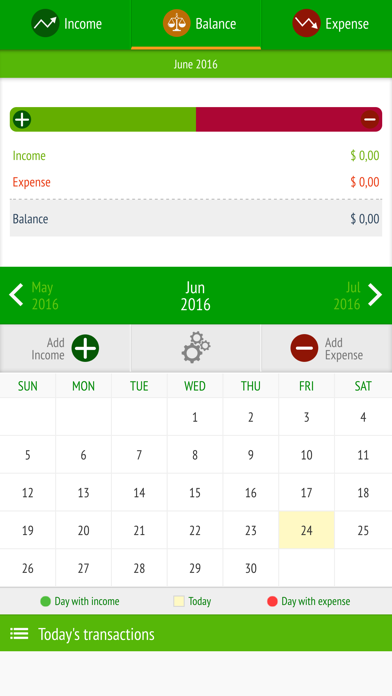
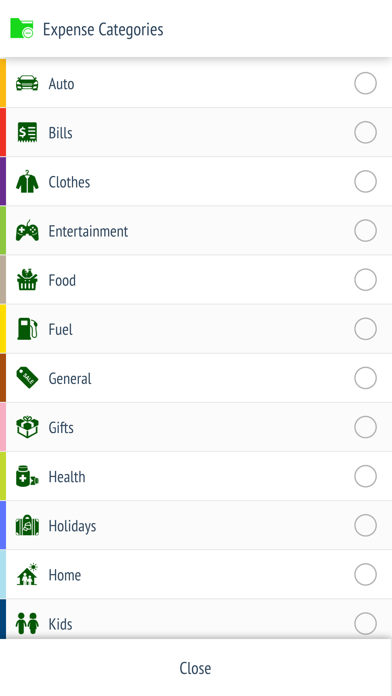
The core loop is deliberately tight: record an expense or an income entry, then view the result on a monthly calendar that gives an immediate sense of where spending clusters across the month. A built-in calculator lets you tally a bill without leaving the app, which is a small but genuinely useful touch. That, in honest terms, is the full scope. There is no bank sync, no receipt scanning, no recurring transaction rules, and no multi-currency dashboard. For someone who simply wants a quick digital ledger to replace a notebook, that restraint reads as a virtue. For anyone with more layered financial needs, the same restraint becomes a hard wall almost immediately.
Compact and stable with consistent performance
At 22 MB the app is compact even by modern standards, and a lean install size typically correlates with fast launch times and low memory overhead on older devices. The calendar-centric layout means the most common action, reviewing a month at a glance, requires no navigation at all. The rating volume of 482 reviews averaging 4.6 stars suggests the experience is stable and consistent rather than plagued by crashes or data-loss complaints. No recent surge of one-star reviews is visible in the public record, which is a reasonable proxy for ongoing reliability. Qualitatively, the simplicity of the feature set also means there is less that can go wrong in daily use.
Free entry masks unclear paywall structure
The app is listed as free, which removes any upfront barrier. However, the in-app purchase structure is not disclosed transparently in the publicly available description, so it is genuinely unclear what functionality, if any, sits behind a paywall until you open the app. That opacity is worth flagging before downloading. Competing free options such as Wallet or Spendee offer bank sync and richer reporting at the same zero entry price, so the value proposition here rests entirely on simplicity rather than feature depth. For a user who wants nothing beyond basic logging, free is obviously fair. For anyone expecting a full budgeting suite, the ceiling arrives before any real value is extracted.
Check privacy label before storing financial data
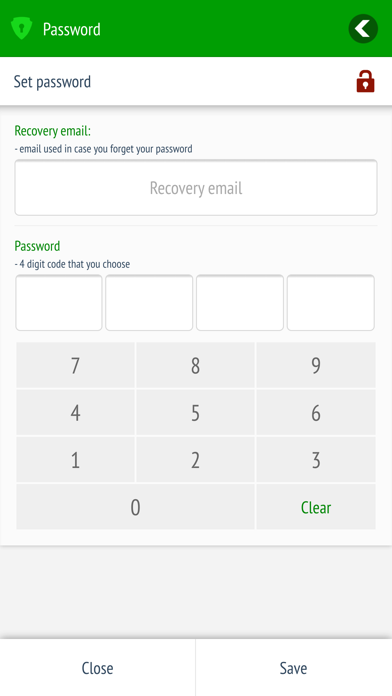
We did not independently audit the app's data practices, and fabricating privacy-label findings would be misleading. The right approach is to check the App Store privacy nutrition label on the app's product page directly, where Apple requires developers to disclose data collected, data linked to you, and data used to track you. Given that this app does not advertise bank sync or account linking, the data footprint is likely modest, but a finance app that stores income and spending figures still warrants a careful read of that label before trusting it with sensitive numbers. Permissions requested on first launch are another useful signal to review.
Clean calendar design, accessibility untested
The calendar-first layout is clean and immediately legible, which suits users who want a visual monthly summary without hunting through menus. The built-in calculator reflects thoughtful micro-design, removing a common friction point in manual expense logging. The app carries a 4+ content rating, indicating nothing objectionable in the interface. Formal accessibility features such as Dynamic Type support or full VoiceOver compatibility are not documented in the available materials, so users who rely on assistive technology should test the app directly before committing to it as a daily tool. The overall aesthetic reads as functional rather than polished, which aligns with its utilitarian purpose.
Baseline maintenance since 2016, no expansion
The December 2023 update to version 2.1.2 confirms the developer has not abandoned the project, which is meaningful for an app originally released in June 2016. That said, the version number and the modest rating count of 482 across roughly seven years suggest development has been incremental rather than ambitious. The feature set does not appear to have expanded substantially since launch, and there is no public roadmap or community forum visible. Users who need confidence in long-term support or regular feature additions should weigh that history carefully. The app is stable and maintained at a baseline level, but it is not on an aggressive improvement trajectory.
Pros
- Compact 22 MB install size keeps the app fast and unobtrusive on any device
- Calendar-based monthly overview delivers an at-a-glance spending picture with no navigation required
- Built-in calculator removes the need to switch apps while logging a bill or splitting a cost
- A December 2023 update confirms the app is still actively maintained after seven-plus years
Cons
- In-app purchase terms are not disclosed upfront, making the true cost unclear before download
- Feature set has grown very little since the 2016 launch, with no bank sync, export tools, or recurring transaction rules
- Casual budgeters will outgrow the app quickly, and there is no upgrade path within the product itself
Related guides
Similar Finance apps


apptidal is independent and ad-supported. We earn no commission on installs and no company can pay for a better score. How we stay independent.