Finance · iOS
Expenses OK - expenses tracker
by Mobion OOO
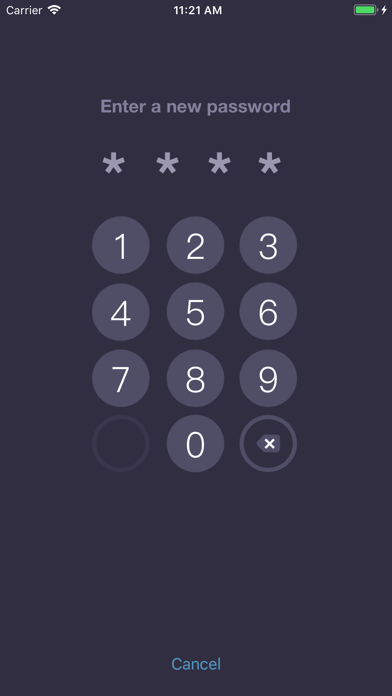
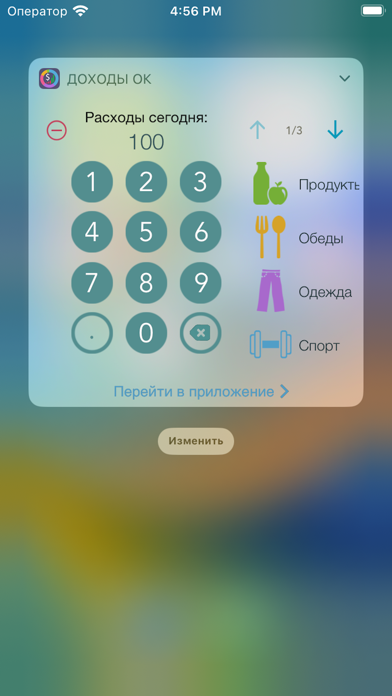
Launched in 2014 and still receiving updates as recently as November 2024, Expenses OK is a compact 16 MB finance app built around one idea: record a purchase quickly and move on. Subcategories, biometric lock, CSV export, and a home-screen widget round out a focused feature set. The 4.76 rating across roughly 5,000 reviews suggests real user satisfaction, though the app is clearly a logging tool rather than a full budgeting platform.
Widget-first logging with limited depth
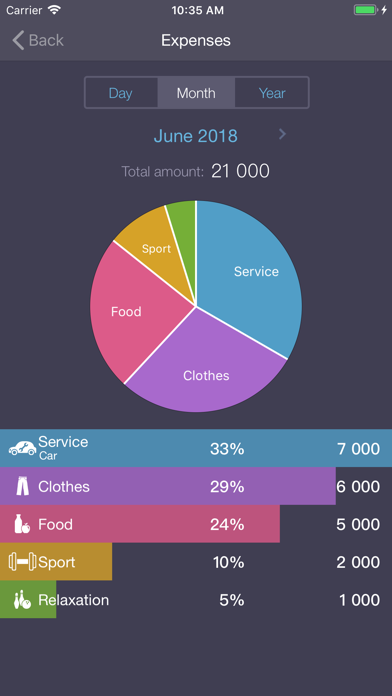
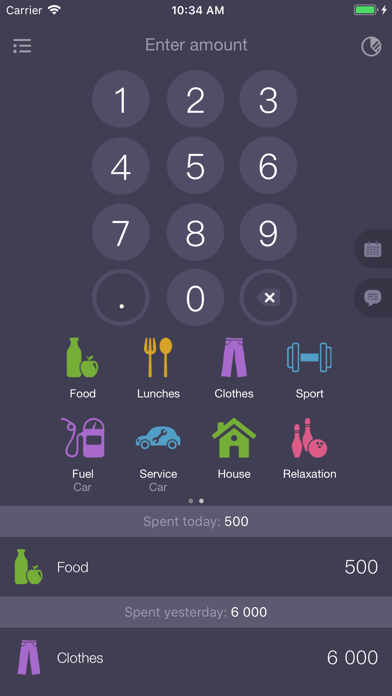
Expenses OK centers on manual transaction entry, and that narrowly defined job it handles well. A home-screen widget lets users record a spend without ever launching the app, which addresses the single biggest reason expense trackers get abandoned after a week. Subcategories allow sensible grouping, splitting groceries from restaurant meals under a parent Food category, for example, without cluttering the interface. A pie chart delivers an instant visual snapshot of spending by category. Where the app falls short is depth: there are no bank or card connections for automatic import, no bill reminders, and no budgeting targets. For pure logging speed the app earns its strong store rating; for analysis or forecasting it reaches its ceiling quickly.
Lightweight and stable after a decade
At 16 MB, installation is essentially instant and the app occupies negligible storage, a meaningful practical advantage on devices with limited space. The compact size also suggests a streamlined codebase that avoids the sluggishness sometimes found in feature-heavy finance apps. A decade of sustained updates, culminating in the November 2024 release of version 4.0.1, points to a stable, well-maintained build rather than an abandoned project. The 5,000-plus ratings with a 4.76 average is a credible signal of consistent everyday reliability. Qualitatively, the widget-driven entry flow keeps the app out of the way until it is needed, which suits the quick-capture use case the developer clearly targets.
Free core with undisclosed purchase scope
The app is free to download, and the core logging features appear accessible without payment. However, the scope of any in-app purchases is not clearly disclosed before you commit, which is a genuine transparency problem for a tool you might rely on daily for years. Users considering Expenses OK should check the current in-app purchase listing in the App Store before building a habit around features that may sit behind a paywall. Compared with premium competitors that charge a flat annual fee, the free entry point is appealing, but the unclear cost ceiling tempers that appeal. For strictly casual, free-tier use the value proposition is solid.
Biometric protection and unclear sync practices
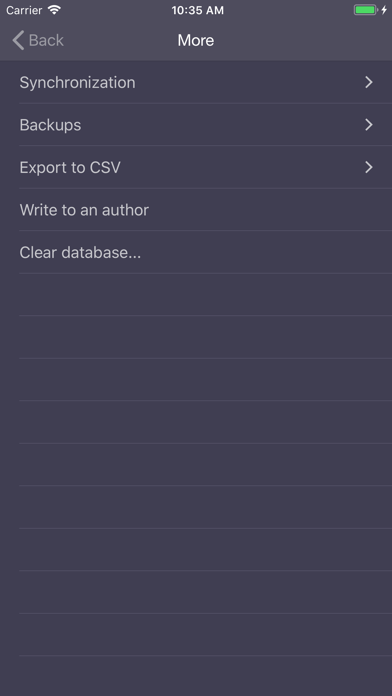
Face ID and Touch ID support means the spending data stored locally is protected by biometrics, a sensible baseline for a finance app. CSV export and manual backup options ensure data portability, so users are not permanently locked into the app's ecosystem. For a full picture of what data is collected, transmitted, or shared, the App Store privacy nutrition label for Expenses OK is the authoritative source and should be reviewed before installation. The sync feature mentioned in the app's description lacks clear documentation about whether it involves cloud servers and what data leaves the device, which is worth clarifying before enabling it.
Minimal design optimized for quick entry
The interface prioritises speed over complexity, with a minimal chrome that suits the quick-entry use case. The home-screen widget is the design highlight, reducing the entry flow to a single tap from the lock screen. The pie chart visualization is clean and immediately readable without requiring any report configuration. On accessibility, the app carries a 4+ content rating and the straightforward layout is broadly legible, though users who rely on VoiceOver or Dynamic Type should verify current support in the App Store or via a trial, as the available data does not confirm specific assistive-technology implementation. The 16 MB footprint suggests no heavy media assets that could complicate screen-reader navigation.
Ten years of consistent updates and support
The maintenance record here is genuinely strong for a free utility. Mobion OOO has kept Expenses OK alive and updated across a full decade, from its November 2014 debut through to version 4.0.1 in November 2024. That longevity is rare in the Finance category, where many lightweight trackers are abandoned within a year or two. Regular updates also mean compatibility with current iOS releases is a reasonable expectation. The 5,000-plus ratings accumulated over that period indicate a stable user base rather than a spike-and-fade download pattern, which further supports confidence in the app's continued availability.
Pros
- Home-screen widget enables one-tap expense logging without opening the app
- Subcategories add meaningful structure while keeping the interface uncluttered
- Face ID and Touch ID protect financial data with minimal user friction
- A decade of consistent updates through November 2024 signals reliable long-term maintenance
Cons
- In-app purchase scope is not transparently disclosed before you build a reliance on the app
- Sync feature lacks clear documentation on whether data leaves the device or supports true cross-device use
- Reporting is limited to a single pie chart, with no budgeting targets, trends, or multi-currency support
Related guides
Similar Finance apps


apptidal is independent and ad-supported. We earn no commission on installs and no company can pay for a better score. How we stay independent.