
Media · iOS
Facetune: Photo & Video Editor
by Lightricks Ltd.


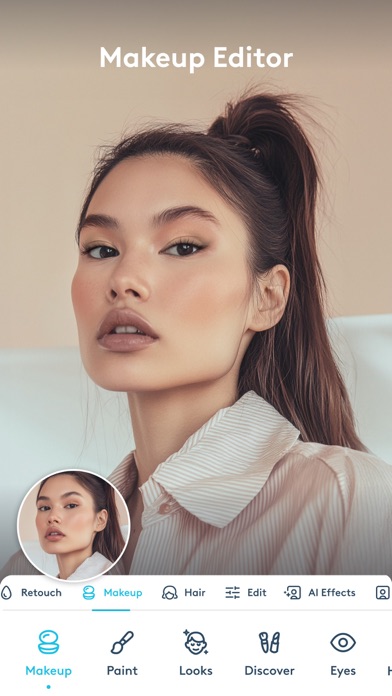
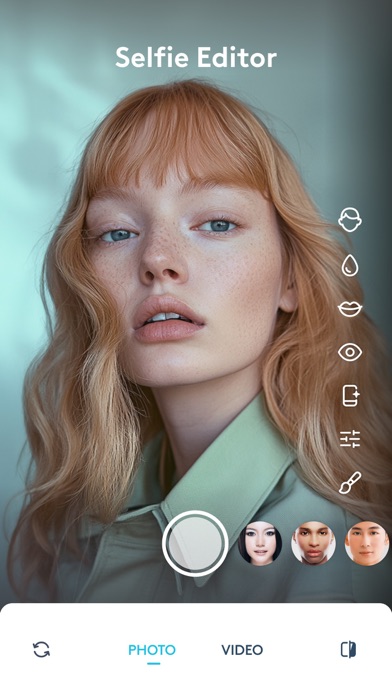
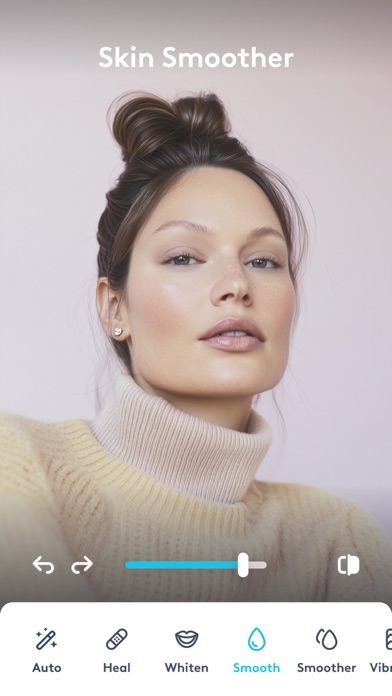
Lightricks has been iterating on Facetune since late 2016, and version 26.20 reflects nearly a decade of aggressive feature expansion. The app targets selfie and portrait editing with blemish smoothing, feature reshaping, virtual hairstyles, beard try-ons, and makeup overlays all under one roof. A 4.62 rating across 372K reviews signals broad user satisfaction, though the free download conceals a subscription model that unlocks the most compelling tools.
Portrait editing depth within its lane
Facetune is purpose-built for portrait and selfie editing, and within that lane it covers serious ground. The virtual try-on suite stands out most clearly, offering more than 20 hairstyle options alongside a range of beard styles that run from light stubble to full long beard. A virtual makeup layer handles contouring, lip color, and eye looks without requiring a separate app. Blemish smoothing and facial reshaping tools are calibrated well enough to produce natural-looking results rather than the waxy, over-processed finish that cheaper alternatives often deliver. A small but clever detail: the teeth-whitening brush works equally well on sneakers. For portrait-focused editing, the depth is genuinely competitive.
Storage demands and navigational complexity
At 563 MB, Facetune is a substantial install that will give pause to anyone managing storage on a base-tier iPhone. That size reflects years of accumulated features rather than a lean, optimized core. On modern hardware the app runs without obvious instability, and the consistent update cadence through mid-2026 suggests Lightricks actively addresses bugs rather than letting them accumulate. The sheer volume of tools, however, creates navigational friction. Menus have grown alongside the feature set, and new users will spend meaningful time orienting themselves before editing becomes intuitive. The experience rewards regular users who have internalized the layout, but occasional visitors may find the interface more taxing than helpful.
Subscription required for core features
The free label is technically accurate and practically misleading in equal measure. Core retouching and try-on features sit behind a subscription paywall, so the download is better understood as a trial than a complete product. For daily social media creators who rely on portrait editing, the subscription cost can be justified by the breadth of tools that would otherwise require multiple apps. Casual users who edit photos only occasionally will struggle to find value proportional to the ongoing charge. The 372K reviews and strong rating suggest the majority of paying subscribers feel the exchange is fair, but anyone on the fence should audit which specific features they actually need before subscribing.
Facial data handling needs review
Facetune carries a content rating of 12 plus, which reflects its social-facing nature rather than any specific privacy classification. Because the app processes facial imagery, the permissions it requests and the data it collects deserve careful attention before you grant access. The App Store privacy nutrition label on the Facetune product page is the authoritative source for what data is collected, how it is linked to your identity, and whether it is used for tracking. We recommend reviewing that label directly before installing, paying particular attention to facial data handling and any third-party analytics disclosures. Lightricks is a well-established developer, but no review can substitute for reading the current label yourself.
Polished design hindered by density
Facetune's visual design is polished and consistent with modern iOS conventions, using clear iconography and a dark-toned editing canvas that keeps the subject image central. The challenge is density: years of feature additions have filled the interface with options that can overwhelm users who are not already familiar with the app. Touch targets are generally appropriately sized for a photo editor. Accessibility features such as Dynamic Type support and VoiceOver compatibility depend on how thoroughly Lightricks has implemented Apple's UIKit accessibility APIs, which is best verified by enabling those settings directly on device. The app does not appear to prioritize accessibility as a headline feature, so users who rely on assistive technologies should test before subscribing.
Actively maintained since 2016
Version 26.20 and an update date of July 2026 confirm that Lightricks is actively maintaining Facetune rather than coasting on its established user base. The app has received continuous development since its November 2016 launch, and the high version number reflects genuine, frequent iteration rather than cosmetic bumps. That cadence is a strength for users who want new capabilities, but it also means the interface shifts regularly, and workflows learned in one version may need relearning after a major update. The combination of a large review base, a strong average rating, and recent updates positions Facetune as one of the more reliably supported apps in the portrait-editing category.
Pros
- Extensive virtual hairstyle and beard try-on library that outpaces most general-purpose editors
- Retouching tools are tuned to produce natural-looking results rather than over-processed skin
- Actively maintained with a July 2026 update and a decade of continuous development
- 4.62 average rating across 372K reviews reflects sustained satisfaction among a large user base
Cons
- 563 MB install size is heavy for a photo editor and a real cost on storage-limited devices
- Free download masks a subscription paywall that gates the most useful features
- Years of feature accumulation have made the interface cluttered and slow to navigate for new users
Related guides
Similar Media apps


apptidal is independent and ad-supported. We earn no commission on installs and no company can pay for a better score. How we stay independent.