
Media · iOS
Layout - Photo Collage Maker
by Fitness Labs
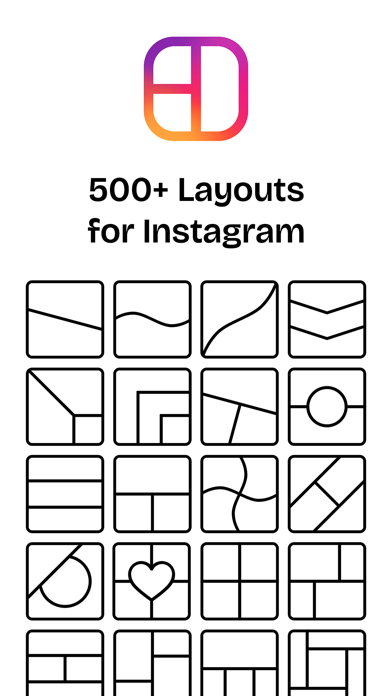

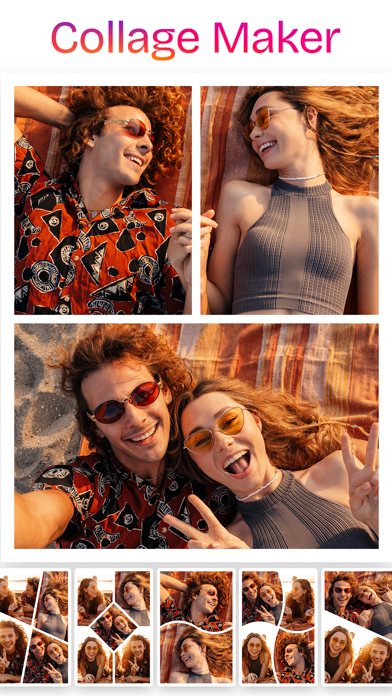
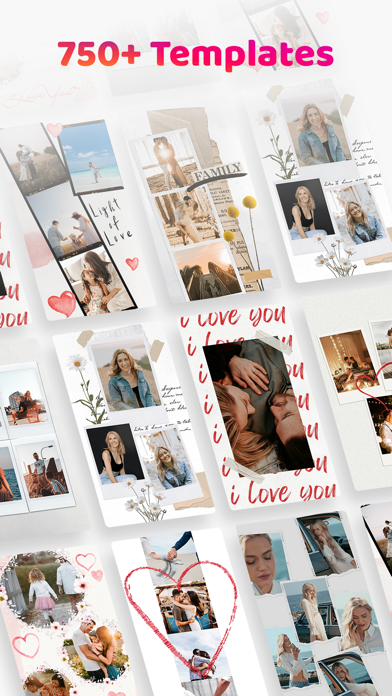
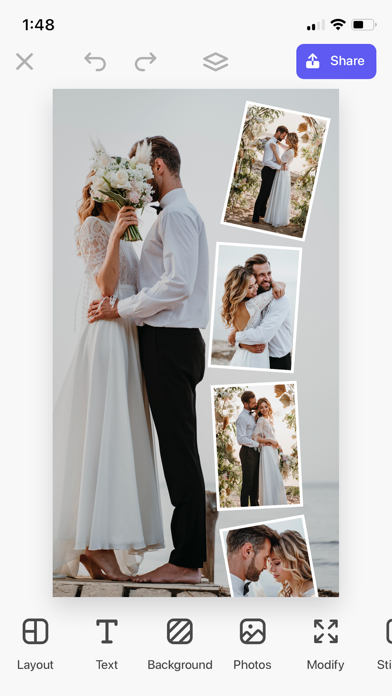

Released in late 2019 and carrying a 4.62 store rating across 45,000 reviews, Layout - Photo Collage Maker targets social creators who need quick collage assembly and Instagram-ready exports. The 190 MB install is reasonable for the feature set on offer. Carousel and Reels format support, a library of 500-plus templates, and stylistic options like Polaroid and film frames give it more range than most free alternatives in the category.
Carousel collages outperform grid templates
At its core, Layout stitches multiple photos into grid or freeform collages and exports them in formats optimized for Instagram, including continuous carousel layouts and Reels-friendly aspect ratios. That carousel workflow is the clearest differentiator: combining images into a seamless swipeable strip without touching a desktop tool is a genuine time-saver for regular posters. The 500-plus template library spans clean grids, organic freeform arrangements, Polaroid frames, and film-strip borders, giving casual and creative users alike a strong starting point. Where the app falls short is in precision control: fine-tuning spacing, adding custom typography, or working outside Instagram-centric aspect ratios pushes against the app's limits fairly quickly.
Mid-range file size, solid reliability
A 190 MB install sits in the mid-range for a photo editing app on iOS, and nothing in the app's profile suggests unusually heavy processing demands for standard collage work. That said, users on older or storage-constrained devices may encounter hesitation when handling larger photo sets or high-resolution source images, which is a common pattern in this category rather than a flaw unique to Layout. The 45,000 ratings at a 4.62 average represent a large, broadly positive user base, which is a meaningful real-world signal of day-to-day reliability. Qualitatively, the template-first approach keeps the interface snappy for typical use cases.
Free entry masks unclear paywall scope
The app is free to download, and the low barrier to entry makes an initial trial essentially risk-free. The complication is that the scope of in-app purchases is not clearly communicated upfront in the store listing. Users can find themselves mid-project before discovering that a preferred template or export option sits behind a paywall. That ambiguity is a real frustration, and it makes it difficult to assess the true long-term cost before committing to a workflow built around the app. For casual, occasional collage assembly the free tier is likely sufficient. For creators who will use it daily, clarifying the subscription or purchase terms early is strongly advisable.
Photo library access, privacy label review recommended
As a collage app, Layout will request access to your photo library, which is expected and necessary for its core function. Beyond that, the specifics of data collection, tracking, and any third-party sharing are detailed in the App Store privacy nutrition label on the app's product page. We recommend reviewing that label directly before downloading, paying particular attention to data linked to your identity and any advertising or analytics disclosures. The developer, Fitness Labs, is not a household name in the design or photo space, so independent review of those privacy disclosures is a reasonable step for privacy-conscious users.
Template interface prioritizes speed over complexity
The template-driven interface prioritizes speed over complexity, which suits the app's target audience well. Tapping into a layout and swapping in photos is straightforward, and the Instagram-centric export flow is logically organized. The design language is clean without being particularly distinctive. On accessibility, the app carries a 4-plus content rating, indicating no mature content concerns. Formal accessibility features such as Dynamic Type support, VoiceOver compatibility, and sufficient color contrast are worth verifying in-app, as the App Store listing does not call these out explicitly. Users with accessibility needs should test the free download before relying on it in a regular workflow.
Active updates since 2019 signal ongoing support
The update history here is genuinely encouraging. Version 5.4.2 was pushed in July 2026, meaning the developer is shipping updates within the current calendar year and has maintained the app consistently since its 2019 launch. That longevity and recency together are a positive signal in a category where many free tools go dormant. The developer name, Fitness Labs, is an unusual fit for a photo collage product and may raise an eyebrow, but the sustained update cadence across nearly seven years of releases suggests real ongoing investment rather than an abandoned side project.
Pros
- Instagram carousel export is a genuinely time-saving feature not common in free collage apps
- 500-plus templates span grids, freeform, Polaroid, and film-frame styles
- Actively maintained with a July 2026 update and consistent releases since 2019
- 45,000 ratings at a 4.62 average reflects strong, broad real-world validation
Cons
- Paywall scope is unclear upfront, making the true free feature set hard to assess before use
- Precision control over spacing, typography, and non-Instagram aspect ratios is limited
- Developer identity as Fitness Labs offers no design-tool credibility signals for new users
Related guides
Similar Media apps


apptidal is independent and ad-supported. We earn no commission on installs and no company can pay for a better score. How we stay independent.