
Finance · iOS
Money Monitor Pro
by 倩 赵

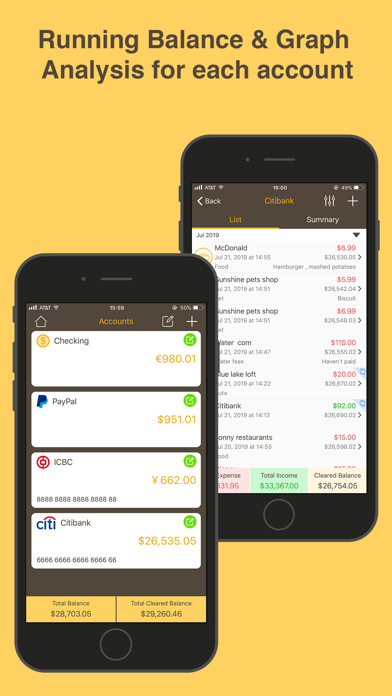
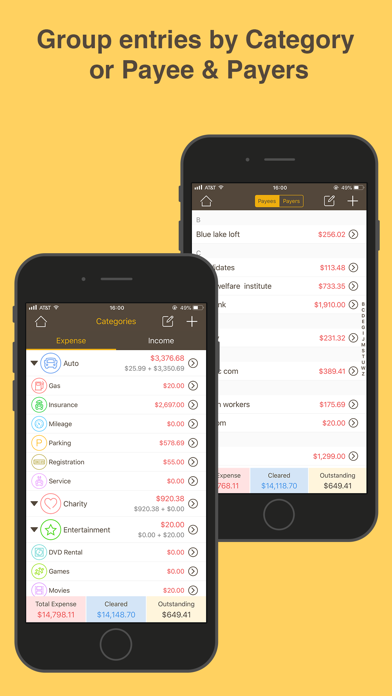
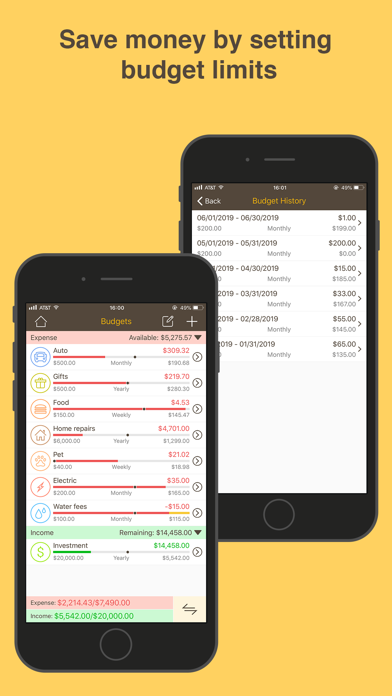
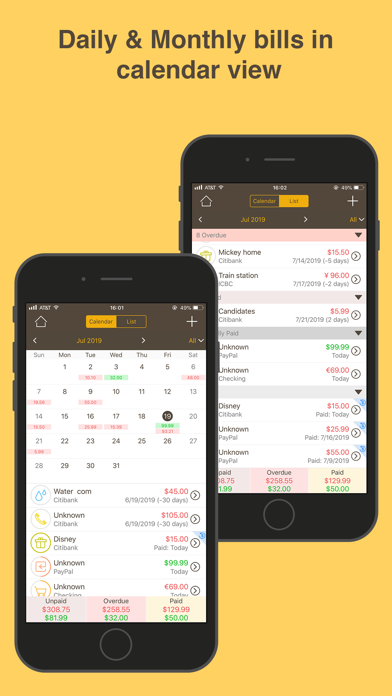
Quietly active since June 2012, Money Monitor Pro reached version 9.0 with a late 2025 update, signaling genuine long-term commitment from its solo developer. A single $0.99 payment unlocks transaction tracking across accounts, budgets, bills, cash flow, and payees. Over a thousand ratings averaging 4.1 stars suggest real-world loyalty, even if the app never chases trends. For anyone who wants straightforward personal bookkeeping without recurring fees or bank credential sharing, it fills that niche honestly.
Manual entry works smoothly for basic bookkeeping
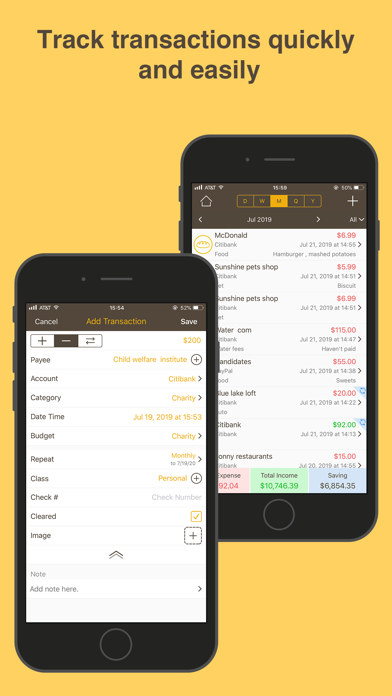
The core proposition is manual transaction logging, and Money Monitor Pro executes it with reasonable thoroughness. Each entry supports income, expense, or transfer classification, photo attachments, payee assignment, budget category tagging, and a cleared flag, all within a single flow. Eight built-in account types handle the most common scenarios, and custom account types prevent the app from forcing users into ill-fitting buckets. Recurring transaction support is a meaningful addition for anyone tracking regular bills or subscriptions. The feature set is not expansive by 2025 standards, but what is here works cohesively for straightforward personal bookkeeping.
Dated interface requires manual input for every transaction
At 48 MB the install footprint is modest, which is a practical advantage on storage-conscious devices. There is no evidence of bank syncing or automatic import, so every transaction requires manual input, a friction point that adds up over time compared to automated alternatives. The interface carries visible traces of its 2012 origins, with some screens appearing patched across versions rather than holistically redesigned. That said, a 4.1 rating across roughly a thousand reviews suggests the experience is stable and functional rather than buggy. Daily use will feel familiar to anyone comfortable with classic ledger-style apps, though newcomers accustomed to modern finance app polish may notice the difference.
Ninety-nine cents beats subscription competitors substantially
At $0.99 with no subscription attached, the value calculus is straightforward. Competing finance apps frequently charge monthly fees ranging from a few dollars to well over ten, so a one-time purchase at under a dollar is genuinely unusual in the category. The trade-off is a feature ceiling: no bank sync, no apparent data import, and reporting depth that remains unclear from available information. For a user whose priority is a private, offline-capable spending diary or payee log, the price is easy to justify. For someone expecting the breadth of a Mint-style aggregator, the gap between cost and capability is less about money and more about functionality.
Offline design avoids bank credential exposure
Because Money Monitor Pro operates on manual entry rather than bank credential connections, the structural privacy exposure is lower than syncing-based competitors by design. No linked accounts means no third-party data sharing through OAuth flows or aggregator services. That said, the actual permissions requested and the App Store privacy nutrition label are the authoritative sources for what data this app collects or shares. We recommend reviewing that label on the App Store listing before purchasing. The app's 4+ content rating and single-developer origin suggest a lightweight data footprint, but users should verify camera and storage permissions given the photo-attachment feature.
Thirteen-year-old interface lacks modern polish
The design reflects thirteen years of iterative updates rather than a ground-up modern redesign, and some screens carry that layered history visually. Navigation follows conventions established in earlier iOS eras, which can feel familiar to longtime users but dated to anyone onboarding fresh. The 48 MB size and straightforward layout suggest the interface is not overloaded with visual complexity, which can incidentally benefit users who prefer lower cognitive load. Formal accessibility support, including VoiceOver compatibility and Dynamic Type scaling, is not verifiable from available data, so users with specific accessibility needs should test the app during any applicable return window or consult recent App Store reviews for firsthand accounts.
December 2025 update signals active development
A December 2025 update on an app first released in June 2012 is a meaningful signal. Reaching version 9.0 over thirteen years demonstrates sustained developer attention rather than abandonment, which is a genuine differentiator among low-cost finance utilities where many peers have gone dark. The single-developer origin does introduce continuity risk: there is no team redundancy if circumstances change. However, the update cadence visible in the version history, combined with a stable rating over a thousand reviews, points to an app that is actively cared for rather than left to coast. For a $0.99 purchase, that maintenance track record adds real confidence.
Pros
- One-time $0.99 price with no subscription required, rare in the Finance category
- Recurring transaction support reduces manual effort for regular bills and income
- Custom account types extend beyond eight built-in defaults for flexible bookkeeping
- Version 9.0 update in December 2025 confirms active maintenance on a 13-year-old app
Cons
- Fully manual entry with no bank sync or import means every transaction requires hands-on logging
- Interface visibly reflects 2012 origins and feels patched rather than redesigned across versions
- Single-developer origin creates long-term support uncertainty with no team redundancy
Related guides
Similar Finance apps


apptidal is independent and ad-supported. We earn no commission on installs and no company can pay for a better score. How we stay independent.