
Media · iOS
Photo Collage Maker PicJointer
by Mosaic S.r.l.


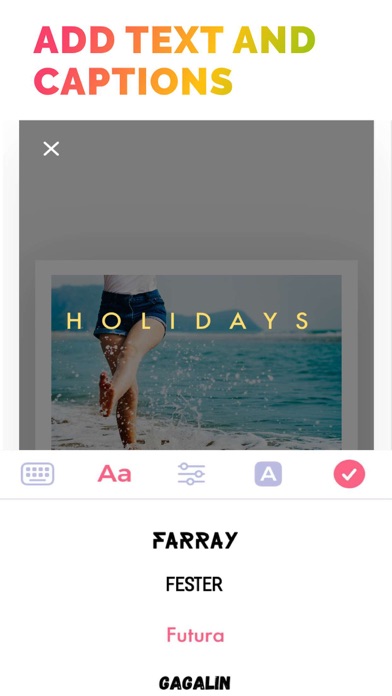

Launched in 2012 and now at version 7.4.63, PicJointer from Mosaic S.r.l. has earned its place as a long-running iOS collage staple. The 65 MB download lets users combine photos across multiple grid layouts, then layer on filters, frames, stickers, and custom fonts. A 4.55-star average across more than 133,000 ratings signals broad satisfaction, and the free entry point keeps the barrier to trying it essentially zero.
Precise per-cell editing outweighs basic design
PicJointer centers on a straightforward loop: choose a layout, populate it with photos, then refine each cell individually using zoom, pan, rotate, and mirror controls. That per-cell precision is a genuine differentiator from simpler drag-and-drop rivals, giving users real compositional control rather than just slot-filling. Filters can be applied directly to the finished collage, removing the need to pre-edit images in a separate app. The decoration layer adds frames, stickers, and custom fonts on top, rounding out a workflow that covers most casual sharing needs in one place. The execution is competent, though not exceptional.
Lightweight app with 13 years of stability
At 65 MB, PicJointer sits on the lighter end for a feature-rich media app, which suggests a reasonably lean runtime footprint. More than 133,000 ratings averaging 4.55 stars across a 13-year lifespan points to consistent real-world stability rather than a spike of early enthusiasm. A June 2026 update confirms the app is kept current with iOS releases, reducing the risk of compatibility breakage on newer devices. Qualitatively, the workflow is designed for speed, so casual users assembling a holiday grid or a social post should not encounter friction. Heavy decoration sessions scrolling through large asset libraries may feel slower on older hardware.
Free tier sufficient for layout work
The free download removes any upfront risk, making PicJointer easy to evaluate on your own terms. In-app purchases are part of the model, and with a library described as containing hundreds of frames, stickers, and fonts, it is reasonable to expect that the most polished or distinctive assets are gated. Users who find the free-tier selection sufficient will get genuine value at no cost. Those who want the full decoration range should budget for purchases and test the free experience first to gauge whether the upgrade feels necessary. For purely layout-focused collage work, the free tier may well be enough.
Standard photo access with ad-supported tracking
PicJointer requires photo library access to function, which is standard for any collage app. Beyond that, the specifics of data collection, tracking, and third-party sharing are detailed in the App Store privacy nutrition label on the app's product page. We recommend reviewing that label before downloading, paying particular attention to the Data Used to Track You and Data Linked to You sections. As a free, ad-supported app, some level of advertising-related data collection is typical for the category. Checking the label takes under a minute and gives a clearer picture than any third-party summary can.
Dense interface from years of feature layering
Thirteen years of iterative updates have layered considerable functionality onto what began as a simple grid tool, and that history shows in the interface. New users may find the navigation slightly dense compared with more recently designed competitors built around minimalist conventions. The decoration library, while expansive, can feel more like a warehouse than a curated shop, requiring patience to navigate. On the accessibility front, the app carries a 4+ content rating, signaling no mature content concerns. Standard iOS accessibility features such as Dynamic Type and display accommodations apply system-wide, though deep VoiceOver optimization in photo-editing tools varies across apps in this category.
Active maintenance through June 2026 update
Few collage apps launched in 2012 are still receiving updates in 2026, and that longevity is one of PicJointer's clearest strengths. The June 2026 update date confirms Mosaic S.r.l. is actively maintaining compatibility with current iOS versions, which matters practically for users on the latest iPhone hardware and software. Version 7.4.63 reflects a high iteration count, suggesting the developer responds to bugs and platform changes rather than letting the app stagnate. A 133K-strong reviewer base also provides ongoing feedback signals that typically motivate continued support. By the standards of the category, this is a well-maintained product.
Pros
- Actively updated through June 2026, confirming strong long-term iOS compatibility
- Per-cell zoom, pan, rotate, and mirror controls offer real layout precision beyond basic drag-and-drop
- Filters and basic editing are built in, keeping the entire workflow inside one app
- 65 MB install size is lean relative to the breadth of features on offer
Cons
- In-app purchases likely gate the most appealing frames, stickers, and fonts behind a paywall
- Hundreds of decoration assets can feel overwhelming and poorly curated rather than helpful
- Interface complexity has accumulated over 13 years of updates, creating a steeper learning curve for new users
Related guides
Similar Media apps


apptidal is independent and ad-supported. We earn no commission on installs and no company can pay for a better score. How we stay independent.