
Media · iOS
Photo Editor-
by Axiem Systems



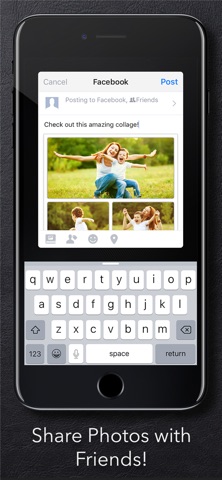
Launched in 2012 and still updated as recently as July 2026, Photo Editor- (the trailing hyphen is intentional) bundles crop, color splash, stickers, frames, collages, red-eye fix, smile whitening, draw tools, and more into a single 171 MB download. A 4.64 average across 298K ratings confirms a broad, loyal audience. The trade-off is a generic, aging interface and an ad-supported experience that can feel cluttered.
Convenient breadth over specialized depth
Breadth is the entire pitch here. Crop, rotate, brightness and contrast adjustments, single-color splash, sticker packs, decorative frames, quick collages, smile whitening, and red-eye correction all live under one roof without hunting through nested menus. For casual snapshots destined for social media, that one-stop convenience is genuinely useful. Beginners benefit most because nothing demands technical skill and the core tools work reliably for everyday fixes. The caveat is depth: none of these tools is best-in-class. Effects feel like stock packs, collage templates are formulaic, and the recently bolted-on AI features do not approach what dedicated apps deliver. It does a little of everything and none of it brilliantly.
Stable performance undermined by ad friction
At 171 MB the install footprint is moderate and reasonable for a tool this wide-ranging. The app has been continuously updated since 2012, with the most recent update in July 2026, suggesting the developer actively addresses compatibility with current iOS releases. A rating volume of 298K is a strong real-world signal that the app runs stably across a wide range of devices. Qualitatively, basic edits and filters are fast enough for casual use. The experience is hampered less by processing speed and more by the frequent ad interruptions and upsell prompts that slow down the workflow and add friction between taps.
Free with acceptable attention cost
The app is free, so the monetary barrier is zero. The real cost is attention: ads appear throughout the experience, and upsell prompts push a paid tier regularly. For someone who edits photos occasionally and needs a broad toolkit without spending anything, that trade is acceptable. Anyone editing more than a handful of images per week will likely find the interruptions frustrating enough to either upgrade or switch to a competitor. Several focused free editors now offer cleaner ad experiences or more powerful tools at a comparable price point, so the value proposition depends almost entirely on how much you weight breadth over quality.
Review privacy label before granting access
We cannot independently verify what data this app collects without access to the current App Store privacy label, and fabricating those findings would be misleading. What we recommend: open the app's App Store listing, scroll to the App Privacy section, and review which data types are linked to your identity and which are used for tracking. Photo editors typically request access to your photo library, which is expected, but the scope of that access (full library versus selected photos) is worth confirming. Ad-supported apps often include third-party ad SDKs that carry their own data practices, so reviewing the full privacy label before granting permissions is worthwhile.
Functional design shows its age
The interface is functional but visually dated compared to modern editors like Snapseed or Lightroom Mobile. Tool categories are laid out in a straightforward grid that beginners can navigate without a tutorial, which is a genuine usability strength. The design language, however, reflects its 2012 origins: icon styles, typography, and layout conventions feel several generations behind current iOS design standards. On accessibility, the app carries a 4+ content rating, indicating nothing objectionable. Whether it fully supports Dynamic Type, VoiceOver, or other iOS accessibility features is not something we can confirm without hands-on testing, but the simple grid-based layout is at least structurally approachable for users with basic accessibility needs.
Active updates without clear direction
By the numbers, the maintenance record is solid. The app launched in August 2012, making it over 13 years old, and version 7.2.1 arrived in July 2026, confirming the developer Axiem Systems is still actively shipping updates. Reaching a seventh major version over that span suggests meaningful iteration rather than simple bug patches. The 298K rating count also implies a large enough user base to motivate continued support. The concern is not abandonment but direction: new features like AI tools appear to be added reactively to match trends rather than as part of a coherent product vision, which limits how far the app can evolve beyond its kitchen-sink roots.
Pros
- Exceptionally broad toolkit covering collages, frames, color splash, and basic corrections in one free download
- Approachable layout that requires no prior editing knowledge
- Strong long-term stability signal from 298K ratings and 13-plus years of continuous updates
- Lightweight enough at 171 MB to justify keeping as a backup utility
Cons
- Frequent ads and upsell prompts interrupt the editing workflow throughout
- AI and advanced features lag noticeably behind dedicated modern editors
- Interface design feels visually dated relative to current iOS standards
Related guides
Similar Media apps


apptidal is independent and ad-supported. We earn no commission on installs and no company can pay for a better score. How we stay independent.