Media · iOS
Photo Editor
by Gianluca Radice
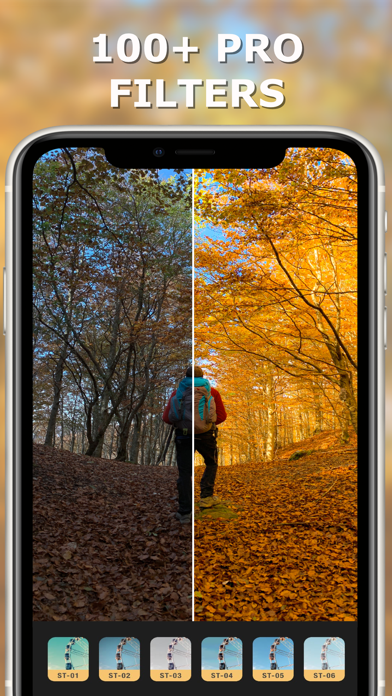
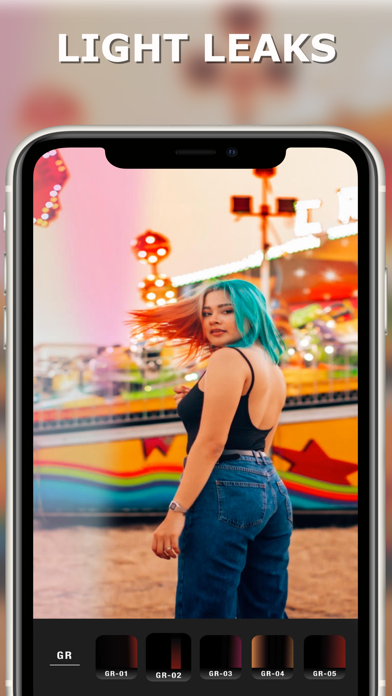


Released in May 2019 and built around filters, frames, and light leaks, Photo Editor by Gianluca Radice is a template-driven app aimed squarely at quick decorative results. It carries a 4.65 store rating across roughly 7,000 reviews, signaling a broadly satisfied casual audience. At 104 MB it installs easily, costs nothing upfront, and requires almost no technical knowledge to produce share-ready images in just a few taps.
Decorative filters and overlays, executed cleanly
Photo Editor makes no pretense of being a precision toolkit. Its core offer is a library of filters, light leak overlays, decorative frames, and pre-built templates that let users dress up a photo with minimal effort. Within that deliberately narrow scope the app largely delivers: the interface is approachable, the filter variety is generous for a free download, and the light leak effects give it a slightly distinctive aesthetic identity compared with generic filter apps. Anyone expecting curves, selective color adjustments, healing brushes, or layer-based compositing will need to look elsewhere entirely. This is a decorative layer app, and it is honest enough about that to remain useful on its own terms for the audience it targets.
Stable on current devices, but unpatched since 2021
A 104 MB install sits comfortably within the mid-range for photo apps on iOS, suggesting the asset library is reasonably sized without being bloated. The 4.65 rating across 7,000 reviews points to a consistent experience that avoids widespread crash complaints, which is a meaningful signal at that review volume. The more pressing performance concern is compatibility drift: version 1.2.1 has not been updated since January 2021, and each major iOS release since then has introduced changes that unpatched apps can struggle with. Casual, occasional use on a current device is likely fine, but users who rely on it daily may notice quirks or instability that a maintained app would have already addressed.
Free base library, but stalled promised updates
The free entry point is genuinely appealing, and the base filter and template library provides enough variety for most casual users without spending anything. In-app purchases are present, though the specifics are not clearly surfaced upfront, so users should check the App Store listing before assuming everything is free. The original promise of monthly new filters has quietly lapsed alongside the frozen update history, which means the value proposition is static rather than growing. For zero dollars and a quick install, the app is easy to try with little downside. For users considering any paid add-ons, the stalled development makes those purchases a harder sell.
Privacy practices require direct App Store review
We did not conduct independent privacy testing, and no specific data-collection findings are reported here. The content rating of 4+ suggests Apple found nothing objectionable at review time, but that does not speak to data practices. Prospective users should open the App Store listing and review the Privacy Nutrition Label directly, paying attention to data linked to your identity, data used to track you, and any third-party SDK disclosures. Photo editing apps typically request camera roll access, which is a broad permission worth granting only to apps you trust. The absence of updates since 2021 also means any privacy or security patches issued since then have not been applied.
Visual interface prioritizes speed over accessibility clarity
The interface is built around speed and simplicity, with a tap-through workflow that keeps friction low for newcomers. Template and filter selection appears visually driven, which suits the decorative editing style. That visual-first approach can, however, create challenges for users who rely on VoiceOver or other assistive technologies, since icon-heavy layouts sometimes lack descriptive labels. We cannot confirm specific screen-reader behavior without hands-on testing, but users with accessibility needs should try the free download briefly before committing to a workflow. Dynamic Type support and contrast ratios are similarly unverified, and the frozen update history means any accessibility improvements introduced in recent iOS versions are unlikely to have been adopted.
Four years without updates signals abandonment
This is the app's most significant weakness. Version 1.2.1 arrived in January 2021, and no subsequent update has been documented. That gap now exceeds four years, which is a long time in the iOS ecosystem. Apple's annual OS updates routinely deprecate APIs, adjust permission models, and change UI behaviors in ways that aging apps absorb poorly over time. The developer's stated commitment to monthly new filters has not been honored. For a free app used occasionally, that stagnation is tolerable. For anyone building a regular editing workflow or considering paid in-app purchases, the frozen development history is a genuine dealbreaker and actively maintained alternatives deserve serious consideration.
Pros
- Free to download with a genuinely varied built-in filter and light leak library
- Template and frame selection enables share-ready results in just a few taps
- 4.65 rating across 7,000 reviews reflects a broadly consistent and satisfying casual experience
- Lightweight 104 MB install makes it easy to try without significant storage commitment
Cons
- No documented update since January 2021, leaving compatibility with current iOS versions uncertain
- Promised monthly filter refreshes appear to have been permanently abandoned
- In-app purchase details are not clearly disclosed upfront, complicating the true cost assessment
Related guides
Similar Media apps


apptidal is independent and ad-supported. We earn no commission on installs and no company can pay for a better score. How we stay independent.