
Media · iOS
Photo Editor Ⓞ
by TapMedia Ltd
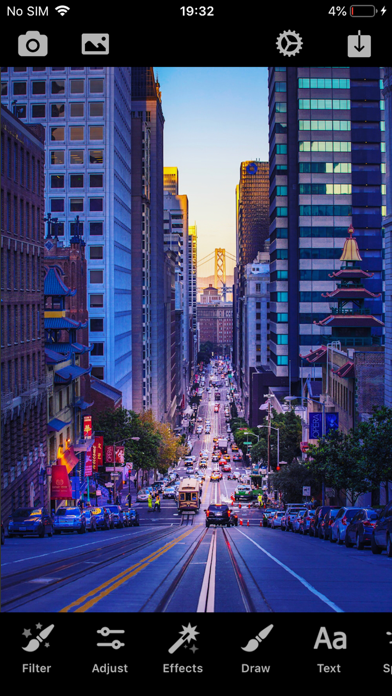
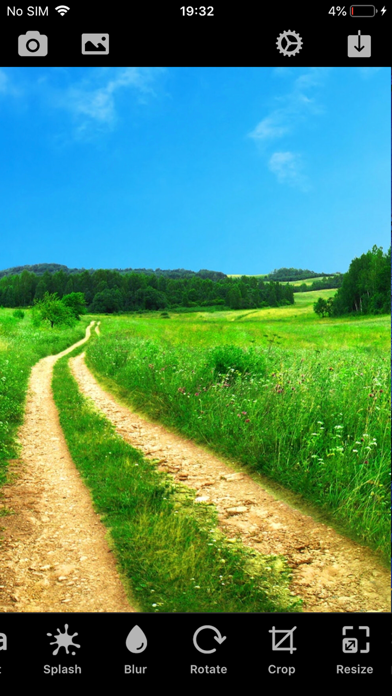
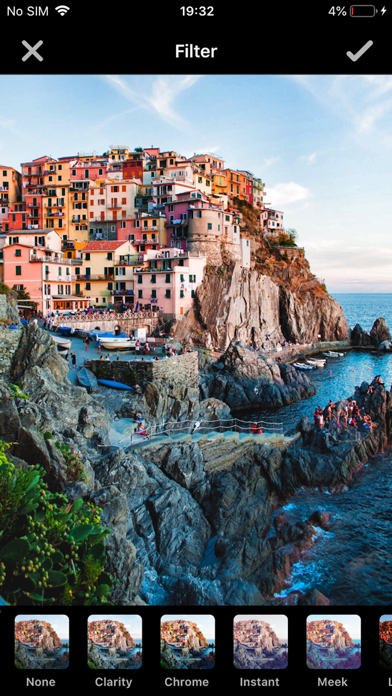
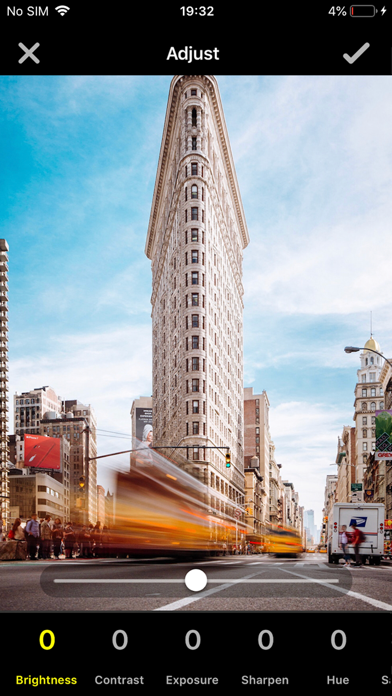
TapMedia's Photo Editor bundles over 50 filters, manual adjustment sliders, drawing tools, text overlays, and a colorful splash effect into a free 154 MB download. The toolkit is broad enough for everyday touch-ups and quick social posts, yet shallow enough that serious creators will feel constrained. Sitting comfortably in the crowded midrange of mobile editors, its biggest liability is a maintenance record that stopped in December 2021.
Functional casual editor with personality
The core editing loop is straightforward and functional. Pull a photo from your library or shoot one in-app, work through brightness, contrast, vibrance, and hue sliders, layer on one of 50-plus filters, and share directly to Instagram or Messages. The colorful splash effect, which isolates a single chosen hue while desaturating everything else, gives the app genuine personality beyond plain exposure tweaks. Comic and sketch special effects add further creative variety. Crop, rotate, text overlays, and basic drawing tools round out a toolkit that covers casual needs without pretending to compete with professional-grade editors. RAW support, masking, and layers are absent entirely, so the ceiling is clear from the start.
Stability risk from two year stagnation
At 154 MB the install footprint is on the heavier side for what the feature list actually delivers, though that figure is not unusual for apps that bundle filter assets. With roughly 4,000 ratings and a 4.61 average, the user base reports a generally stable experience. The more pressing performance concern is compatibility: version 1.4 has not been updated since December 2021, meaning it has never been optimized for iOS releases that followed. On newer devices and OS versions that gap can surface as UI scaling quirks, missing permission dialogs, or subtle rendering issues. Nothing in the rating data suggests a catastrophic failure, but the risk of creeping incompatibility grows with every iOS point release Apple ships.
Free tier costs nothing, PRO requires caution
The base download is free, which makes a first look essentially risk-free. The catch arrives when the app surfaces the TapMedia PRO subscription, which unlocks the broader bundle of TapMedia apps. That subscription auto-renews, so anyone who starts the free trial should set a calendar reminder and review the terms carefully before the trial period closes. For users who only need the features available in the free tier, the cost is zero. For anyone considering PRO, the stale update history is a genuine value question: paying a recurring fee for an app that has not been maintained in years is a harder sell than paying for one that receives regular improvements.
Check App Store privacy label before granting access
Photo editing apps routinely request photo library access, and some also request camera and microphone permissions. We are not in a position to enumerate exactly which data types Photo Editor collects or shares, and we would caution against taking any third-party summary as definitive. The authoritative source is the App Store privacy nutrition label on the app's product page, which Apple requires developers to maintain. Before granting permissions, check that label for data linked to your identity, data used to track you, and any third-party analytics or advertising SDKs the developer discloses. The 4+ content rating suggests no mature content concerns.
Simple design trades depth for approachability
The interface follows a familiar mobile-editor layout: a photo canvas at the top, a scrollable tool row below, and straightforward tap-to-apply interactions throughout. Beginners who find full-featured apps overwhelming will appreciate how little the design demands of them. That simplicity does come at the cost of depth, as there are no adjustment curves, blend modes, or precision masking controls. On accessibility, the app carries a 4+ content rating and targets a broad audience, but we cannot independently confirm VoiceOver labeling quality or Dynamic Type support without hands-on testing. Users who rely on assistive technologies should verify compatibility before committing.
No updates since December 2021
This is the app's clearest weakness. Version 1.4 was the initial release in June 2019, and the last recorded update landed in December 2021. That means no documented changes for well over two years at the time of this review. For a graphics tool that depends on tight integration with iOS camera APIs, permission frameworks, and display rendering, prolonged maintenance silence is a genuine concern. A strong rating average suggests the app has not broken catastrophically for most users, but the absence of updates means no bug fixes, no new features, and no assurance of forward compatibility as Apple continues evolving iOS. Developers with active roadmaps are a safer long-term bet.
Pros
- Free to download with a wide enough feature set for casual social-media editing
- 50-plus filters combined with manual adjustment sliders offer decent creative variety
- Colorful splash and sketch effects add fun differentiation beyond basic exposure tools
- Direct sharing to major social platforms is built in, removing extra steps
Cons
- No updates since December 2021 raises real compatibility and reliability concerns on current iOS versions
- Auto-renewing TapMedia PRO subscription requires careful management to avoid unintended charges
- 154 MB install size feels disproportionate given the relatively shallow feature set
Related guides
Similar Media apps


apptidal is independent and ad-supported. We earn no commission on installs and no company can pay for a better score. How we stay independent.