
Media · iOS
Photo Editor - Image Beauty
by 昭 陈
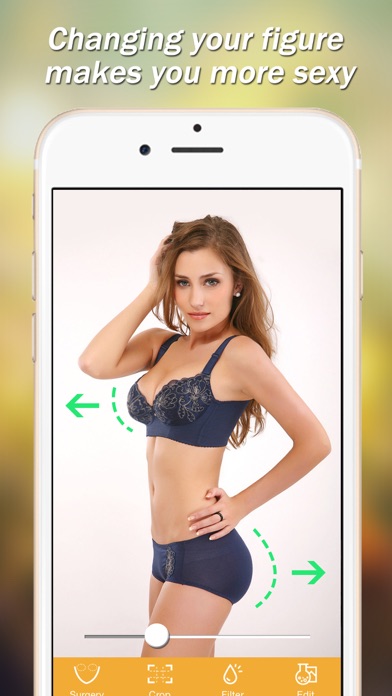

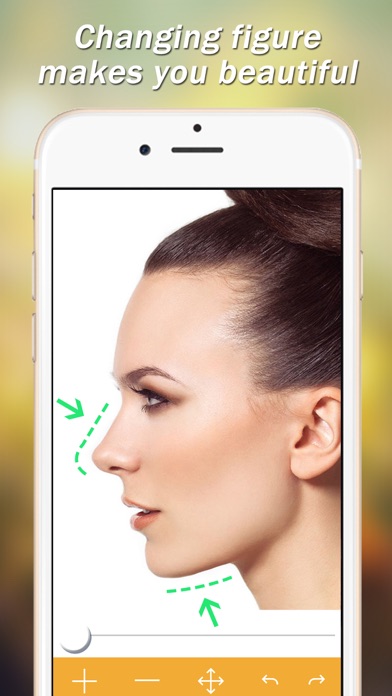
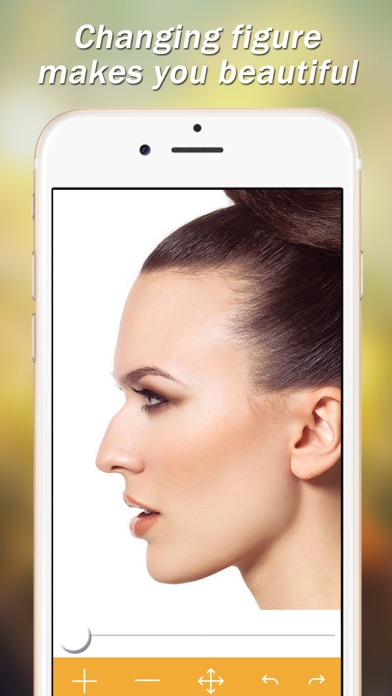
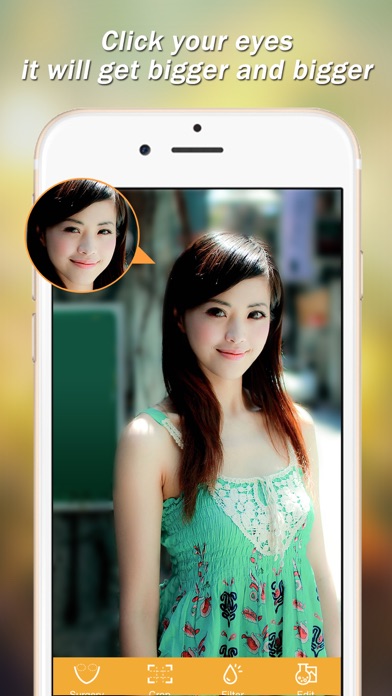
Released in 2015 and sitting at version 3.11 after eight-plus years, this free iOS app focuses on one task: touch a region of a photo and drag to warp it. At 101 MB the install is undemanding, and roughly 4,000 App Store ratings averaging 4.16 stars confirm the core mechanic works for casual users. Beyond that narrow promise, however, the feature set thins out quickly and several red flags deserve attention before downloading.
Gesture warping works well, everything else absent
The entire proposition is finger-gesture warping. Open a photo from your camera roll or shoot one in-app, then push, pull, grow, or shrink any region of the image with a drag. An undo function lets you walk back unwanted distortions before saving or sharing. That loop is genuinely frictionless and demands no tutorial, which is the app's clearest competitive edge. What it does not offer is anything beyond that loop: no color correction, no filter stack, no masking, no layer-based editing. For users whose sole goal is reshaping a contour in a single image, the tool is adequate. For anyone expecting a fuller creative suite, the toolset will feel thin almost immediately.
Stable performance hampered by infrequent updates
At 101 MB the app is modest by modern iOS standards, and a 4.16 average across roughly 4,000 ratings suggests the warp engine runs without widespread crashing complaints. Update recency is a concern though: the last recorded update was November 2023, and the version number of 3.11 reflects slow iteration across nearly a decade. On current iOS hardware the install footprint should cause no storage anxiety, and launch times for a tool this focused are unlikely to be painful. That said, the absence of frequent updates means compatibility with future iOS releases is uncertain, and any performance regressions introduced by OS changes may sit unaddressed for long stretches.
Free download masks unclear paywall details
The app is free to download, which lowers the barrier to trying it. The problem is that in-app purchase details are not disclosed upfront, so users cannot know what the free tier actually unlocks versus what sits behind a paywall. That opacity is a genuine credibility issue. Competing body-retouching apps, including Facetune and YouCam Perfect, are more transparent about their subscription tiers and offer substantially broader feature sets for comparable or only slightly higher costs. Until the developer clearly communicates what is free and what is paid, cautious users are better served by alternatives with published pricing.
Single developer raises privacy and permissions questions
The app carries a 17+ content rating, which is notable for a photo editor and warrants scrutiny before installing on a shared or family device. The developer is a single individual, which means privacy practices and data-handling standards may not meet the bar set by larger studios. To understand exactly what data is collected, shared, or used for tracking, reviewers should consult the App Store privacy nutrition label on the app's product page, as that label represents the developer's own declared data practices. Photo access permissions are expected for any editing tool, but users should verify whether the app requests any additional permissions beyond camera roll access.
Intuitive design undermined by dated aesthetics
The interface is built around a single interaction model, touch and drag, which keeps the learning curve essentially flat. That simplicity is a genuine design strength for users who want results in seconds. Visual polish, however, appears to reflect 2015-era aesthetics rather than current iOS design language, and no evidence of meaningful accessibility investment such as VoiceOver optimization or Dynamic Type support is apparent from the available data. Users who rely on assistive technologies should test the app before committing, as single-developer tools from this era frequently lack robust accessibility implementation. The absence of a tutorial is a double-edged quality: approachable for confident users, potentially confusing for those unfamiliar with warp-style editing.
Slow development cycle signals uncertain future support
Maintenance is the app's weakest dimension. A 2015 release reaching only version 3.11 by late 2023 signals that development has been slow and sporadic. The most recent update logged was November 2023, leaving an open question about whether the app will receive timely patches for iOS compatibility issues or security concerns going forward. The store category being listed as Shopping rather than Photo and Video is a metadata error that has apparently gone uncorrected, which further suggests limited developer attention. For a tool handling personal photos, long-term support uncertainty is not a trivial concern, and users who depend on consistent updates should factor that risk into their decision.
Pros
- Finger-gesture warping requires zero prior editing experience, delivering results in seconds
- Undo function protects against accidental over-distortion before saving
- Lightweight 101 MB install places minimal demand on device storage
- A 4.16 average across roughly 4,000 ratings confirms the core warp mechanic functions reliably for casual use
Cons
- Version 3.11 after nearly a decade signals slow development and uncertain future iOS compatibility
- In-app purchase costs and unlockables are undisclosed, making true cost impossible to assess upfront
- A 17+ content rating combined with single-developer origin raises privacy and suitability questions that the app's metadata does little to resolve
Related guides
Similar Media apps


apptidal is independent and ad-supported. We earn no commission on installs and no company can pay for a better score. How we stay independent.