
Media · iOS
Photo Splash photo editor app
by pixel force private limited
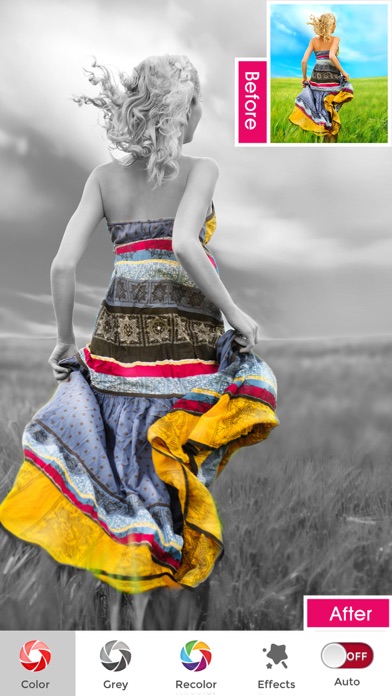
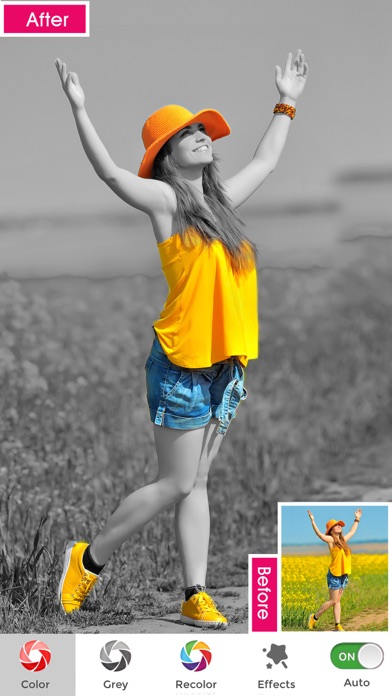
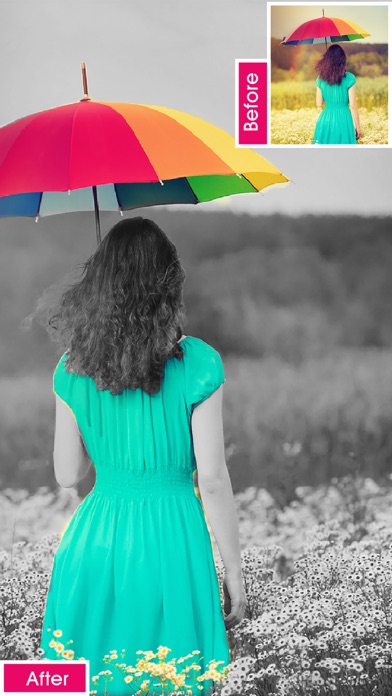

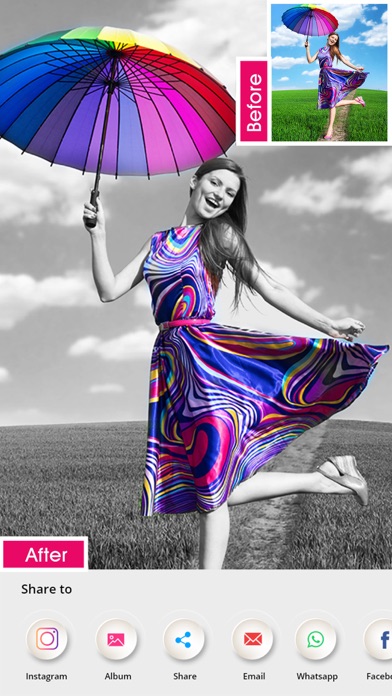
Released in 2011 and still actively updated, Photo Splash from Pixel Force centers on one signature trick: selective colorization. Paint chosen areas in color while the rest goes grayscale, or reverse the effect entirely. AI auto-detection accelerates portrait work, pinch-to-zoom enables detail masking, and the app is free to download at 110 MB. A sprawling template library and unclear in-app purchases add friction to what is otherwise a focused, accessible editor.
Bidirectional colorization works well for portraits
The core proposition is selective colorization in both directions, keeping color in a chosen area while draining the rest to grayscale, or doing the opposite. That bidirectional flexibility is genuinely useful and not universal among free alternatives. Pinch-to-zoom and pan gestures make precise masking workable on a phone screen, and a preview window showing what sits beneath your finger reduces costly mistakes. One-tap AI splash detection handles portraits quickly and convincingly for casual shots. On non-portrait subjects, however, the AI's reliability is less predictable, and the app makes no documented claims about edge detection accuracy for objects, landscapes, or pets. For its intended use case, the tool performs adequately.
Moderate size with consistent user ratings
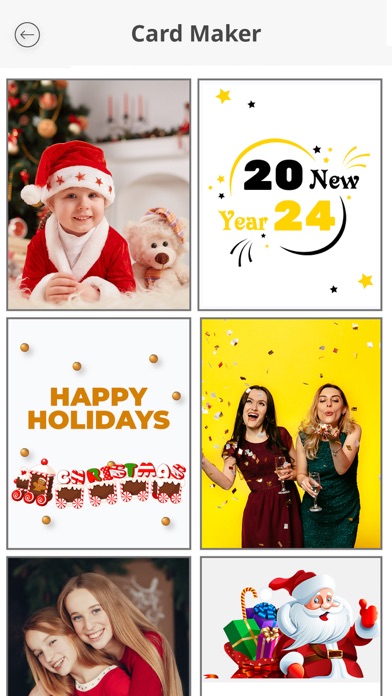
At 110 MB, Photo Splash sits in a moderate size range for an iOS photo editor, neither unusually lean nor bloated at the install level. The app carries a 4.24 rating across roughly 6,000 reviews, which is a meaningful volume suggesting consistent real-world reliability rather than a statistical fluke. Update history is a strong positive signal here: the app was refreshed as recently as July 2026, indicating the developer actively addresses bugs and compatibility. That said, the sheer volume of collage layouts and social templates baked into the app likely contributes to navigational friction during everyday sessions, making the core splash workflow feel buried at times.
Free download with unclear purchase scope
The app is free to download, which keeps the entry barrier low. In-app purchases exist inside the app, but their exact scope, whether they unlock specific tools, remove ads, or gate premium templates, is not clearly itemized in publicly available information. That ambiguity is a genuine consumer concern. For users who can accomplish their goals within the free tier, the value proposition is reasonable given the gesture controls and AI detection on offer. Anyone expecting a clean, purchase-free experience should explore what is gated before investing editing time in a workflow that may require payment to complete or export at full quality.
Photo access required, check App Store label
Photo Splash carries a 4+ content rating, which reflects clean content rather than privacy practices. Because the app accesses your photo library for editing, it will request photo permissions at minimum. Depending on features like sharing pipelines and the built-in global wall, additional network access is likely. We did not independently audit permissions or data collection. The definitive source for understanding what Photo Splash collects and how it uses that data is the App Store privacy label on the app's product page, which Apple requires developers to maintain. Reviewing that label before granting access to your camera roll is a worthwhile step.
Touch gestures designed thoughtfully, accessibility undocumented
The gesture-driven interface, pinch-to-zoom, pan, and the real-time preview window, reflects thoughtful design for a touch-first workflow. These controls lower the skill floor for masking work that would otherwise require a stylus or desktop software. The visual design appears straightforward, with a content rating of 4+ suggesting nothing disruptive in the interface. Formal accessibility features such as VoiceOver compatibility or dynamic type support are not documented in available materials. Users who rely on screen readers or large-text settings should test the app directly, as photo editing tools vary widely in how well they support iOS accessibility features.
July 2026 update confirms active maintenance
For an app originally released in February 2011, the maintenance record is notably strong. Version 3.21.46 arrived in July 2026, confirming the developer has not abandoned the project despite its age. Regular updates matter for iOS compatibility as Apple revises its operating system annually, and an unmaintained photo editor can break silently with a major OS release. Pixel Force's continued investment here is a meaningful trust signal. The 6,000-plus rating count also suggests a sustained user base rather than a spike-and-decline pattern, which further supports confidence in the app's ongoing viability.
Pros
- Pinch-to-zoom and real-time preview window enable genuinely precise manual masking on a small screen
- Bidirectional selective colorization covers both color-to-gray and gray-to-color without needing a separate tool
- AI portrait detection reduces a multi-step masking task to a single tap for casual shots
- Actively maintained with a July 2026 update despite being over a decade old
Cons
- In-app purchase scope is not clearly communicated, creating uncertainty about what the free tier actually delivers
- Over 10,000 bundled templates overwhelm the interface for users who only want the core splash effect
- Social sharing options include Facebook and Twitter, which feel misaligned with how most users share content in 2025
Related guides
Similar Media apps


apptidal is independent and ad-supported. We earn no commission on installs and no company can pay for a better score. How we stay independent.