
Media · iOS
PhotoDirector: AI Photo Editor
by CyberLink
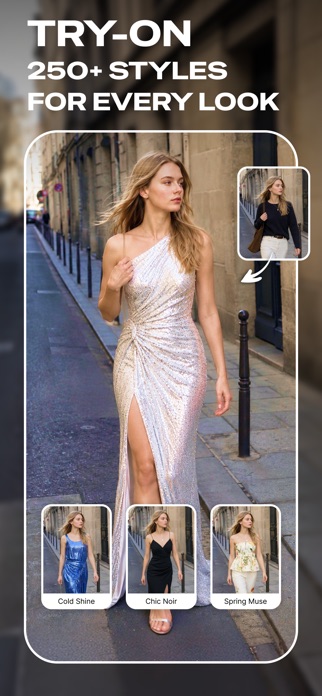


CyberLink has been refining PhotoDirector since 2014, and version 20.14.2 reflects more than a decade of sustained development. The app bundles AI object removal, face swapping, animated portraits, and virtual outfit try-ons into a free download. At 479 MB it is a substantial commitment, and paywalls do appear, but the range of tools accessible without a subscription is genuinely wider than most rivals in the photo editing category.
Broad editing toolkit with reliable object removal
PhotoDirector covers an unusually wide spectrum, ranging from everyday corrections like crop, heal, and color grading all the way to generative AI features such as text-prompted object replacement and animated portrait clips. Object removal is the workhorse and handles straightforward subjects reliably. The AI Replace tool, which accepts both text prompts and reference images, feels purposeful rather than decorative. Face Swap and the Hairstyle changer respond quickly and suit short-form social content well. The Image to Video animator, which adds subtle motion to still portraits, is a standout capability that most mobile editors simply do not offer at any price. The breadth is impressive, though not every feature lands with equal polish.
Heavy install size but stable performance
A 479 MB install sits at the heavier end for a mobile photo app, so expect a noticeable download and some storage impact before the first launch. Once running, the app benefits from CyberLink's long optimization history, and the content rating of 4+ alongside a 4.49 average across roughly 8,000 ratings suggests the experience is stable for most users. AI processing tasks, such as object removal and image animation, are handled on-device or via cloud depending on the feature, and results typically arrive in a few seconds on a modern iPhone. Users on older hardware may notice longer waits on the more compute-intensive generative tools.
Free tier sufficient for basic users
The app is free to download, and a meaningful subset of AI tools is accessible without paying, which compares favorably to competitors that gate nearly everything. That said, Creative Studio outputs, certain AI Replace generations, and higher-resolution exports are the areas most likely to trigger a purchase prompt. A subscription unlocks the full suite and is the point at which PhotoDirector becomes genuinely competitive with desktop-class editors on mobile. Casual users who need only basic retouching may find the free tier sufficient, while creators who rely on the generative features regularly will likely find a subscription justifiable given the breadth on offer.
Review App Store privacy label before use
Because PhotoDirector processes photos, including faces and potentially location-tagged images, privacy considerations matter. The App Store privacy label for this app is the authoritative source for understanding exactly which data types CyberLink collects and how they are used. Before installing, we recommend reviewing that label under the app's App Store listing. Pay particular attention to whether photo library access is requested as full or limited, and whether any usage data or identifiers are linked to your account. As a general practice, granting photo access only to selected images rather than the full library is a sensible precaution with any AI editor.
Organized interface with limited accessibility documentation
The interface organizes tools into clearly labeled categories, which helps given the sheer number of features on offer. Navigation follows familiar mobile editing conventions, with a bottom toolbar and contextual panels that appear when a specific tool is selected. The layout is reasonably clean for an app of this complexity. On accessibility, the 4+ content rating signals no mature content concerns. Standard iOS accessibility features such as Dynamic Type and display accommodations should apply, though users who rely heavily on VoiceOver for image-manipulation tasks may find the canvas-based interactions less fully labeled than simpler productivity apps. CyberLink has not published specific accessibility conformance details.
Over a decade of consistent updates
The maintenance record here is one of PhotoDirector's clearest strengths. Released in October 2014 and now at version 20.14.2 with an update logged in July 2026, the app has accumulated more than a decade of continuous development. That version number alone signals a team that ships regularly rather than sporadically. New AI features have been added across recent releases, keeping the app competitive as generative tools have become a category expectation. For users who depend on a mobile editor long-term, that sustained cadence is a meaningful reassurance against abandonment.
Pros
- AI object removal and text-prompted AI Replace work reliably on typical photos
- Image to Video animator is a rare, functional feature at this price point
- Decade-long update history with a July 2026 release confirms active, ongoing maintenance
- Free tier offers broader tool access than most competing photo editors
Cons
- 479 MB install is heavy storage overhead before the app is even opened
- Several headline AI features are gated behind a subscription with limited upfront signaling
- Feature depth and menu complexity can overwhelm users who want fast, simple edits
Related guides
Similar Media apps


apptidal is independent and ad-supported. We earn no commission on installs and no company can pay for a better score. How we stay independent.