Media · iOS
Prisma: Photo Editor, Filters
by Prisma labs, inc.
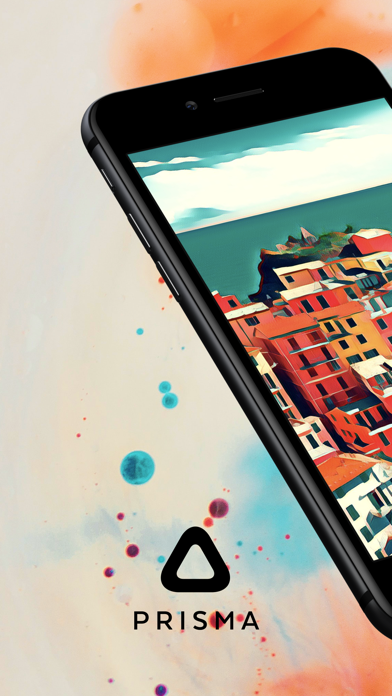
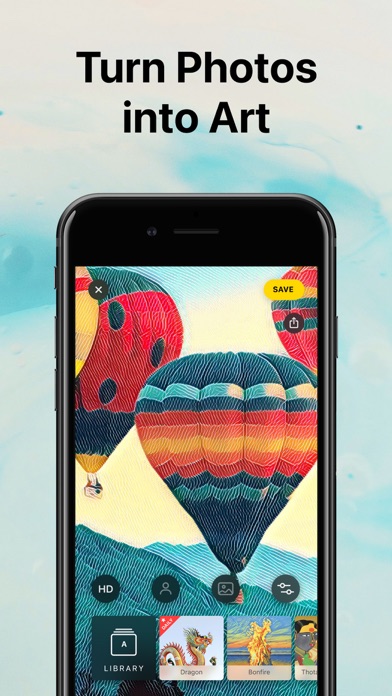
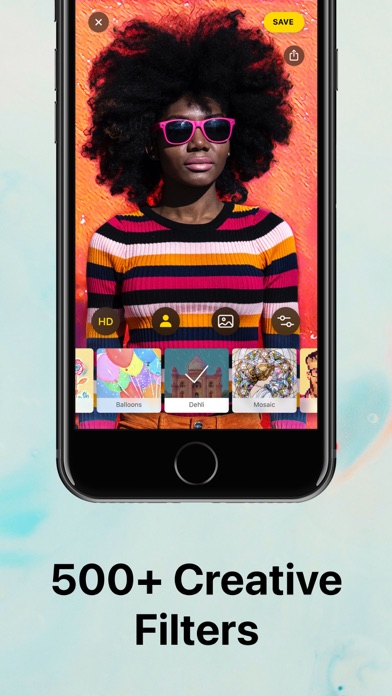

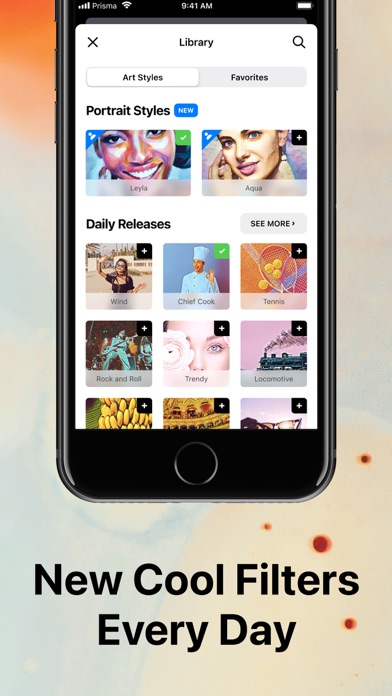
Launched in June 2016 and quickly crowned App of the Year, Prisma built its reputation on neural-style-transfer filters that render photos as credible paintings rather than cheap presets. The library has grown past 500 styles, the 4.75-star average across 211K ratings signals genuine user satisfaction, and the core engine remains fast and distinctive. A 213 MB footprint and a paywalled catalog, however, temper the enthusiasm somewhat.
Neural filters work well, but scope is narrow
Prisma's entire value proposition is the neural-style-transfer engine, and that engine continues to earn its reputation. Applying any of the 500-plus styles takes only seconds, and the results look convincingly painterly rather than like a simple color overlay or Instagram preset. Portrait-specific styles demonstrate that the team has paid attention to how people actually use the app, since selfies and headshots make up a huge share of modern mobile photography. Daily catalog additions keep the library from feeling stagnant. Where the experience falls short is scope: there are no conventional editing tools, no color correction, no retouching, and no compositing. Prisma does one thing, and it does that one thing well enough to justify a place on the home screen, provided users understand the narrow focus going in.
Heavy install, but stable performance despite year-old update
At 213 MB, Prisma is a heavier install than its single-focus nature might suggest, which is worth considering on storage-constrained devices. Processing speed has historically been a strength, and the app's high rating volume across more than 211K reviewers suggests that crashes and freezes are not widespread complaints. The last recorded update is October 2023, meaning the app has not been refreshed in roughly a year at the time of writing. On modern iOS hardware the style engine should run smoothly, but the absence of recent updates means compatibility with future iOS releases is an open question. Qualitatively, nothing in the public record points to serious performance regressions, but the update gap introduces uncertainty that actively maintained rivals do not carry.
Free trial frustrates, full library requires subscription
The base download is free, which lowers the barrier to trying the filter engine. The problem is that a significant portion of the 500-plus style library sits behind in-app purchases, so the free experience can feel like an extended preview rather than a complete product. Users who commit to a subscription or one-time purchase unlock the full catalog, which is reasonable value if artistic filters are a regular part of a creative workflow. Casual users who only want to experiment occasionally may find the paywalled content frustrating. Compared with competitors that bundle artistic filters inside broader editing suites, Prisma's single-focus model means the per-feature cost of subscribing is relatively high.
Review privacy label before granting photo access
Prisma processes photos, which means it requires camera and photo library access at a minimum. The specifics of what data is collected, how long images are retained on any server, and what third-party SDKs are present are all details that live in the App Store privacy nutrition label for this listing. We strongly recommend reviewing that label before granting permissions, particularly given that the app carries a 12-plus content rating and is used by a large, broad audience. Neural-style processing can happen on-device or server-side depending on implementation, and the distinction matters for privacy. Check the privacy label directly rather than relying on any summary.
Simple interface welcomes all skill levels
Prisma's interface has always prioritized simplicity: select a photo, scroll through the style carousel, tap to apply. That streamlined flow makes the app approachable for users of any skill level and reduces the learning curve to nearly zero. The visual design is clean and style-forward, which suits the artistic positioning of the product. On accessibility, the app's straightforward layout is generally compatible with larger text settings and basic navigation patterns, though we cannot independently verify full VoiceOver support or Dynamic Type compliance without hands-on testing. Users with accessibility needs should consult the App Store listing and, where possible, test the free tier before committing to a purchase.
Year without updates raises long-term support questions
This is the most significant concern with Prisma at present. Version 4.8.0, dated October 2023, is the most recent release on record, representing a gap of roughly a year without a public update. In a category where rivals ship frequent improvements, that silence is noticeable. The 211K ratings and 4.75-star average reflect years of accumulated goodwill rather than necessarily current momentum. Daily style additions suggest some level of backend activity, but the absence of app-level updates raises legitimate questions about long-term support, iOS compatibility assurance, and whether new device capabilities will ever be incorporated. Prisma remains functional today, but prospective users should weigh that maintenance uncertainty against alternatives with more recent update histories.
Pros
- Over 500 artistic styles with reported daily additions keeping the catalog fresh
- Neural-style-transfer results look genuinely painterly rather than filter-like
- Dedicated Portrait styles are well suited to the selfie-heavy reality of mobile photography
- A 4.75-star average across 211K ratings signals broadly consistent user satisfaction
Cons
- No meaningful app update since October 2023 raises real questions about ongoing maintenance and future iOS compatibility
- In-app purchases gate a substantial portion of the style library, making the free tier feel like a prolonged advertisement
- At 213 MB, the install footprint is heavy for a tool that does only one thing
Related guides
Similar Media apps


apptidal is independent and ad-supported. We earn no commission on installs and no company can pay for a better score. How we stay independent.