
Media · iOS
RNI Films: Photo & RAW Editor
by RNI




Released in 2015 and still actively updated into mid-2026, RNI Films has spent a decade refining a single focused proposition: film profiles derived from actual digitized slides and negatives. At 63 MB the install stays lean, and a 4.79 rating across roughly 9,000 reviews reflects sustained user satisfaction rather than a launch-week spike. The free entry point lets anyone evaluate the approach before spending a cent.
Film stock profiles grounded in actual emulsion
The central claim is that every profile in RNI Films traces back to physical film stock that was shot, processed, and scanned rather than approximated on a monitor. That distinction matters in practice. Color separation behaves more organically, grain texture scales with tonal values in ways that feel closer to how real emulsions respond to light, and skin tones hold their character across exposures rather than collapsing into a flat filter effect. For photographers who already have a mental model of specific stocks like Kodak Portra or Fuji Velvia, the profiles offer a recognizable reference rather than a generic retro mood. The approach does demand some prior knowledge to appreciate fully, but for its intended audience it does the core job with genuine rigor.
Compact RAW editor with active maintenance
At 63 MB the app stays well within a reasonable footprint for a RAW-capable editor, and RAW file support is a meaningful inclusion for photographers shooting ProRAW on newer iPhones or importing files from a dedicated camera. Having profile application and tonal adjustment in one compact package reduces the need to bounce between apps. The most recent update landed in July 2026, confirming the app is actively maintained rather than coasting. One honest caveat is that a decade of iterative development can accumulate interface layers that feel uneven in places, and new users may need a short orientation period before the workflow clicks. Overall responsiveness appears solid based on rating volume and category norms, though we make no specific benchmark claims.
Free trial, paywall structure not clearly disclosed
The free download removes any barrier to evaluating the core experience, which is the right way to sell a niche creative tool. However, the full profile library almost certainly sits behind in-app purchases, and RNI Films does not prominently advertise a clear breakdown of exactly what the free tier covers before you open the app. Photographers who commit to a handful of favorite stocks will likely find the purchase worthwhile given the research behind the profiles. Casual users chasing a quick retro look may feel the cost less justified when simpler filter apps deliver a similar surface aesthetic at no charge. Going in with realistic expectations about the paywall structure is advisable.
Check App Store privacy label before purchase
We do not fabricate privacy findings. The authoritative source for what RNI Films collects and shares is the App Store privacy label on the app's product page, which Apple requires developers to maintain. Before purchasing any in-app content, it is worth reviewing that label for data linked to your identity, data used to track you across apps, and any third-party sharing disclosures. A photo editor typically requests access to your photo library, which is expected functionality. Camera permission may also be requested for in-app capture. iOS lets you grant photo access to selected images only, which is a sensible setting to use with any third-party editor.
Photography-focused interface, accessibility requires testing
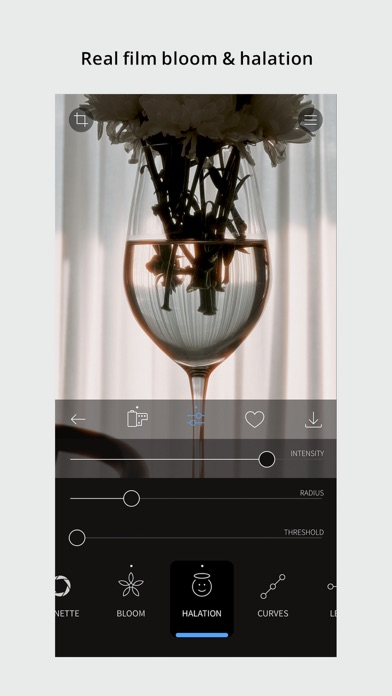
The interface reflects a photography-first philosophy: profiles are the primary navigation layer, with adjustment tools available beneath. That hierarchy suits experienced users but can feel opaque to newcomers who expect a more conventional slider-first layout. Visual design is clean and restrained, consistent with the analog aesthetic the app promotes. On accessibility, the app carries a 4+ content rating suggesting no mature content concerns. Whether VoiceOver labels are fully implemented on custom controls is not something we can verify without direct testing, but users with accessibility needs should trial the free version specifically to evaluate screen-reader behavior before making any purchases. Dynamic Type support in text elements is also worth checking on device.
Decade of updates signals genuine longevity
A July 2026 update on an app originally released in August 2015 represents over a decade of continuous development, which is genuinely uncommon in the App Store. Version 5.8.6 suggests a mature, incrementally refined product rather than one left to stagnate. The 9,000-review sample accumulated over that lifespan gives the 4.79 rating real statistical weight. Sustained maintenance also means the app keeps pace with iOS changes, new iPhone camera capabilities, and evolving RAW formats. The long update history is a meaningful trust signal for photographers considering investing in a profile library, since purchased content is far more valuable in an app that will still exist and function in two years.
Pros
- Profiles derived from real scanned film stock rather than synthetic color approximations
- RAW file support included within a compact 63 MB install
- Over a decade of continuous updates with the most recent landing July 2026
- Strong 4.79 rating across a substantial 9,000-review base signals consistent user satisfaction
Cons
- Full profile library almost certainly requires in-app purchases with limited transparency about free-tier scope
- Profile-driven workflow carries a learning curve that casual or filter-focused users may find off-putting
- Ten years of iterative development can produce interface inconsistencies that feel uneven in places
Related guides
Similar Media apps


apptidal is independent and ad-supported. We earn no commission on installs and no company can pay for a better score. How we stay independent.