
Media · iOS
WavePad Music and Audio Editor
by NCH Software
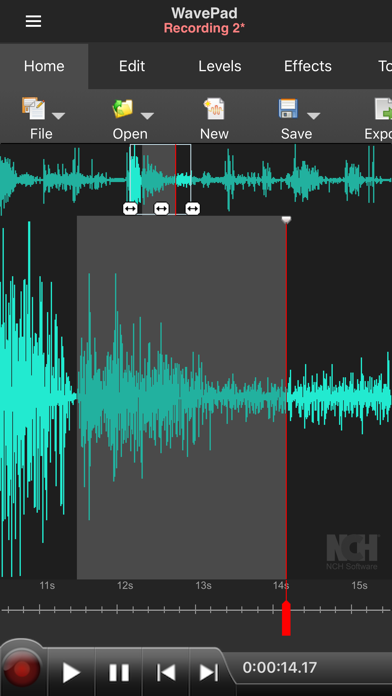
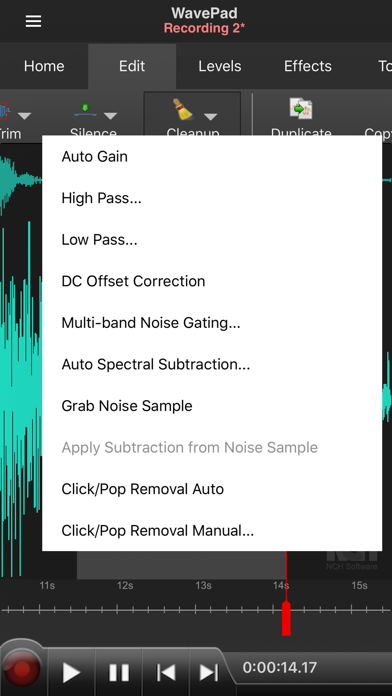
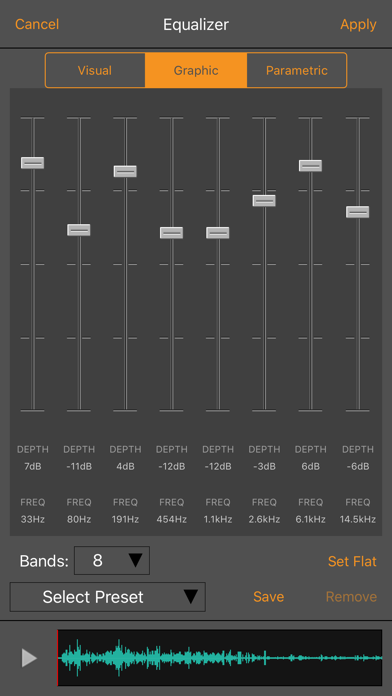
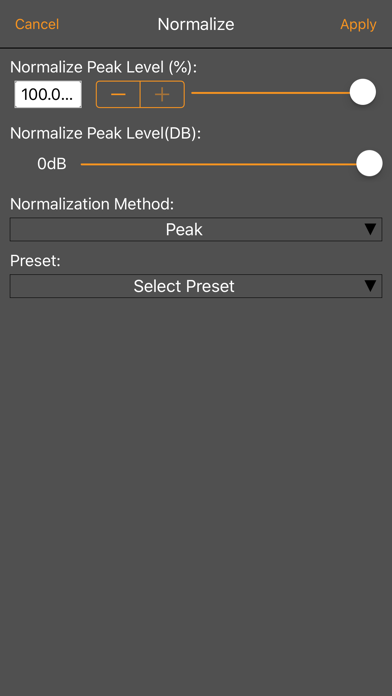
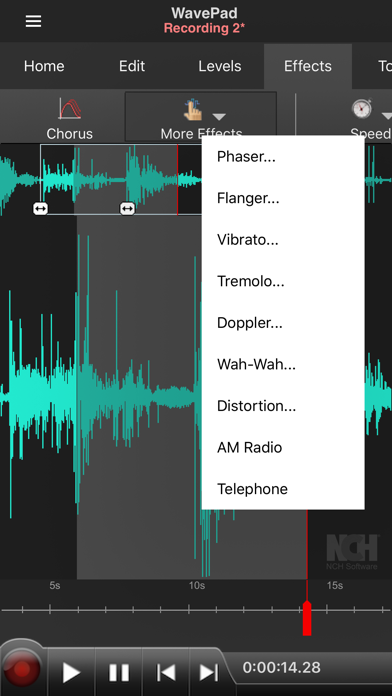
NCH Software has kept WavePad on the App Store since October 2010, making it one of the longest-running audio editors in the iOS catalogue. At 25 MB the install is painless, and the free entry point removes any barrier to trying it. The editing toolkit spans recording, cutting, effects, and multi-file support, covering more ground than most mobile competitors. The central question remains how much of that toolkit is accessible before in-app purchases become unavoidable.
Core editing tools work reliably
WavePad's core editing loop is genuinely impressive for a mobile app. Recording, precise selection, cut, copy, and paste all work as expected, and the effects library adds real utility with tools like echo, amplify, normalize, and noise reduction available without leaving the app. Voice-activated recording is a thoughtful hands-free option for solo creators, and sample rate selection spanning 8,000 to 44,100 Hz gives meaningful control over the quality-versus-file-size tradeoff. Multi-file support lets you juggle more than one project at a time, a feature many competing apps reserve for paid tiers. The auto-trim tool for cleaning silence from clip ends is a small but practical time-saver that desktop editors have long offered.
Stable performance with dense interface
A 25 MB install size suggests a lean binary with minimal on-device processing overhead, which is encouraging for an app handling audio manipulation on mobile hardware. The 4.65 rating across roughly 4,000 reviews is a meaningful signal that the majority of users find the experience stable and functional rather than frustrating. Update cadence is another positive indicator: a version pushed as recently as August 2025 shows NCH is actively patching and refining rather than leaving the app to stagnate. That said, the interface carries the DNA of NCH's desktop software lineage, and on a modern iPhone display the layout can feel dense and less fluid than apps built natively for touch from the ground up.
Free tier available, paid features unclear
The free download removes the financial risk of trying WavePad, and basic editing tasks are accessible without spending anything. The concern is transparency: the App Store listing does not spell out exactly which effects, export formats, or advanced features sit behind in-app purchases, so users can encounter a paywall mid-workflow without warning. For light use, trimming clips or recording voice memos, the free tier is likely sufficient. Anyone needing the full professional feature set should research the unlock cost before committing, because the gap between the free and paid experience in NCH apps has historically been meaningful.
Microphone access required, review privacy label
WavePad requires microphone access to record audio, which is an expected and unavoidable permission for any audio editor. Beyond that, the specifics of what data the app collects, how it is stored, and whether it is shared with third parties are documented in the App Store privacy nutrition label for this listing. We recommend reviewing that label directly before installing, paying particular attention to data-linked-to-you disclosures. NCH Software is an established developer with a long publishing history, but that history alone is not a substitute for reading the actual privacy disclosures for this specific app.
Functional design prioritizes features over polish
WavePad's interface reflects its desktop heritage, with toolbars and menus that translate reasonably well to a tablet but can feel crowded on a smaller iPhone screen. The visual design is functional rather than polished, prioritising feature density over the kind of streamlined experience iOS users have come to expect from modern apps. Standard iOS accessibility features such as Dynamic Type and VoiceOver compatibility are worth testing on your own device, as NCH's mobile apps have not historically been celebrated for accessibility refinement. The app carries a 4+ content rating, making it appropriate for all ages from a content standpoint.
Fifteen years of active development
Few iOS audio editors can claim a continuous publishing history stretching back to October 2010, and WavePad is one of them. The most recent update landed in August 2025, confirming that NCH Software is still investing in the product rather than treating it as legacy software. Version 20.38 suggests a substantial revision history, and the sustained user rating across 4,000 reviews indicates that updates have maintained rather than degraded the experience over time. For users who dislike adopting apps that might be abandoned, WavePad's track record is one of its strongest selling points.
Pros
- Continuous App Store presence since 2010 with an August 2025 update confirming active maintenance
- Voice-activated recording and sample rate control from 8,000 to 44,100 Hz add genuine professional utility
- Broad format support including VOX and GSM alongside common WAV and AIFF files
- 4.65 rating across 4,000 reviews signals a stable, broadly satisfying user experience
Cons
- Paywall scope is not disclosed upfront, so users can hit purchase prompts mid-workflow without warning
- Interface inherits a dense desktop layout that feels dated and cramped on smaller iPhone screens
- Free tier limitations are vague in the store listing, making it hard to evaluate true value before downloading
Related guides
Similar Media apps


apptidal is independent and ad-supported. We earn no commission on installs and no company can pay for a better score. How we stay independent.