
Tools · iOS
Any.do: To do list & Planner
by Any.DO
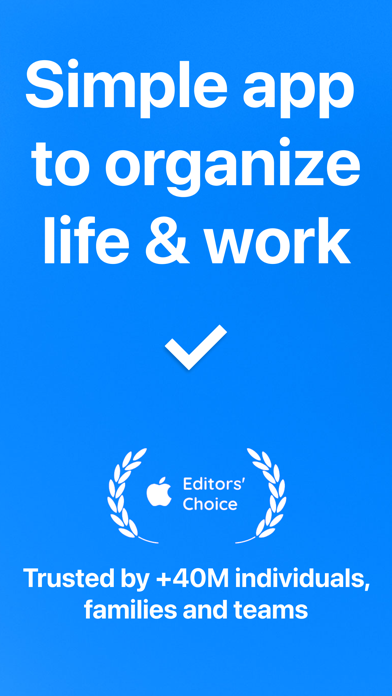
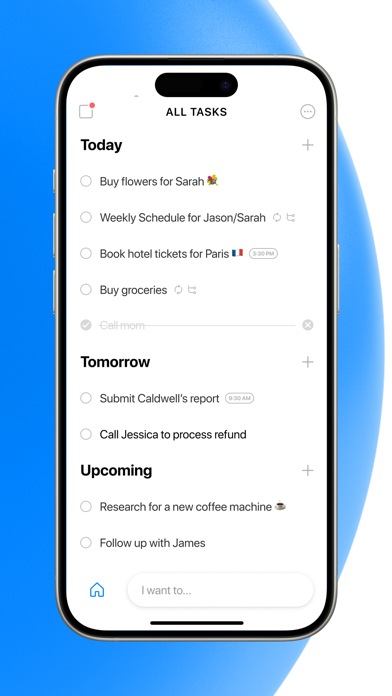
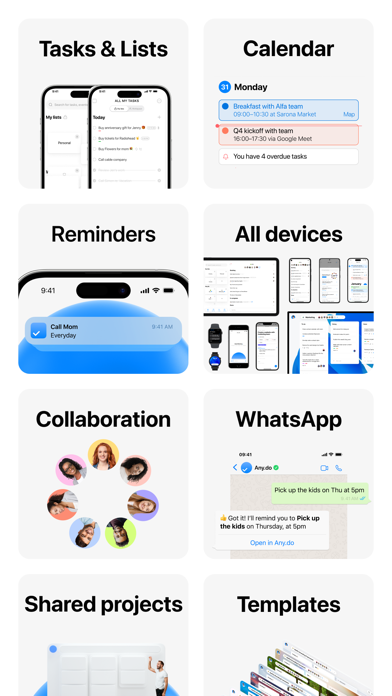


Launched in 2012 and now serving over 50 million users, Any.do bundles to-do lists, a full calendar, location-based reminders, and shared lists into a single cross-platform package. A 4.63 rating across 50,000 App Store reviews signals genuine long-term satisfaction. The core capture-and-organize loop is smooth, updates continue to ship regularly, and the app covers iOS, Android, desktop, and web without fragmenting your workflow.
Syncs tasks across devices reliably
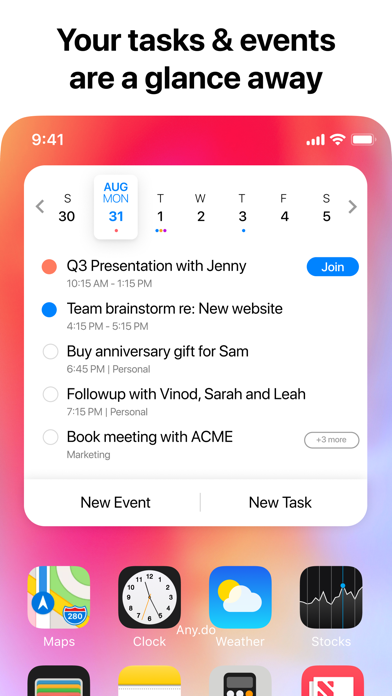
Any.do targets the gap between a bare-bones reminder app and a full project manager. It combines task lists, a calendar view, location-triggered reminders, and collaborative shared lists under one roof. Cross-platform sync is the headline feature: tasks and calendar events stay consistent whether you are on a phone, tablet, or desktop browser, which genuinely matters for people who move between devices throughout the day. Location-based reminders add a practical dimension that pure calendar apps typically skip, and the home screen widget surfaces your list without requiring you to open the app at all. For light household or small-team coordination, shared lists with task assignment cover the basics competently. The feature set is mature and largely delivers on its promises.
Install size may strain limited storage
At 332 MB, Any.do sits on the heavier end of the productivity-app spectrum, where most competitors land well under 100 MB. That size suggests a rich local cache and offline storage layer, though the app's sync-dependent architecture means a weak connection can surface friction. On a modern iPhone with adequate storage, the install size is unlikely to cause slowdowns, but it is worth noting before downloading on a device with limited space. Version 5.66.2, updated as recently as July 2026, indicates the team is actively patching and refining the experience rather than coasting on a mature codebase. A 4.63 average rating across 50,000 reviews is a strong qualitative signal that everyday reliability holds up over time.
Free tier covers basic tasks only
Any.do is free to download, and the core task-capture loop is accessible without spending anything. The tension appears when recurring reminders, deeper calendar sync, and richer collaboration features sit behind a subscription paywall, which is a common structure for apps in this category but frustrating when you hit the limit mid-workflow. The fairest way to evaluate cost is to run the free tier for a week and map exactly which features you reach for before committing. For users who genuinely replace three separate apps, a subscription likely pays for itself in convenience. For someone who only needs a simple checklist, free alternatives may serve just as well at zero cost and a fraction of the install size.
Location access is core to reminders
Any.do requests location access to power its location-based reminder feature, which is a core part of the product rather than an incidental permission grab. Calendar and notification access are similarly functional requirements. For a complete picture of what data is collected, linked to your identity, or used for tracking, the App Store privacy nutrition label on Any.do's product page is the authoritative source and worth reviewing before you sign up. As with most productivity apps that sync across devices, your task and calendar data will pass through the developer's servers, so users with sensitive workflows should read the privacy policy to understand data retention and third-party sharing practices.
Clean design refined over 13 years
After 13 years of iteration, Any.do carries a refined visual language: clean list views, a readable calendar layout, and a widget that integrates naturally with the iOS home screen. New users will spend some time sorting out which features are free versus paid, and the depth of the settings can feel dense on first exploration. The app targets a content rating of 4+, signaling a broad intended audience. Standard iOS accessibility features such as Dynamic Type and VoiceOver should function as expected given the app's long tenure and active maintenance, though users with specific accessibility requirements should verify current support through the App Store or developer documentation rather than relying on assumptions.
Actively updated since 2012 launch
Any.do's maintenance record is one of its clearest strengths. Released in June 2012, the app has now accumulated over 14 years of continuous development, and version 5.66.2 was pushed in July 2026, confirming the team is still shipping updates. A 50,000-review base built over that period provides meaningful feedback signal for the developers. Regular updates in a productivity app matter practically: they indicate bug fixes, OS compatibility patches, and feature refinements that keep the experience from degrading as iOS evolves. For users evaluating long-term commitment to a task system, that maintenance cadence is a genuine differentiator compared with apps that go quiet for months at a time.
Pros
- Consistent sync across iOS, Android, tablet, desktop, and web in a single account
- Location-triggered reminders add a practical layer beyond standard time-based alerts
- 4.63 rating across 50,000 reviews reflects sustained real-world reliability
- Actively maintained with updates shipping as recently as July 2026
Cons
- 332 MB install is substantially heavier than most competing task apps
- Core differentiating features sit behind a subscription paywall that surfaces mid-workflow
- Feature depth accumulated over 14 years creates a learning curve for new users
Related guides
Similar Tools apps


apptidal is independent and ad-supported. We earn no commission on installs and no company can pay for a better score. How we stay independent.