
Finance · iOS
Dime: Budget & Expense Tracker
by Rafael Soh
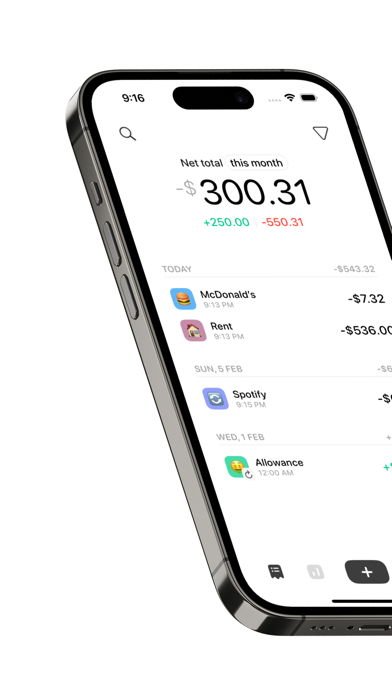
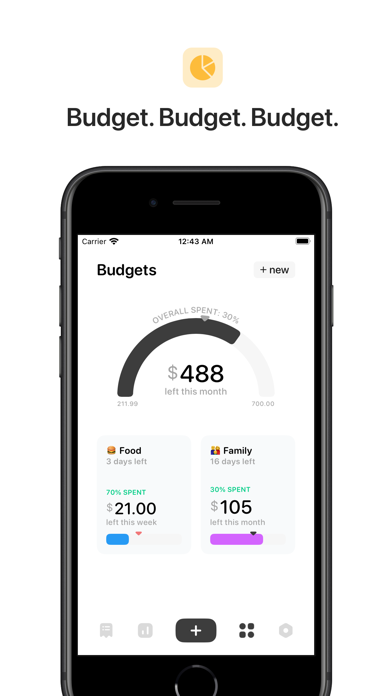
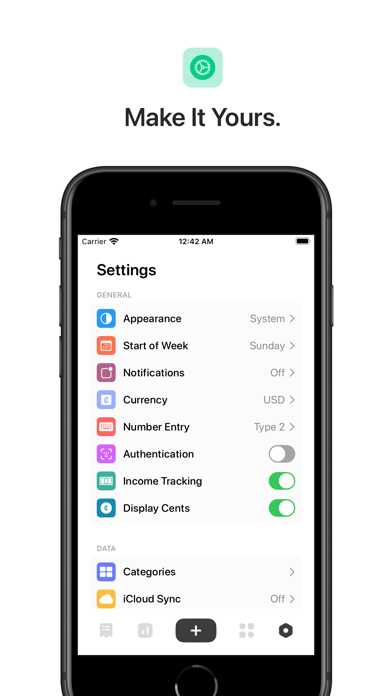
Built by a solo developer and released in late 2022, Dime covers the core personal finance loop with surprising thoroughness. Logging expenses, setting category budgets, and tracking recurring costs all come packaged in a native iOS design that feels genuinely considered. iCloud sync, biometric lock, and widget support round out an offering that asks nothing from your wallet and shows zero ads in return.
Fast manual entry with genuine care
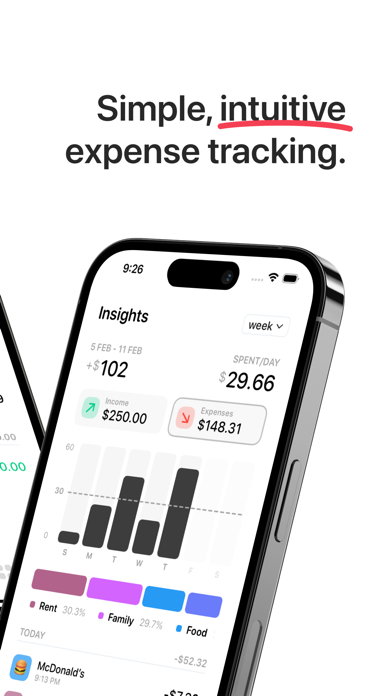
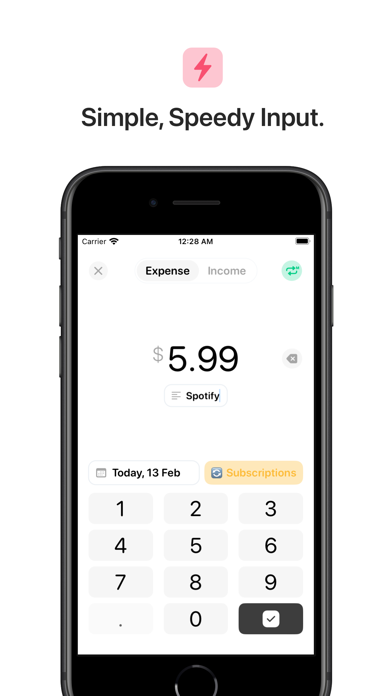
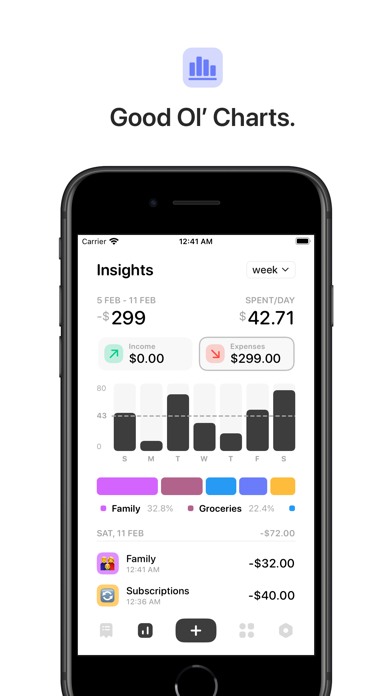
Dime focuses on manual expense tracking and executes that narrower brief with real care. Adding a transaction is fast enough to complete before leaving a shop counter, and home screen quick actions remove almost all friction from the logging habit. Category budgets give spending a clear structure, while recurring expense support handles subscriptions and fixed costs without requiring repeated manual entry. Expenditure breakdowns across multiple time periods reveal genuine spending patterns rather than burying you in redundant charts. Dark mode is treated as a first-class visual option rather than a simple color inversion, which signals the level of craft applied throughout the app.
Compact and reliable in daily use
At 32 MB, Dime is a compact install that should launch quickly even on older supported iPhones, and the iOS-native architecture tends to mean smoother animations than cross-platform equivalents. A rating of 4.76 across 302 reviews suggests users encounter few crashes or data-loss issues in everyday operation. Lock screen and home screen widgets keep running totals visible without requiring an app launch, which reduces the cognitive overhead of staying budget-aware throughout the day. Because all entry is manual, performance is never bottlenecked by network calls or bank-sync timeouts, a genuine practical advantage for reliability.
Free with no hidden costs
Dime is free with no in-app purchases, no subscription tier, and no advertising. That positioning is genuinely rare in the Finance category, where even modest feature sets are frequently gated behind monthly fees. The trade-off is the absence of bank connectivity, investment tracking, and multi-currency support, features that paid apps like YNAB or Copilot justify their pricing with. For users whose needs align with straightforward manual budgeting on iPhone, the value proposition is essentially unbeatable. Those who need a full financial dashboard will eventually need to spend money elsewhere, but they will not feel misled by Dime.
Biometric lock and offline-first privacy
Dime includes biometric authentication, meaning your spending data sits behind Face ID or Touch ID rather than being freely visible to anyone who picks up your phone. iCloud sync keeps data within Apple's ecosystem rather than routing it through a third-party server, which is a meaningful structural privacy advantage. For the full picture of what data is collected or linked to your identity, the App Store privacy nutrition label for Dime is the authoritative source and worth reviewing before installing. We cannot independently verify those disclosures, but the app's offline-first, manual-entry design suggests a minimal data footprint by default.
Clean native design, one-handed usable
The iOS-native design language means Dime inherits system-level accessibility features including Dynamic Type scaling and standard VoiceOver compatibility hooks, though we cannot confirm the depth of VoiceOver labeling without hands-on testing. Visually, the interface is clean and uncluttered, with a light and dark theme that both hold up rather than one feeling like an afterthought. Quick-action entry flows are short enough to complete one-handed, which matters for an app used in motion. The overall aesthetic punches well above what you would expect from a solo student project, and nothing about the layout feels confusing or arbitrarily complex.
Stalled since November 2023
Version 2.1.3 has been the current build since November 2023, meaning the app has gone without a public update for well over a year at time of review. For a solo developer, that gap is understandable but worth acknowledging honestly. The app was released in September 2022, so it has a reasonable version history, and the strong rating suggests no critical bugs have emerged in the interim. Long-term support remains the central uncertainty here. Users who depend on this app for ongoing budget tracking should keep an eye on the App Store listing for signs of renewed activity, and perhaps maintain an export habit as a precaution.
Pros
- Completely free with no ads, no paywalled features, and no subscription tier
- iCloud sync keeps data within Apple's ecosystem across multiple iOS devices
- Home screen and lock screen widgets provide at-a-glance spending awareness without opening the app
- Biometric authentication adds meaningful privacy protection for sensitive financial data
Cons
- No bank or card integration means all expense entry is manual, which may not suit every user
- Latest build has not been updated since November 2023, raising questions about long-term maintenance
- iOS-only with no multi-currency support, limiting usefulness for Android users or frequent international travelers
Related guides
Similar Finance apps


apptidal is independent and ad-supported. We earn no commission on installs and no company can pay for a better score. How we stay independent.