
Tools · iOS
Google Tasks: Get Things Done
by Google
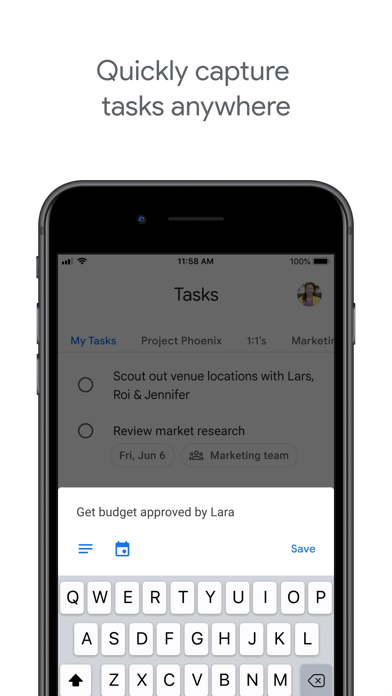
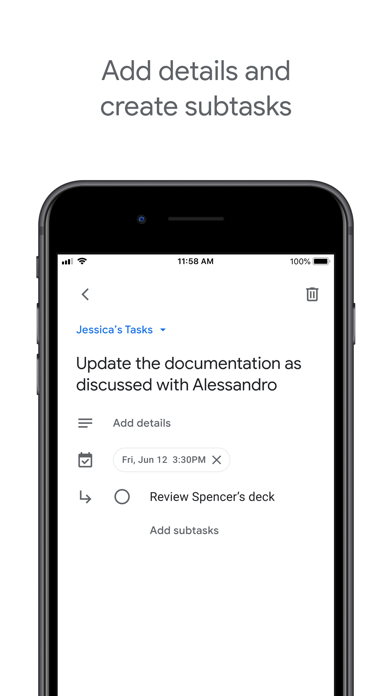
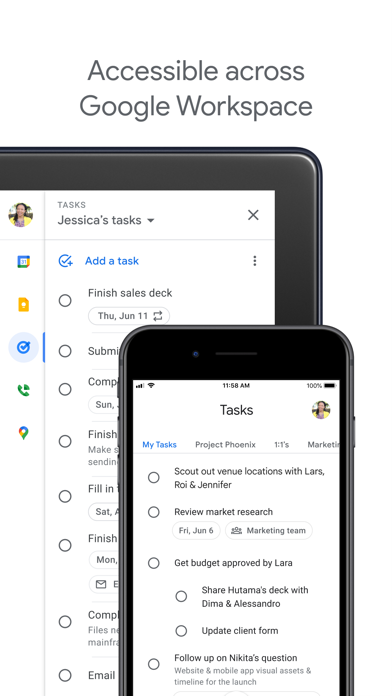
Launched in April 2018 and still actively updated, Google Tasks earns its place through tight integration with Gmail and Google Calendar rather than feature breadth. It handles subtasks, due dates, and cross-device sync reliably, and it costs nothing. The trade-off is a deliberately lean toolset that leaves power users wanting. At 153 MB for what is essentially a list app, the install footprint is also worth noting before you download.
Gmail integration compensates for limited features
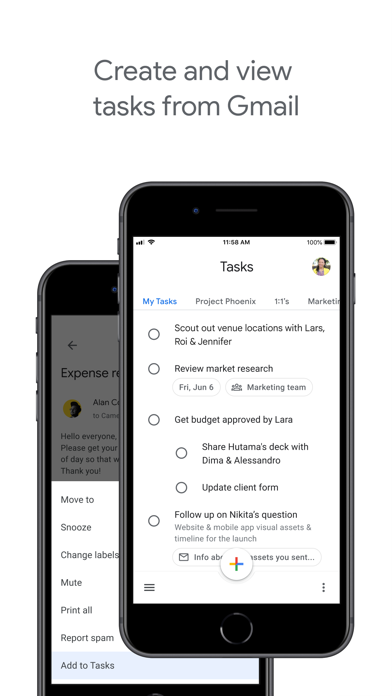
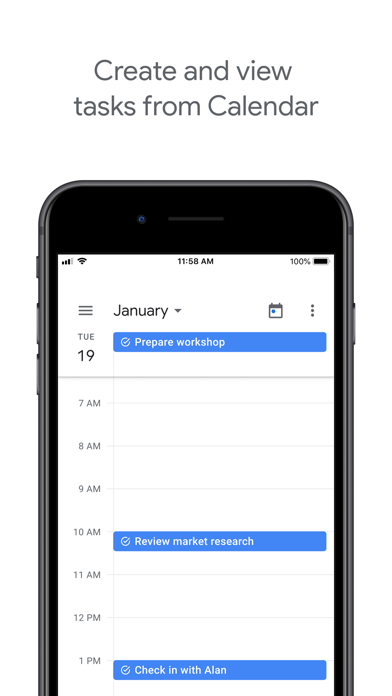
The Gmail pipeline is the genuine selling point. Creating a task directly from an email thread, then tracing it back to that exact message later, removes a real friction point in everyday work. Pair that with Calendar visibility and you have a lightweight capture system living inside tools most Google Workspace users already have open all day. Subtasks add just enough structure for breaking down simple errands without forcing a project-management mindset on anyone. What the app does not do is equally defining: there are no recurring tasks worth relying on, no priority levels, no tags, and no way to attach files or links inside a task body. For casual users that restraint reads as a feature; for anyone managing layered workflows, it reads as a wall.
Stable performance across devices at a storage cost
A 4.8 rating drawn from over 105,000 reviews is a strong signal of consistent, stable behavior across a large user base. Sync across devices is reliable and requires no manual configuration beyond signing into a Google account. The app launches quickly for routine list-checking, and the interface stays out of the way. The 153 MB install size is harder to justify qualitatively: comparable list apps from other developers ship at a fraction of that footprint, and nothing in the interface suggests heavy on-device processing. Google's broader framework dependencies likely account for the bulk, but users on storage-constrained devices will notice the cost.
Free entry point with an eventual feature ceiling
The app is free with no paywalled tiers, no subscription prompts, and no in-app purchases. For users already inside the Google ecosystem, the value proposition is straightforward: a capable capture layer at zero cost. The honest caveat is that the feature ceiling arrives before many users expect it. Anyone who eventually needs recurring tasks, filters, priority flags, or file attachments will migrate to a paid alternative anyway, making the initial investment of time in building a Tasks habit a potential sunk cost. As a supplementary inbox-to-action tool sitting alongside Gmail, though, the price-to-utility ratio is genuinely hard to argue with.
Google's data practices require independent review
Because this review cannot independently audit network traffic or data handling, we direct readers to the App Store privacy label for Google Tasks as the authoritative source. Google, as a company whose core business model involves data, warrants careful review there. Expect the app to request access to your Google account, which by definition includes calendar and Gmail data. Users operating in regulated industries or with heightened privacy requirements should review Google Workspace's data processing terms separately. The content rating of 4+ indicates no mature content concerns, but that label says nothing about data collection practices.
Accessible design that prioritizes simplicity
The interface follows Material Design conventions, keeping visual hierarchy clean and interactions predictable. Task creation, list switching, and subtask expansion are all reachable within one or two taps. The restrained design that limits power users also benefits accessibility: fewer controls mean less cognitive load and a smaller surface area for navigation errors. Dynamic Type support and VoiceOver compatibility are standard expectations for any app carrying a 4+ rating on iOS, and Google's scale of development typically ensures baseline compliance with Apple's accessibility frameworks. Users with specific assistive technology needs should verify current VoiceOver behavior against their own setup, as no independent audit was conducted here.
Maintained regularly but not rapidly developed
Version 26.27.0, updated on July 7, 2026, confirms that Google is pushing releases to this app on a regular cadence. The version number alone suggests a long, sustained release history since the 2018 launch. For a free utility tied to Google's core productivity suite, continued maintenance is a reasonable expectation rather than a bonus, but it is still worth stating plainly: this is not an abandoned app. Users can expect bug fixes and compatibility updates to keep pace with new iOS releases. Feature velocity, however, has historically been slow, and there is little evidence the team is rushing to close the gap with more capable competitors.
Pros
- Seamless email-to-task creation from Gmail threads with a traceable link back to the source message
- Reliable cross-device sync requiring no manual configuration beyond a Google account
- Completely free with no paywalled features, subscription tiers, or in-app purchases
- Actively maintained with a July 2026 update confirming ongoing development
Cons
- 153 MB install size is disproportionately large for an app that amounts to a structured list
- No meaningful recurring task support, priority flags, labels, or file attachments limit workflow depth
- Utility drops sharply outside the Google ecosystem, making it a poor fit for mixed-platform users
Related guides
Similar Tools apps


apptidal is independent and ad-supported. We earn no commission on installs and no company can pay for a better score. How we stay independent.