
Finance · iOS
iSpending - Expense Tracker
by Hana Mobile
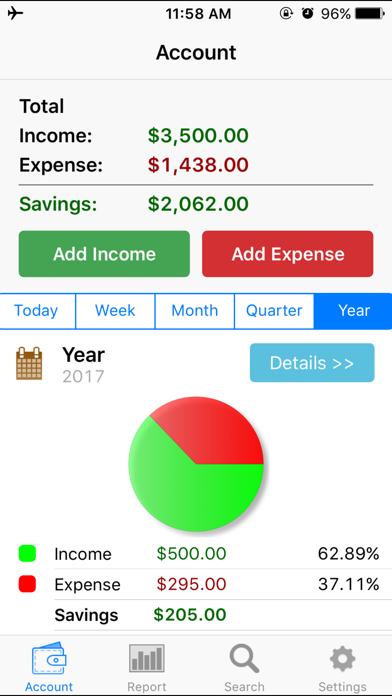
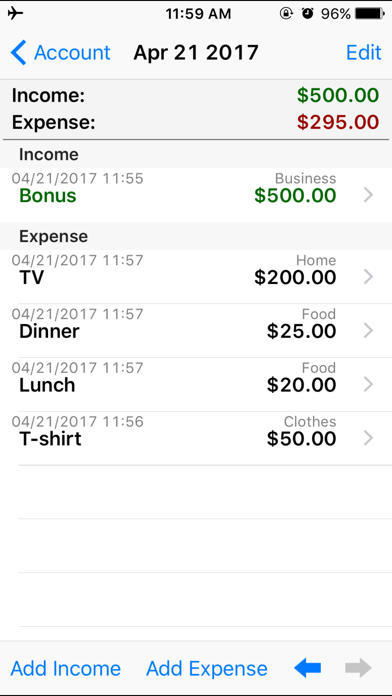
Released in December 2011 and still receiving updates as recently as May 2026, iSpending has genuine staying power in a crowded finance category. At just 19 MB, the install footprint is minimal. The core loop is simple: log a transaction, assign a category, and let the app roll it into daily, weekly, monthly, and yearly summaries. No bank connection and no subscription make it an easy first step for users wary of sharing financial credentials.
Reliable ledger for single-currency tracking
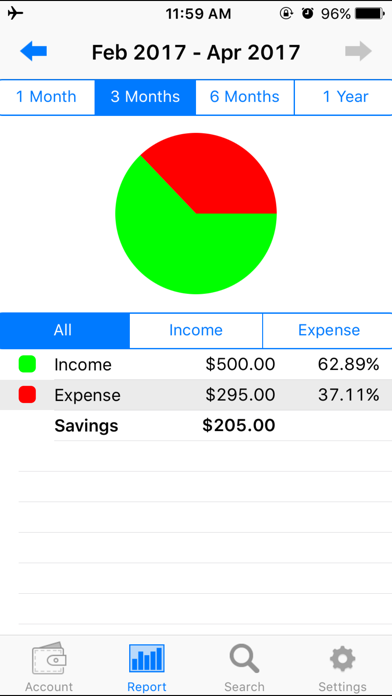
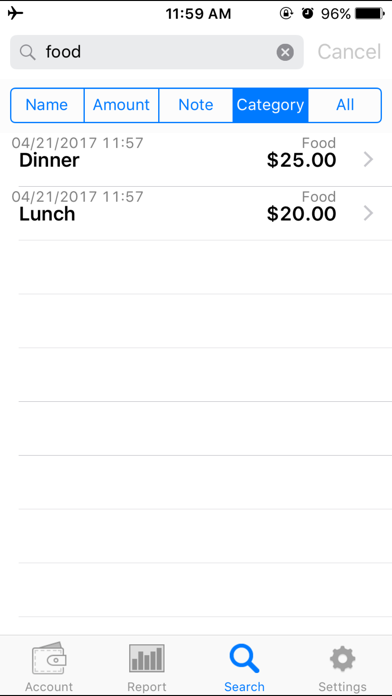
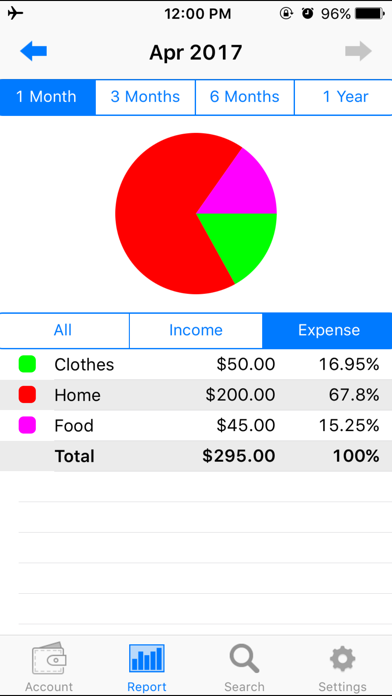
The home screen surfaces running totals across four time horizons at a glance, which is genuinely useful for a quick gut-check on spending without digging through menus. Graph reports span one, three, or six months and can be filtered to show income or expenses separately, giving a readable visual picture of cash flow. Transaction search and email export round out the feature set. Custom category names extend flexibility beyond the built-in presets such as food and entertainment. For pure manual ledger keeping in a single currency, the app executes its narrow brief reliably. Where it falls short is everything beyond that baseline: no recurring transactions, no budget targets, and no multi-currency support are conspicuous absences by 2025 standards.
Stable performance with fast transaction entry
A 19 MB install size suggests a lean codebase with few heavy frameworks, and the app's long rating history of 634 reviews without widespread complaints about crashes points to reasonable stability. Transaction entry is fast, which matters most in a logging tool used dozens of times a month. The four-period home screen summary loads without requiring a server round-trip, since there is no mandatory account sync. Update recency through May 2026 indicates the developer is at least keeping pace with iOS compatibility requirements. Qualitatively, the experience feels smooth for its limited scope, though the interface carries visual cues of an app that has received incremental patches rather than a ground-up redesign.
Free core with undisclosed paid features
The base app is free, which removes any barrier to trying it. The concern is that in-app purchases exist but their scope is not disclosed upfront in the store listing, which can feel opaque when evaluating the true cost. Users who find the free tier sufficient will get genuine value: a private, functional ledger with no subscription overhead. Anyone considering unlocking paid features should check the in-app purchase menu before committing, since the store description provides no guidance on what those purchases unlock. Compared with subscription-based competitors that charge monthly fees, iSpending's free core is a meaningful differentiator for budget-conscious users.
Offline design limits data exposure
The app carries a 4+ content rating and does not require a bank login or cloud account, which limits the most sensitive data exposure by design. A passcode lock adds a basic but appreciated local security layer. For a precise picture of what data is collected or shared, the App Store privacy nutrition label for iSpending is the authoritative source and should be reviewed before installing. Because the app appears to operate largely offline, network permission usage is likely minimal, but we cannot confirm this without direct inspection. Users with strong privacy requirements should verify the label details rather than rely on assumptions.
Utilitarian interface lacks modern accessibility
The interface prioritises legibility of totals over visual flair, which suits its utilitarian purpose. The four-period summary on the home screen is logically laid out and readable at a glance. Version 1.0.27 after more than a decade suggests the design language has not been substantially refreshed, and the app may lack Dynamic Type scaling, VoiceOver optimisation, or other modern iOS accessibility features that have become standard since 2011. Nothing in the store listing addresses accessibility support explicitly. Users who rely on assistive technologies should test the app during any free trial period to confirm it meets their needs before depending on it for regular tracking.
Sustained updates across fourteen years
A May 2026 update date is an encouraging signal for an app first released in December 2011, indicating the developer has sustained the project across more than fourteen years and multiple major iOS versions. Version 1.0.27 does suggest the update cadence has been conservative, with incremental patches rather than feature-driven releases. The 634 ratings accumulated over that span reflect a modest but consistent user base. Hana Mobile appears to be a small independent developer, which introduces some long-term continuity risk, but the track record of continuous updates through 2026 is a reasonable indicator that the app will remain iOS-compatible in the near term.
Pros
- Lightweight 19 MB install with a fast, friction-free transaction entry flow
- Home screen summaries across four time periods provide an immediate spending gut-check
- Graph reports filterable by income or expense across up to six months
- No bank login or subscription required, making it a genuinely private offline ledger
Cons
- In-app purchase scope is undisclosed in the store listing, making true cost unclear
- No budget targets, recurring transactions, or bill reminders despite over a decade of development
- Lack of multi-currency support limits usefulness for travelers or anyone with international spending
Related guides
Similar Finance apps


apptidal is independent and ad-supported. We earn no commission on installs and no company can pay for a better score. How we stay independent.