
Finance · iOS
Money Manager Expense & Budget
by Realbyte Inc.
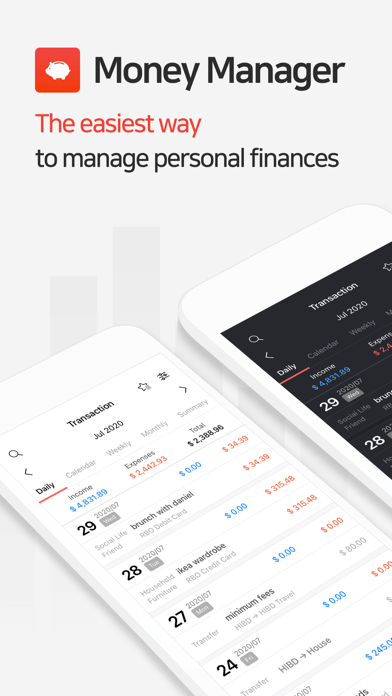
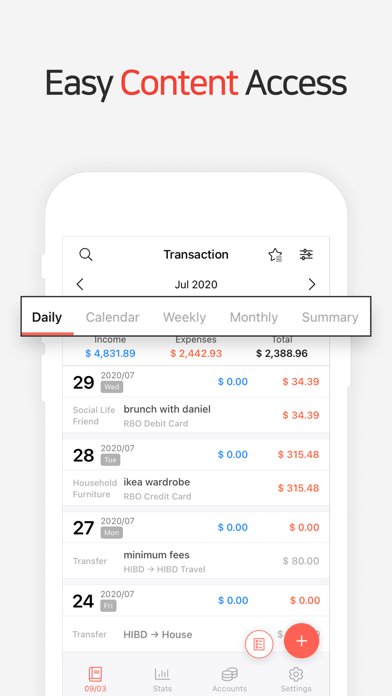

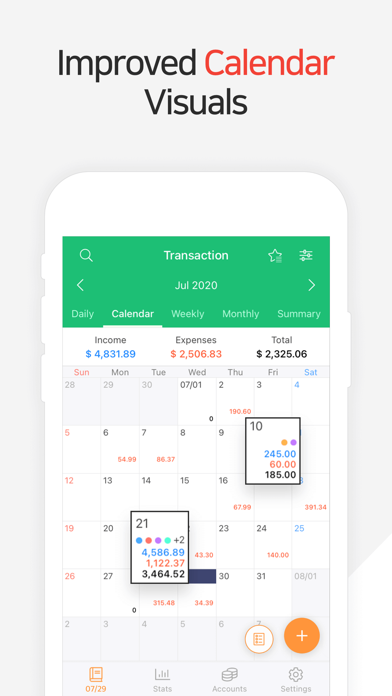
Released in November 2012 and still receiving updates into 2026, Money Manager Expense and Budget has earned 18,000 ratings averaging 4.81 stars by doing one thing exceptionally well: giving you a clean, customizable ledger you control entirely. Realbyte Inc. built the app around intentional manual entry rather than passive bank syncing, a philosophy that suits privacy-conscious users and frequent travelers alike. At 65 MB, it stays lean while covering categories, multi-currency support, budgets, and calendar views.
Manual entry with built-in calculator works well
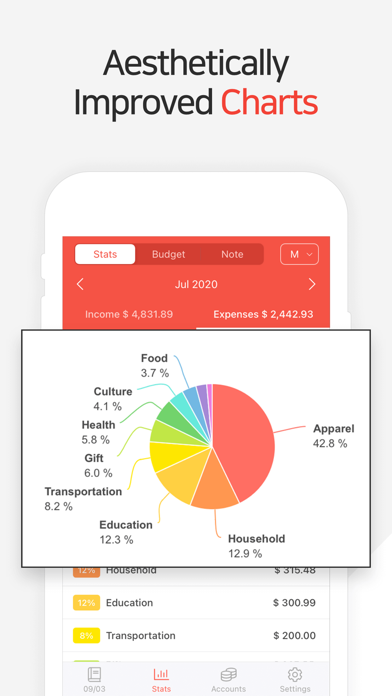
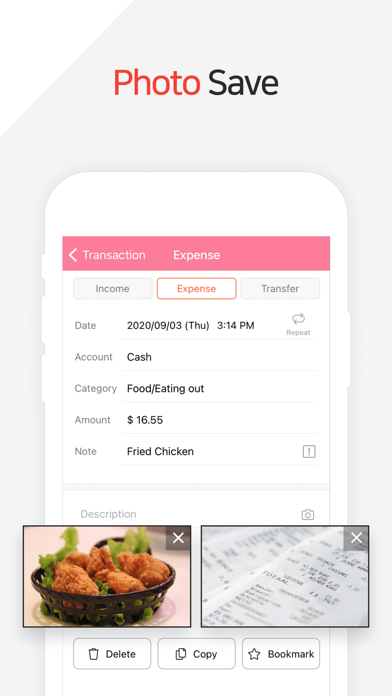
At its core, the app functions as a fully manual personal finance ledger. Every transaction you record passes through a built-in calculator, which meaningfully speeds up entry. A deep customizable category and sub-category system lets your setup mirror real spending patterns rather than forcing you into someone else's generic template. Multi-currency support extends its usefulness well beyond single-country users. Weekly, monthly, and annual budget planning sit alongside graphical spending summaries and a calendar view, forming a coherent loop of entering data, reviewing it visually, and adjusting budgets accordingly. None of these features feel bolted on as afterthoughts. The philosophy of manual entry is the point: actively logging each transaction tends to surface spending patterns faster than a bank feed silently categorizing everything in the background.
Stable performance across years and high review volume
At 65 MB, the install footprint is modest by modern standards, suggesting Realbyte has kept the codebase focused rather than bloated with unused features. The app has been continuously refined since its 2012 launch, and a July 2026 update confirms the team is actively addressing bugs and compatibility with current iOS versions. A rating of 4.81 across 18,000 reviews is a strong qualitative signal of sustained stability, since apps with persistent crashes or data-loss bugs tend to see rating averages erode noticeably over time. The manual-entry model also means performance is less dependent on network conditions than bank-syncing competitors, making it reliable in low-connectivity situations such as travel. High-volume spenders logging dozens of transactions daily may find the entry pace demanding, but for typical personal budgeting the workflow is smooth.
Free core features with unclear premium scope
The app is free to download, and the core ledger functionality appears accessible without payment. In-app purchases exist, but their exact scope is not clearly disclosed in App Store materials, which is a genuine transparency gap. Before committing to the app as a daily finance tool, it is worth opening the Subscriptions or In-App Purchases section of the App Store listing to confirm which features remain free long-term. That said, the base offering covers categories, multi-currency, budgets, and visual summaries, which is a competitive feature set at no upfront cost. Users who are wary of subscription-heavy finance apps will find the model here refreshingly restrained, provided the free tier holds what it promises.
No bank linking reduces credential exposure risk
Because Money Manager relies on manual entry rather than bank syncing, it does not require linking financial credentials to a third-party server, which is a meaningful structural privacy advantage over aggregator-based apps. That said, the actual permissions requested and any data collected for analytics or advertising should be verified directly in the App Store privacy nutrition label under the app's listing. That label, maintained by Realbyte and audited by Apple, is the authoritative source for what data is linked to you, what is tracked, and what stays on device. Given the app's 4+ content rating and finance category, prospective users should pay particular attention to whether usage data or identifiers are shared with third parties.
Data-forward design prioritizes clarity over decoration
The interface follows a structured, data-forward layout that prioritizes legibility of figures over decorative flourishes, which is appropriate for a finance tool. The adjustable month start date is a small but genuinely thoughtful detail that accommodates users paid on non-standard cycles. Graphical summaries translate raw numbers into visual trends without overwhelming the screen. On accessibility, the app carries a 4+ content rating and appears to follow standard iOS UI conventions, which generally means compatibility with Dynamic Type and VoiceOver is plausible, though users with specific accessibility requirements should test the app directly or consult recent accessibility-focused reviews before relying on it. The overall design philosophy favors clarity and control over visual flair.
Consistently updated since original release in 2012
Few signals matter more for a daily-use finance app than active maintenance, and Money Manager passes that test clearly. The most recent update is dated July 2026, over 13 years after the original 2012 release, demonstrating sustained developer commitment across multiple iOS generations. Realbyte Inc. has kept the app compatible with current platform requirements rather than letting it stagnate, which is especially important as Apple periodically deprecates older APIs. The volume and consistency of positive ratings across 18,000 reviews further suggest the developer has addressed major issues over time rather than allowing them to accumulate. For users who rely on a finance tool daily, that maintenance track record is a meaningful reason to trust the app with long-term data.
Pros
- Highly customizable category and sub-category structure mirrors real-world spending habits
- Multi-currency support makes it genuinely practical for travelers and international users
- Adjustable month start date accommodates non-standard pay cycles
- Actively maintained with a July 2026 update across a 13-year development history
Cons
- No automatic bank or card syncing means every transaction requires manual entry
- In-app purchase scope is not clearly disclosed in store materials, leaving free-tier boundaries uncertain
- High transaction volumes can make the manual-entry workflow burdensome over time
Related guides
Similar Finance apps


apptidal is independent and ad-supported. We earn no commission on installs and no company can pay for a better score. How we stay independent.