
Tools · iOS
Planner Pro - Daily Planner
by Beesoft Apps
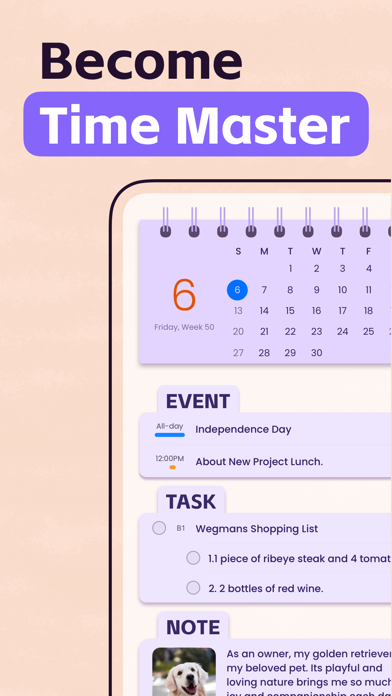
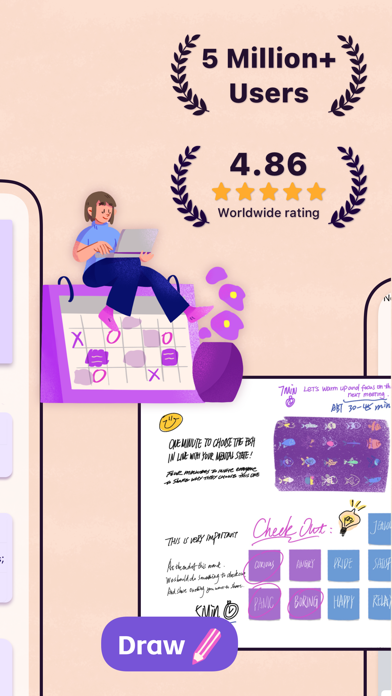
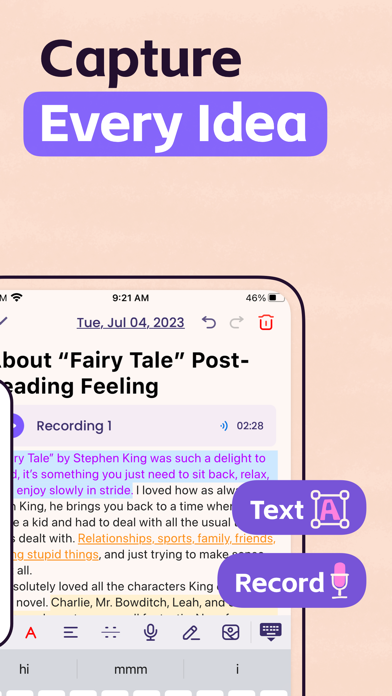
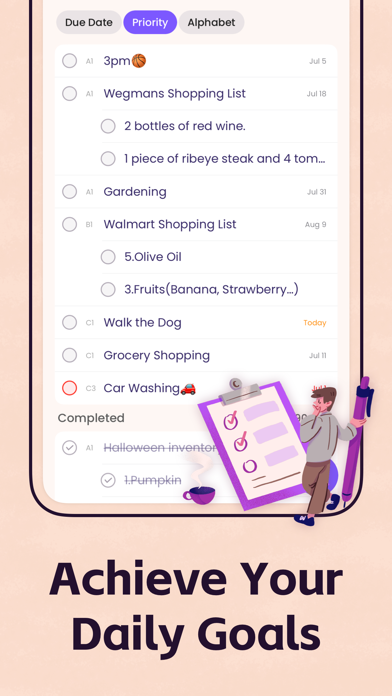

Released in October 2012 and still receiving updates into late 2025, Planner Pro has accumulated over 13,000 ratings at a 4.47 average, signaling genuine staying power. The 95 MB install bundles calendar events, hierarchical tasks, and notes into a unified interface with iOS calendar sync and recurring support across all three content types. Free to download, the app almost certainly gates meaningful features behind in-app purchases.
Consolidation works, but paywalls complicate it
The core proposition is consolidation. Calendar events pull directly from iOS, tasks support sub-tasks and full project hierarchies, and recurring logic extends to tasks and projects rather than stopping at calendar entries alone. That last detail matters more than it sounds: most lightweight planner apps restrict recurrence to events only. Cross-day scheduling and all-day event handling cover the edge cases that trip up simpler tools. For anyone juggling project milestones alongside personal appointments, the combination works well and represents a genuine step up from the stock iOS Calendar app. Whether the best features remain accessible on the free tier is the persistent caveat that colors every strength listed here.
Heavy footprint, sustained user satisfaction
A 95 MB footprint is notably heavy for a productivity planner, sitting well above leaner competitors in the same category. That size suggests a feature-rich codebase, but it also raises reasonable expectations around smoothness and load times. The app's 4.47 rating across 13,000 reviews is a meaningful positive signal: at that volume, a high average reflects sustained satisfaction rather than a launch-week spike. The December 2025 update confirms the developer is actively maintaining the build, which reduces the risk of compatibility issues on current iOS versions. Qualitatively, the combination of a large install and frequent updates points to an app that prioritizes breadth over minimalism.
Free tier opacity undermines value clarity
The download is free, but the app's feature depth makes a freemium model almost certain. Beesoft's store listing does not clearly itemize which capabilities require a purchase or subscription, and that opacity is a real problem for anyone considering Planner Pro as a daily driver. Committing time to a planning workflow only to hit a paywall on sub-tasks or sync frequency is a frustrating outcome. Before investing in setup, prospective users should open the app, navigate to any in-app purchase screen, and map exactly what the free tier covers long-term. If the unlocked price is reasonable and one-time rather than subscription-based, the value case improves considerably.
Calendar access requires careful privacy review
Calendar access is a core permission this app requires, and that means it reads scheduling data that can be quite personal. Beyond that, the specific data practices, including whether usage analytics, advertising identifiers, or third-party SDKs are involved, are detailed in the App Store privacy nutrition label for this listing. We strongly recommend reviewing that label before installing, paying particular attention to the 'Data Used to Track You' and 'Data Linked to You' sections. As an ad-supported free app, some level of data collection to serve advertising is plausible and worth verifying directly from Apple's disclosed information.
Functional design hindered by unclear labeling
The app's longevity and strong rating suggest the interface is functional and broadly comprehensible, but the quality of Beesoft's written store copy raises fair questions about polish in microcopy and labeling throughout the UI. A busy multi-content planner with events, tasks, sub-tasks, and notes carries inherent complexity, and how well that complexity is organized depends heavily on visual hierarchy and clear navigation. Regarding accessibility, iOS provides system-level VoiceOver and Dynamic Type support that well-behaved apps can inherit with minimal extra work. Whether Planner Pro fully leverages those frameworks is best assessed by downloading the app and testing with your preferred accessibility settings enabled.
Thirteen years of active development
By any reasonable measure, yes. A release date of October 2012 combined with a version 8.2.4 update timestamped December 2025 represents over thirteen years of continuous development, a lifespan most productivity apps never reach. Major version milestones suggest the codebase has been substantially revised rather than simply patched. The 13,000-plus ratings accumulated over that period reflect a user base that has returned across multiple iOS generations. For users burned by abandoned apps mid-workflow, that track record is a meaningful reassurance. The developer appears committed, and the update cadence suggests compatibility with current iOS releases is being actively maintained.
Pros
- Combines events, hierarchical tasks with sub-tasks, and notes in a single unified interface
- Syncs with existing iOS calendars so scheduling data is never siloed in a proprietary silo
- Recurring support extends to tasks and projects, not just calendar events
- Over thirteen years of continuous updates through version 8.2.4 signals genuine developer commitment
Cons
- At 95 MB the install size is heavy for a planner app, suggesting feature sprawl over focused design
- In-app purchase structure is not clearly disclosed upfront, creating paywall risk for daily-workflow users
- Feature breadth and a complex content model may overwhelm users who want a simple, focused planning tool
Related guides
Similar Tools apps


apptidal is independent and ad-supported. We earn no commission on installs and no company can pay for a better score. How we stay independent.