
Finance · iOS
Spending Tracker
by MH Riley Ltd
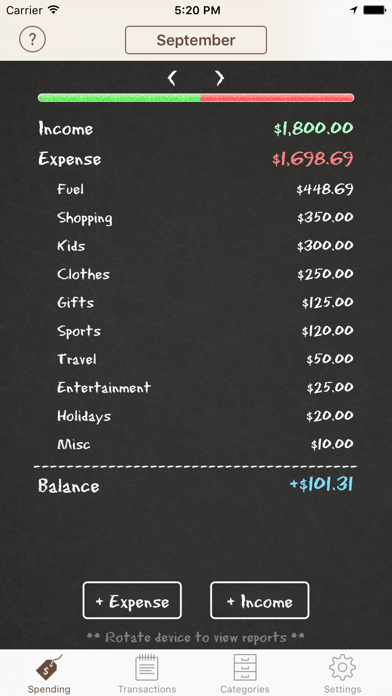
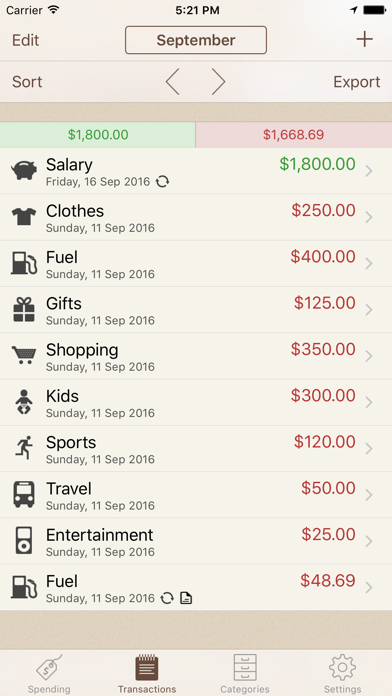
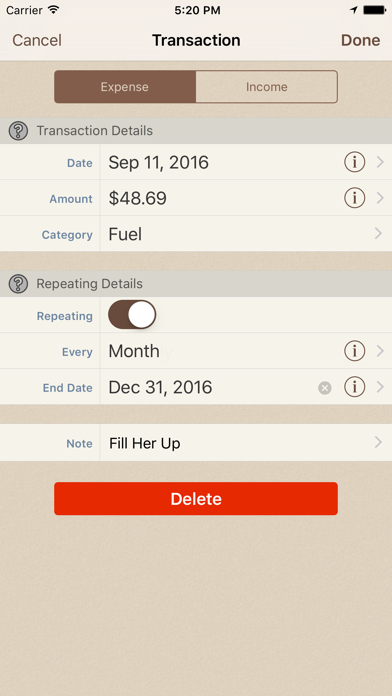
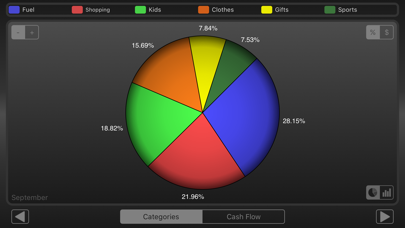
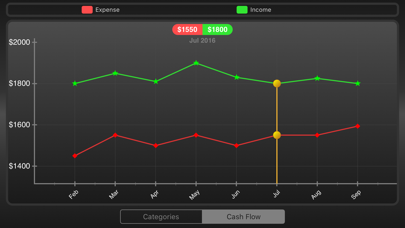
Released in 2012 and still actively updated, Spending Tracker by MH Riley Ltd covers the essentials of personal expense logging without demanding account credentials or a recurring fee. At 49 MB and free to download, it keeps friction low and user control high. Nearly 19,000 ratings averaging 4.78 stars signal genuine, sustained satisfaction. This is not a financial planning suite, and it makes no attempt to be one.
Fast manual entry with practical budget rollover
The core loop is deliberately tight: open the app, enter a transaction, close it. Budget Mode lets you set a spending ceiling across weekly, monthly, or yearly periods, and unused budget rolls over to the next cycle rather than disappearing, which is a genuinely practical design choice. The Summary View lets you navigate backward and forward through time to compare spending periods side by side. Sorting transactions by date, name, or amount keeps the ledger readable without requiring any tutorial. For what it promises, a fast, private, manual expense log, it delivers cleanly and consistently.
Lean installation avoids performance and battery drain
A 49 MB install size is lean by modern iOS standards, suggesting the app avoids heavy frameworks or background data processes that can slow launch times. With nearly 19,000 ratings and a 4.78 average accumulated over 13 years, sustained performance problems would almost certainly have surfaced in user feedback by now. The manual-entry model also means there are no sync errors, no failed bank connections, and no background refresh draining battery. Daily use should feel snappy on any reasonably current iPhone. The tradeoff is that the app does exactly as much as you ask of it, nothing more.
Free core features with unclear purchase scope
The app is free to download, which removes any barrier to trying it. In-app purchases are listed but their scope is not publicly detailed, which creates some uncertainty about where the free tier ends. Users should check the App Store listing for current purchase options before assuming all features are fully unlocked at no cost. That said, the core budgeting and tracking functionality appears accessible without payment, and the absence of a mandatory subscription is a meaningful advantage over many competing finance apps that now charge annually.
Manual entry eliminates third party financial access
Because Spending Tracker relies on manual entry rather than bank sync or account linking, it avoids the broad financial permissions that raise privacy concerns in connected-account apps. No credentials are handed to a third party by design. That said, we cannot independently verify what data is collected, transmitted, or shared. The definitive source is the App Store privacy nutrition label on the app's product page, which Apple requires all developers to complete. Before installing, reviewing that label takes under a minute and will confirm exactly what categories of data the app declares it collects.
Straightforward interface prioritizes speed over complexity
The interface prioritizes speed and clarity over visual complexity, which suits the manual-entry workflow well. Navigation is straightforward enough that new users can orient themselves without documentation. Whether the app fully supports Dynamic Type, VoiceOver, or other iOS accessibility features is not something we can confirm without hands-on testing, but the content rating of 4+ and the broad demographic appeal suggested by 13 years of sustained downloads imply a generally approachable design. Users with specific accessibility requirements should test the free download directly before committing to it as a daily tool.
Recent update confirms ongoing maintenance and stability
A November 2025 update confirms the app is still receiving attention from MH Riley Ltd, which is reassuring for an app released in September 2012. Version 3.2 is a low number for 13 years of existence, suggesting the developer favors incremental refinement over feature expansion, which aligns with the app's minimalist philosophy. Whether that pace satisfies users hoping for new capabilities is a matter of expectation. For those who simply want a stable, maintained ledger, the combination of a recent update and a long track record is a reasonable signal of continued reliability.
Pros
- Exceptional 4.78 rating across nearly 19,000 reviews signals genuine, long-term user satisfaction
- Budget carryover between periods is a practical and well-considered feature
- Flexible weekly, monthly, and yearly tracking windows suit a wide range of budgeting styles
- Lean 49 MB footprint and manual-entry model avoid the sync errors and battery drain of connected-account apps
Cons
- Fully manual entry means spending accuracy depends entirely on user discipline and consistency
- In-app purchase scope is not clearly detailed, leaving the free tier's limits uncertain
- Version 3.2 after 13 years suggests limited appetite for new feature development
Related guides
Similar Finance apps


apptidal is independent and ad-supported. We earn no commission on installs and no company can pay for a better score. How we stay independent.