
Tools · iOS & Android
ChatGPT
by OpenAI OpCo, LLC


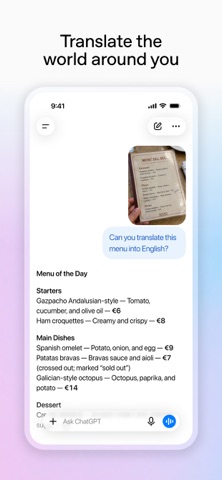
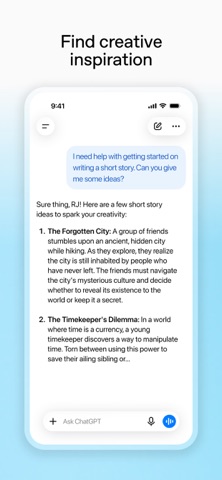
OpenAI's official iOS client brings GPT-powered text, voice, image analysis, and image generation into a single 249 MB package. More than 8.6 million ratings averaging 4.83 stars signal exceptional user satisfaction across a massive install base. Free access covers a meaningful range of tasks, but premium model tiers and image generation sit behind a subscription, meaning casual and power users will encounter the app very differently.
Voice conversation and photo input work reliably
Advanced Voice Mode is the headline mobile feature, enabling fluid real-time spoken conversation rather than a simple dictation-to-text relay. Photo upload handles practical tasks reliably, from transcribing handwritten notes to identifying objects in a snapshot, making the camera a genuine input method rather than a gimmick. Cross-device history sync rounds out the core experience: a conversation started on desktop continues cleanly on the phone, which proves genuinely useful for anyone who moves between screens throughout a workday. Taken together, these features represent a coherent, well-executed assistant rather than a collection of loosely bolted-on tools.
Performance depends heavily on network stability
With 249 MB on disk and a freshly pushed update as recently as July 2026, the app reflects active engineering investment. Response quality in text tasks is strong for the category, though output length can swing unpredictably, sometimes producing verbose answers where a few sentences would serve better. Users who learn to specify desired length or format in their prompts will get cleaner results. There is no offline mode, so the sizable install footprint is entirely dependent on a live connection. On a stable network, interactions feel responsive, but the experience degrades noticeably on weak signals, which is worth noting for commuters or travelers.
Free tier sufficient for casual use only
The base app is free, and the free tier handles everyday text queries, basic voice interaction, and photo analysis well enough for light use. Students, writers, and professionals who need a quick drafting partner or a second opinion will likely find it sufficient to start. The ceiling arrives quickly for anyone who pushes toward image generation, extended context, or the most capable model versions, all of which require a paid subscription. The free tier's limits are not prominently communicated upfront, so new users may hit usage walls mid-session without warning. For committed daily users, the subscription cost is competitive with similar AI services, but it is a real commitment.
Check privacy label before sharing sensitive data
OpenAI's privacy practices for ChatGPT are detailed in the App Store privacy nutrition label, which is the authoritative source for understanding exactly which data types are collected and how they are linked to your identity. As a general principle, any app that processes conversational input, voice audio, and uploaded photos warrants careful review of those disclosures. Users with sensitive professional or personal information should check whether chat history can be disabled, a setting OpenAI does offer, and review the data retention policy before sharing confidential material. We recommend reading the privacy label directly rather than relying on any summary.
Minimal design supports accessibility well
The interface is clean and minimal, with a single text field and clearly labeled mode toggles for voice and image input. Navigation is shallow enough that new users rarely feel lost. The content rating of 12 and above reflects that the app can surface mature or complex topics depending on how it is prompted, which parents should factor in. Standard iOS accessibility features such as Dynamic Type and VoiceOver are supported at the system level, and the sparse layout avoids the cluttered iconography that often trips up assistive technology. The overall design philosophy prioritizes the conversation window, which is the right call for this category.
Frequent updates reflect active development
Version 1.2026.188 was updated on July 14, 2026, which places it among the most frequently revised apps in the Tools category. The version numbering itself reflects a near-continuous release cadence, with OpenAI shipping updates that track closely with changes to the underlying models and web platform. An 8.6 million rating count accumulated since the May 2023 launch indicates sustained, large-scale adoption rather than a spike-and-fade pattern. Bug reports and feature requests from this volume of users tend to surface and get addressed relatively quickly, making the maintenance trajectory one of the stronger arguments for keeping the app installed long term.
Pros
- Advanced Voice Mode enables genuine real-time spoken conversation, not just speech-to-text transcription
- Cross-device history sync between iOS and desktop works reliably and adds meaningful continuity
- Photo upload handles practical tasks such as handwriting transcription and object identification competently
- Among the most actively maintained apps in its category, with updates pushed as recently as July 2026
Cons
- Image generation and the most capable model tiers require a paid subscription, which free users will hit without clear upfront warning
- At 249 MB the install is large, yet there is no offline mode to justify that footprint
- Response verbosity is inconsistent, sometimes producing lengthy answers where brevity would serve better, requiring deliberate prompting habits
Related guides
Similar Tools apps


apptidal is independent and ad-supported. We earn no commission on installs and no company can pay for a better score. How we stay independent.