Tools · iOS
Flipd: focus & study timer
by Flipd Apps
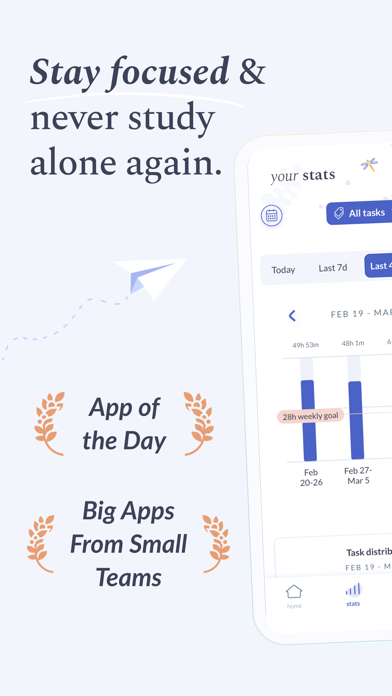
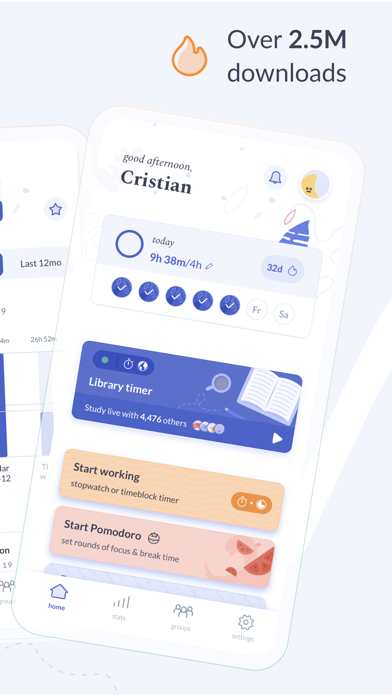
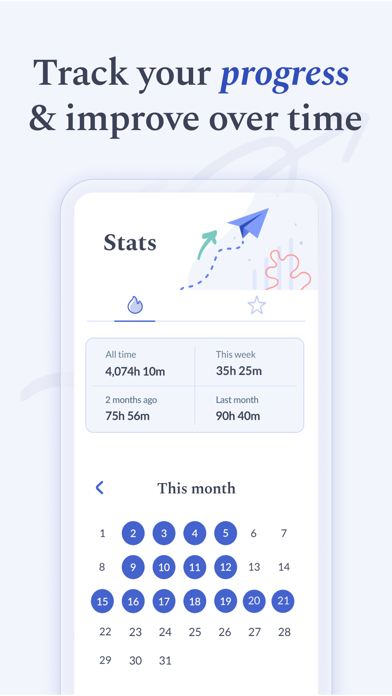

Launched in 2016 and sitting at 4.52 stars across roughly 7,000 ratings, Flipd is a focus and study timer built around tagged activity tracking. Free to download and weighing 96 MB, it targets students and routine-focused users who want to understand exactly where their hours go. A February 2025 update confirms the development team at Flipd Apps remains committed to the product nearly a decade after its debut.
Tag-based tracking outperforms generic timers
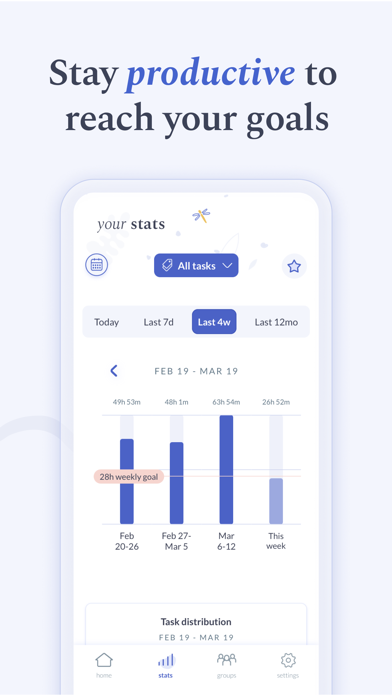
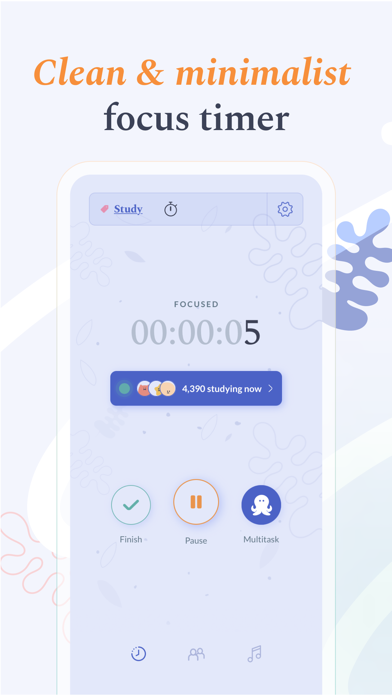
Flipd centers on a tag-based activity system that sets it apart from generic countdown timers. Each focus session gets assigned a hashtag, those tags are grouped into categories, and the app builds a running library of tracked activities over time. A student balancing chemistry revision, essay drafts, and language practice can see exactly how many hours each subject has consumed across a day, week, or month. That subject-level granularity is genuinely more actionable than a raw total. A multitask mode keeps the timer running while you switch to other apps, which is a practical concession to real-world study habits. The core mechanic works well, and the 4.52 rating across a meaningful 7,000 reviews suggests most users agree.
96 MB footprint signals robust engineering
At 96 MB, Flipd is heavier than most productivity timers, which typically land well under 50 MB. That footprint hints at richer assets or background-processing overhead rather than a lean utility build. Qualitatively, the multitask mode and background timer suggest the app is engineered to stay stable across context switches, and the strong rating volume over years of use points to reliable day-to-day behavior. The February 2025 update to version 5.0.1 means the codebase has been touched recently enough to address compatibility with current iOS releases. Users on older devices should verify system requirements before downloading, given the size.
Free tier functional, premium scope unclear
The base app is free, which lowers the barrier to entry considerably. That said, a freemium model almost certainly gates some features, and the store listing does not make the free-versus-paid boundary fully transparent. Users willing to invest in a subscription or one-time purchase will likely unlock deeper analytics or goal-setting tools, but the exact scope requires exploring the in-app purchase menu after download. For students on a budget, the free tier appears functional enough for core tracking, making it worth trying before committing to any upgrade. The value proposition is solid relative to paid-only competitors in the productivity space.
Privacy practices require App Store verification
Flipd carries a 4+ content rating, which suggests no mature content concerns, but that label says nothing about data collection practices. The App Store privacy label, found on the app's product page under the 'App Privacy' section, is the authoritative source for understanding exactly what data Flipd collects, how it is linked to your identity, and whether it is shared with third parties. We recommend reviewing that label before signing up, particularly because focus and productivity apps often collect usage patterns and account data to power cloud sync and analytics features. Permissions to watch for include notifications, background app refresh, and any account-creation requirements.
Category setup trades friction for organization
The tag and category structure gives Flipd a more organized feel than single-screen timer apps, though that same structure adds onboarding friction for users who want to start a session immediately. The activity library requires a few minutes of setup to deliver its full value, which is a deliberate design trade-off rather than a flaw. Visually, productivity apps in this category typically rely on clean typography and progress rings, and Flipd's strong retention metrics suggest its interface is legible and navigable. Formal accessibility features such as Dynamic Type support and VoiceOver compatibility are best verified directly in the app, as Apple's accessibility guidelines encourage but do not mandate their inclusion.
Nine years of active development confirmed
The maintenance record here is genuinely reassuring. Flipd has been live since March 2016, making it one of the longer-running focus timer apps on the App Store, and version 5.0.1 arrived in February 2025, confirming active development well into its ninth year. The jump to a 5.x version number does signal that the app has undergone significant structural overhauls across its lifetime, which can occasionally disrupt established workflows for long-term users. On balance, nearly a decade of sustained updates and a growing review count point to a developer that treats the product as a live service rather than an abandoned release.
Pros
- Tag-based activity system delivers genuine subject-level time breakdowns that raw timers cannot match
- Daily, weekly, and monthly goal framing supports long-term habit building rather than one-off sessions
- Multitask mode keeps the timer running across app switches, accommodating real-world study behavior
- February 2025 update confirms active maintenance nearly a decade after the 2016 launch
Cons
- 96 MB install size is notably heavy for a productivity timer utility
- Free-versus-paid feature boundaries are not clearly disclosed in the store listing
- Structured activity library setup creates onboarding friction for users who want an instant, no-configuration timer
Related guides
Similar Tools apps


apptidal is independent and ad-supported. We earn no commission on installs and no company can pay for a better score. How we stay independent.