
Tools · iOS
FocusPomo · Pomodoro Timer
by FocusPomo Apps

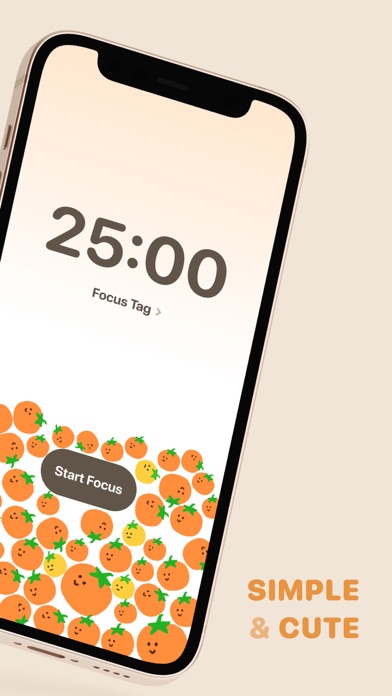


Released in August 2020 and now at version 5.2.2, FocusPomo has accumulated a 4.76 rating across roughly 7,000 reviews, signaling real and sustained user satisfaction. Its headline feature is iCloud sync that spans every major Apple platform, including Apple Watch. The 176 MB footprint is heavier than most timer apps, and the free-to-download model conceals an in-app purchase structure that warrants a closer look before you build a daily workflow around it.
Seamless sync across Apple devices works reliably
FocusPomo implements the Pomodoro Technique, alternating focused work intervals with short breaks, and wraps that simple concept in a feature set built specifically for the Apple ecosystem. The standout capability is real-time iCloud sync across iPhone, iPad, Mac, and Apple Watch, so a session started at a desk continues seamlessly on a wrist glance or a phone pickup. For a productivity method whose entire value rests on unbroken concentration, that continuity is not a luxury but a genuine functional advantage. Session history and progress tracking add accountability beyond a bare countdown. The 4.76 rating from 7,000 reviewers suggests the core loop works reliably in everyday conditions, which is the most meaningful performance signal a timer app can offer.
Large install size reflects bundled assets
Qualitative signals point toward a stable, well-optimized app. A rating above 4.7 sustained across 7,000 reviews rarely survives persistent crash reports or sync failures, so day-to-day reliability appears solid. The 176 MB install size is notably large for the category and likely reflects bundled assets such as sounds, animations, or widget resources rather than any single core function. That size has no bearing on runtime speed but does matter for users managing tight device storage. The July 2026 update confirms the developer is actively addressing issues and refining the experience, which reduces the risk of encountering long-standing unresolved bugs.
Free tier scope requires checking before committing
The app is free to download, which removes any barrier to trying it. The complication is that in-app purchases exist and the App Store listing does not make the free-versus-paid feature boundary immediately obvious. That ambiguity matters because Pomodoro apps vary widely in what they lock behind a paywall, ranging from cosmetic themes to core features like detailed statistics or unlimited session history. Before investing time in customizing the app, it is worth navigating to the in-app purchase screen to map exactly what the free tier covers. If the free tier handles basic timed sessions and cross-device sync, the value proposition is strong. If sync itself requires a subscription, the calculus changes considerably.
iCloud sync necessitates reviewing privacy label
Because FocusPomo relies on iCloud sync, it necessarily handles Apple ID-linked data and stores session history in the cloud. The specifics of what is collected, how long it is retained, and whether any data is shared with third parties are detailed in the App Store privacy nutrition label, which is the authoritative source for this app. We recommend reviewing that label before downloading, paying particular attention to the data-linked-to-you and data-used-to-track-you sections. A productivity app with usage tracking features has legitimate reasons to collect behavioral data, so understanding the scope of that collection is a reasonable step for any privacy-conscious user.
Minimal interface design follows Apple conventions
The interface prioritizes the timer itself, keeping distractions minimal in an app whose entire purpose is reducing distraction. Navigation appears straightforward based on the app's positioning and rating profile, since confusing UX tends to surface quickly in reviews at this volume. Apple Watch support demonstrates attention to platform conventions beyond the phone, which generally correlates with developers who follow Apple Human Interface Guidelines. Formal accessibility findings, such as VoiceOver compatibility or Dynamic Type support, are not verifiable without hands-on testing, but apps targeting a broad productivity audience on Apple platforms typically implement standard accessibility features. Users with specific accessibility needs should test the free tier before relying on the app daily.
Nearly six years of consistent updates
The maintenance record here is genuinely strong. FocusPomo launched in August 2020 and has reached version 5.2.2, with the most recent update landing in July 2026. That trajectory across nearly six years reflects consistent developer engagement rather than a launch-and-abandon pattern common in the utilities category. Regular updates also mean the app keeps pace with iOS changes, reducing the risk of breakage after major Apple OS releases. The combination of a high rating, substantial review volume, and recent update cadence collectively suggest a developer who monitors feedback and responds to it, which is one of the more reliable proxies for long-term app health.
Pros
- Real-time iCloud sync across iPhone, iPad, Mac, and Apple Watch delivers genuine cross-device continuity
- A 4.76 rating sustained across 7,000 reviews signals reliable everyday performance
- Actively maintained through July 2026 at version 5.2.2, reducing risk of OS-compatibility breakage
- Free entry point lets users evaluate the core Pomodoro loop before any financial commitment
Cons
- 176 MB install footprint is disproportionately large for a timer app and will affect storage-constrained devices
- The free-versus-paid feature boundary is not clearly disclosed upfront, creating friction when evaluating long-term fit
- Tight iCloud dependency means the multi-device experience is exclusive to Apple users, with no cross-platform option
Related guides
Similar Tools apps


apptidal is independent and ad-supported. We earn no commission on installs and no company can pay for a better score. How we stay independent.