
Tools · iOS
Microsoft To Do
by Microsoft Corporation
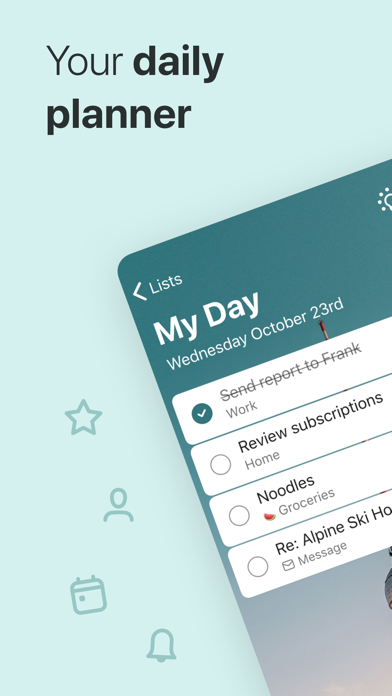

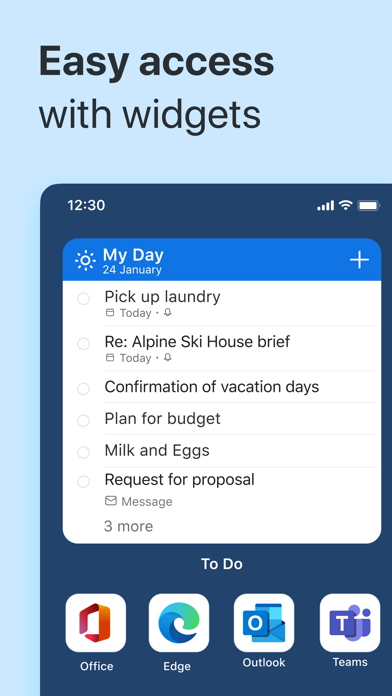
Since its 2017 launch, Microsoft To Do has grown into one of the more trustworthy free task managers on iOS, now backed by 264,000 ratings averaging 4.72 stars. Its My Day planner, Outlook integration, and consistent sync make it a natural fit for anyone in the Microsoft ecosystem. At 160 MB the install footprint is heavier than most list apps, and advanced project tools are absent, but for personal and lightly collaborative organization the value is hard to beat.
My Day view sets this task manager apart
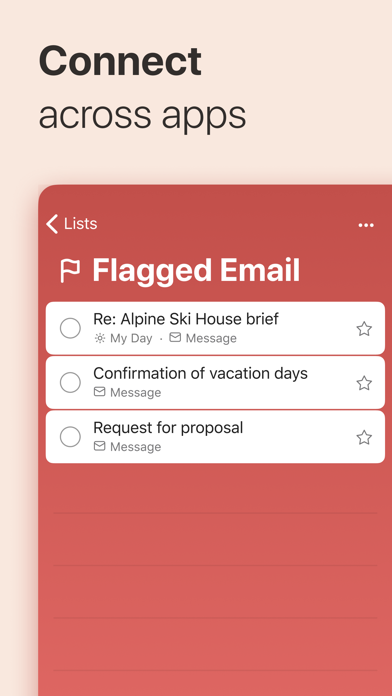
Microsoft To Do covers the core task-management loop confidently: create lists, add steps to individual tasks, set due dates and reminders, and share lists with other users for real-time collaboration. The standout feature is My Day, a daily planning view that opens as a blank slate each morning and surfaces contextual suggestions drawn from your existing lists. This low-pressure prioritization system is genuinely well thought out, and it distinguishes the app from simpler note-taking tools. Outlook email flagging feeds directly into To Do as tasks, which is a meaningful workflow shortcut for Microsoft 365 users. Where the app stops short is in anything resembling project management: there are no Kanban boards, timeline views, or granular task assignments, so teams with complex workflows will outgrow it quickly.
Reliable sync and frequent updates keep it stable
Qualitative signals here are encouraging. A 4.72-star average across 264,000 ratings on iOS points to a user base that encounters few deal-breaking bugs in everyday operation. The app is updated frequently, with version 2.177 landing as recently as July 2026, suggesting Microsoft actively addresses regressions rather than letting issues linger. The 160 MB install size is notably large for a task manager, roughly on par with some full productivity suites, which may give pause on storage-constrained devices. Once installed, though, sync across devices is consistently reported as reliable, and the interface loads without the sluggishness that sometimes afflicts heavier Microsoft apps. Offline access to existing lists is supported, which matters for users on unreliable connections.
Free with no paywalls or feature limits
Microsoft To Do is free, and no core feature sits behind a paywall. There is no premium tier, no subscription upsell, and no artificial limit on the number of lists or tasks. For a product maintained by a company the size of Microsoft, that is a genuinely generous offering. The trade-off is that the app does not try to compete with paid tools like Todoist or Things 3 on feature depth. Users who need recurring task templates, location-based reminders, or advanced filtering will eventually find the ceiling. For students, remote workers, and anyone managing personal to-do lists or shared household tasks, however, the combination of zero cost and consistent reliability makes a strong case on value alone.
Microsoft servers store your data by default
Microsoft To Do requires a Microsoft account, meaning your task data is stored on Microsoft servers and subject to Microsoft's privacy policy. As with any cloud-synced productivity app, that is worth understanding before committing personal or work-sensitive information to it. The App Store privacy label for this app is the authoritative source for exactly which data types are collected and whether they are linked to your identity, and we recommend reviewing it directly before downloading. Microsoft as a company publishes a detailed privacy policy and participates in enterprise compliance frameworks, which may reassure business users. Permissions requested on iOS are typical for the category, but as always, checking the current label in the App Store takes only a moment and is the most reliable way to verify.
Clean interface scales well across devices
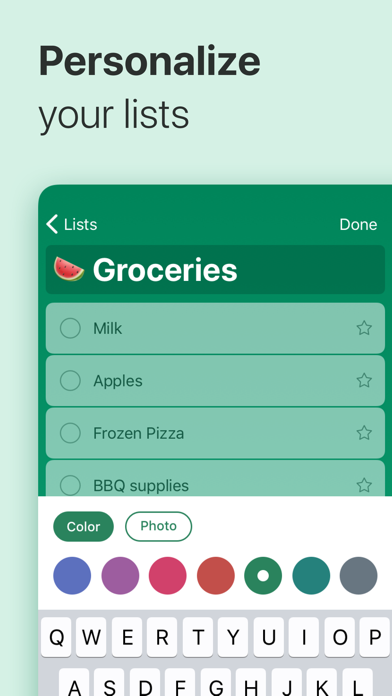
The interface follows a clean, minimal aesthetic that aligns with Microsoft's Fluent Design language. Navigation is straightforward: a sidebar holds your lists, tapping a task expands a detail panel, and My Day sits prominently at the top. The layout scales sensibly on both iPhone and iPad. Color-coded lists and emoji support add a small but useful layer of visual organization. On accessibility, the app supports Dynamic Type for text scaling and is generally compatible with VoiceOver based on category norms, though users with specific accessibility needs should verify current screen-reader behavior in recent reviews. The content rating of 4-plus reflects a completely inoffensive, distraction-light experience suitable for all ages.
Nearly a decade of consistent development
The maintenance record here is one of the app's clearest strengths. Released in April 2017, Microsoft To Do has been updated continuously over nearly a decade, with version 2.177 published in July 2026. That update cadence, combined with a version number well into the hundreds, signals a product that receives regular attention rather than occasional emergency patches. Microsoft's backing means the app is unlikely to be abandoned or monetized aggressively. The high rating across a large review base also suggests that updates are not introducing significant regressions. For users who have been burned by promising task managers that quietly stopped receiving updates, the sustained development history here is a meaningful reassurance.
Pros
- Completely free with no paywalled core features or subscription tiers
- My Day planner with contextual task suggestions reduces daily decision fatigue
- Outlook email flagging creates a frictionless capture workflow for Microsoft 365 users
- Actively maintained with frequent updates, most recently July 2026, across a nearly decade-long release history
Cons
- 160 MB install size is disproportionately large for a task management app
- No Kanban boards, timeline views, or advanced project features limit usefulness for teams
- Tight Microsoft ecosystem dependency means users on Google Workspace or Apple-centric setups get noticeably less value
Related guides
Similar Tools apps


apptidal is independent and ad-supported. We earn no commission on installs and no company can pay for a better score. How we stay independent.