
Tools · iOS
Pomodoro - Focus Timer
by DelightApps Corp.
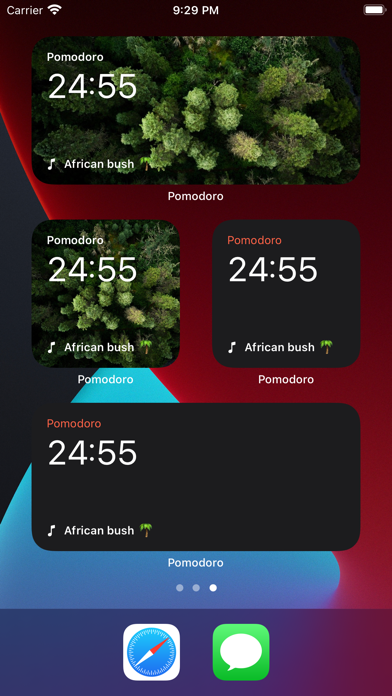
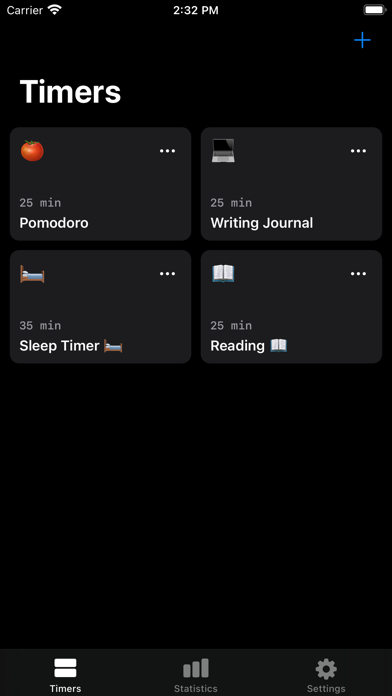
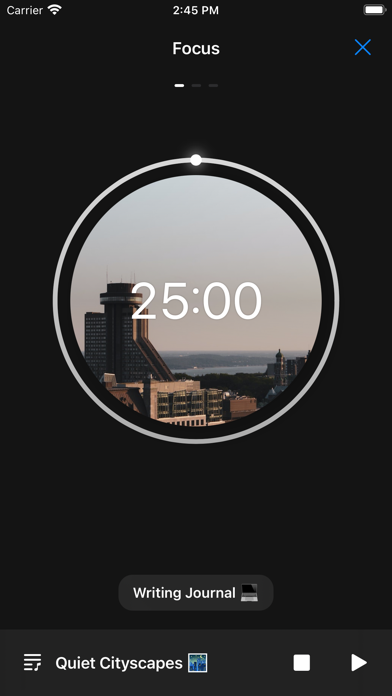
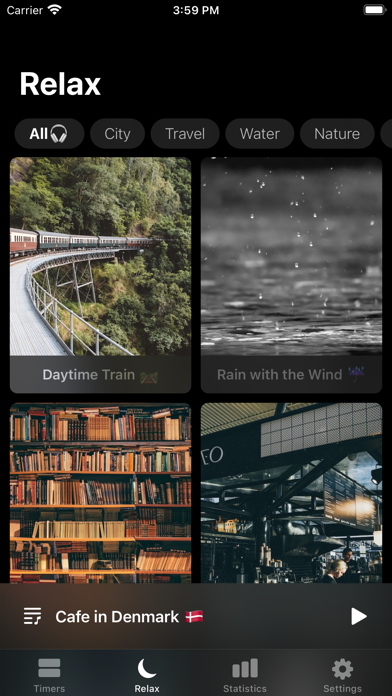

Released in 2017 and updated as recently as June 2026, Pomodoro - Focus Timer covers the full Pomodoro workflow: adjustable work and break intervals, short and long break cycles, built-in white noise, progress tracking, and cross-device support across iPhone, iPad, and Apple Watch. At 102 MB it runs heavier than most timer utilities, though the feature breadth does help explain the footprint. A 4.74 rating across roughly 11,000 reviews signals genuine user satisfaction.
Core timer works reliably with customizable intervals
The core Pomodoro loop is well-executed here. Work and break durations are fully adjustable, so users are not locked into the classic 25-5 split, and background scheduling ensures notifications fire reliably even when the app is not in the foreground. Built-in white noise plays alongside the timer, removing the need for a separate ambient-sound app. Apple Watch complications and iOS 14 widgets keep the countdown visible at a glance, which genuinely supports staying in a flow state. Voice feedback after sessions adds a small but welcome layer of reinforcement. The breadth of features is real, though the overall experience feels more like a feature list assembled over eight years than a tightly unified design.
Stable performance across 11,000 user ratings
A 4.74 average drawn from around 11,000 ratings is a strong signal that most users encounter a stable, reliable experience. Background notification accuracy is the most critical performance trait for any timer app, and user sentiment suggests this app handles it consistently. The 102 MB install size is harder to defend on qualitative grounds: comparable Pomodoro utilities ship at a fraction of that weight, and a larger binary can mean slower cold launches on older devices. The app has been updated continuously since 2017, with the most recent release in June 2026, so performance regressions from neglect are unlikely. Version 8.21.11 also implies a mature, well-iterated codebase rather than an abandoned project.
Free download obscures in-app purchase details
The app is free to download, which lowers the barrier to trying it. The significant caveat is that the App Store listing provides almost no clarity on what is available on the free tier versus what sits behind in-app purchases. Features like white noise playback and voice feedback may or may not require an upgrade, and that ambiguity creates real friction before a user even opens the app for the first time. For a productivity tool where trust and simplicity matter, that opacity is a genuine weakness. Users willing to explore the app and accept a potential upsell will likely find the free tier functional enough for basic use, but anyone who dislikes surprise paywalls should proceed with caution.
Data practices require App Store verification
We cannot verify specific data-collection practices without access to live App Store privacy nutrition labels, and fabricating those findings would be misleading. What we can say is that a timer app with white noise, progress tracking, and cross-device sync has plausible reasons to request notification permissions, audio access, and potentially iCloud or network access for sync. Users should review the Privacy section on the App Store product page before installing, paying particular attention to whether usage data or identifiers are linked to identity for advertising purposes. Given that the app is ad-supported or relies on in-app purchases, some analytics collection is common in this category.
Accessibility depends on VoiceOver implementation
The presence of Apple Watch complications, iOS widgets, and voice feedback after sessions suggests the developer has thought about multiple interaction contexts beyond the phone screen alone. Watch support in particular benefits users with motor or attention considerations who prefer glanceable information over repeated phone unlocks. That said, the feature set has grown over eight years, and a layered interface can create navigation complexity that works against users relying on VoiceOver or other assistive technologies. Whether dynamic text scaling and VoiceOver labels are fully implemented is best verified by running the app with accessibility features enabled. The 4+ content rating confirms there is no mature content concern.
Actively maintained since 2017 launch
By any reasonable measure, yes. The app launched in August 2017 and reached version 8.21.11 with an update dated June 2026, representing nearly nine years of continuous development. That version number implies a high cadence of iterative releases rather than sporadic patches. An 11,000-review base also means the developer receives substantial user feedback to act on. The risk profile here is low from a maintenance standpoint: this is not an abandoned app coasting on an old build. The main concern is whether future updates will address the structural issues, namely the opaque pricing and the accumulated-feature design, or simply continue adding to them.
Pros
- Fully customizable work and break intervals accommodate personal productivity styles beyond the default 25-5 split
- Built-in white noise eliminates the need for a separate ambient-sound app during focus sessions
- Apple Watch complications and iOS widgets keep the timer visible without interrupting workflow
- Nearly nine years of continuous updates through June 2026 demonstrate reliable, ongoing maintenance
Cons
- 102 MB install size is disproportionately large for a productivity timer and may slow cold launches on older hardware
- In-app purchase scope is never clearly disclosed in store materials, creating frustrating uncertainty before and after download
- Feature depth accumulated over eight years results in an interface that feels layered rather than purposefully designed
Related guides
Similar Tools apps


apptidal is independent and ad-supported. We earn no commission on installs and no company can pay for a better score. How we stay independent.