
Tools · iOS
Slack
by Slack Technologies, Inc.
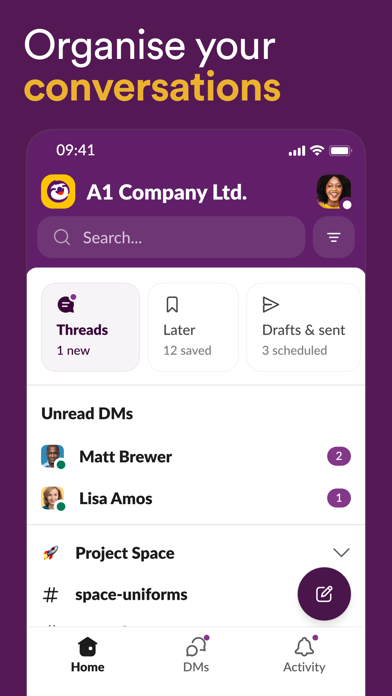

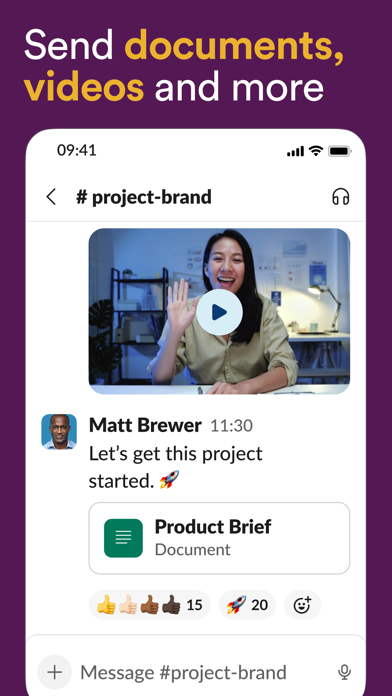
Since its 2013 launch, Slack has defined channel-based workplace communication. Version 26.07.20 on iOS weighs in at 322 MB and bundles messaging, video calls, and AI-assisted search under one roof. A 4.1 rating drawn from 48,000 reviews signals a tool people rely on daily without necessarily enjoying on mobile. It rewards organized teams but asks real patience from anyone navigating it on a small screen.
Channels and search handle team scale well
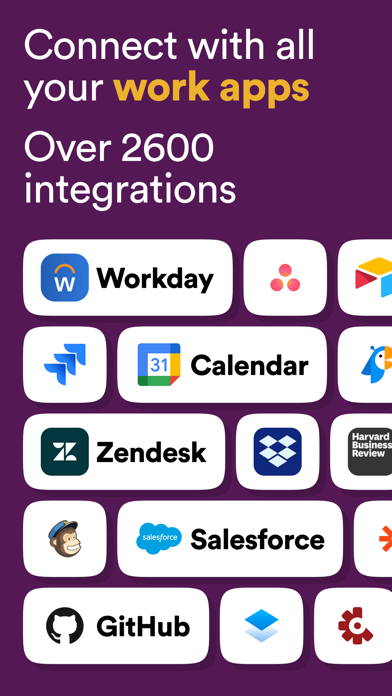
Slack's channel structure remains one of the most practical ways to separate project-specific conversation from company-wide noise, and it scales surprisingly well as teams grow. AI-powered search and conversation summarization have matured into genuine time-savers rather than marketing footnotes, helping users surface buried decisions without scrolling through hundreds of messages. Guest and external-partner access lets organizations loop in contractors or vendors without falling back on email threads, a workflow advantage that competing tools still handle awkwardly. The breadth of third-party integrations, from project trackers to calendars, adds further utility. The core promise is well executed; the friction lies mostly in how that execution translates to a phone-sized display.
Mobile interface struggles with nested complexity
A 322 MB install is substantial by any messaging-app standard, and the app carries the architectural weight that number implies. Routine tasks like reading a channel or sending a quick reply feel responsive enough, but navigating deeply nested threads or switching between multiple workspaces introduces noticeable friction. The interface layers years of feature additions on top of one another, and on smaller screens those layers occasionally collide. Notification behavior works, but it defaults to an aggressive configuration that can feel chaotic before users invest time in manual tuning. Update cadence is strong, with the latest build dated July 2026, which suggests performance regressions are addressed regularly even if the underlying complexity is never fully tamed.
Paid plans required for sustainable use
The app itself is free to download, and a free-tier workspace is available, but meaningful organizational use quickly runs into the plan's limits on message history and integrations. Paid plans introduce per-seat costs that add up fast for larger teams, making Slack a significant line item rather than a casual tool. For organizations already paying for the Pro or Business+ tier, the iOS app is simply the mobile extension of that investment and carries no additional charge. Smaller teams or solo users evaluating whether the overhead justifies the cost will likely find the free tier feels more like a trial than a sustainable option. The value proposition is strongest where the platform's breadth, external access, and integrations are actively used every day.
Enterprise controls available alongside standard permissions
Slack's App Store privacy label is the authoritative source for understanding exactly which data categories are collected and how they are linked to your identity, and we encourage any prospective user to review it directly before installing. As a workplace platform, Slack by design handles message content, file attachments, and user metadata, all of which flow through Slack Technologies' servers. Enterprise plans offer additional controls including data residency options. The app requests permissions consistent with its feature set, including microphone and camera access for calls. Organizations with strict data governance requirements should review Slack's enterprise security documentation alongside the App Store label rather than relying on default assumptions.
Desktop architecture compressed onto mobile screens
Slack's visual design is clean and consistent at the component level, with a clear typographic hierarchy and a color system that holds up in both light and dark modes. The challenge is structural rather than cosmetic: a desktop-first information architecture compressed into a mobile viewport produces navigation patterns that require more taps than comparable mobile-native tools. Jumping between workspaces, finding a specific thread, or managing sidebar sections all involve menus that feel borrowed from a larger canvas. On the accessibility front, Slack supports Dynamic Type and is broadly compatible with VoiceOver, which is consistent with its category and user base. Fine-grained accessibility tuning, however, is better assessed by individual users with specific needs using Apple's built-in testing tools.
Frequent updates reflect active development
Version 26.07.20 carries an update date of July 8, 2026, placing it among the more frequently refreshed apps in the productivity category. Slack's versioning pattern suggests rolling releases rather than infrequent major drops, which is appropriate for a platform where enterprise customers depend on stability. The 48,000 iOS ratings accumulated since a 2013 launch reflect sustained, broad usage rather than a spike around a single viral moment. Slack Technologies has continued investing in AI features alongside core reliability work, which indicates the product roadmap is active rather than in maintenance mode. Teams evaluating long-term platform risk will find the maintenance record reassuring.
Pros
- Channel-based organization scales effectively across large teams, departments, and external partners
- AI search and conversation summarization are practical features that reduce time spent hunting for past decisions
- Consistent update cadence, with a July 2026 build, reflects active maintenance and ongoing feature investment
- Built-in video calling removes the need to switch to a separate app for quick team check-ins
Cons
- At 322 MB, the install footprint is heavy compared to leaner messaging alternatives in the same category
- Multi-workspace switching and nested thread navigation feel like compressed desktop patterns rather than mobile-native interactions
- The free tier's limits on message history and integrations make it feel more like a trial than a viable long-term option for most teams
Related guides
Similar Tools apps


apptidal is independent and ad-supported. We earn no commission on installs and no company can pay for a better score. How we stay independent.